20 | P a g e
4 Quick Start Guide
4.1 Startup
The following section explains how to start the Maestro and some of its standard functions.
CAUTION The unit must be installed per factory recommendations in section 3.1 of the user manual.
4.1.1 Powering On
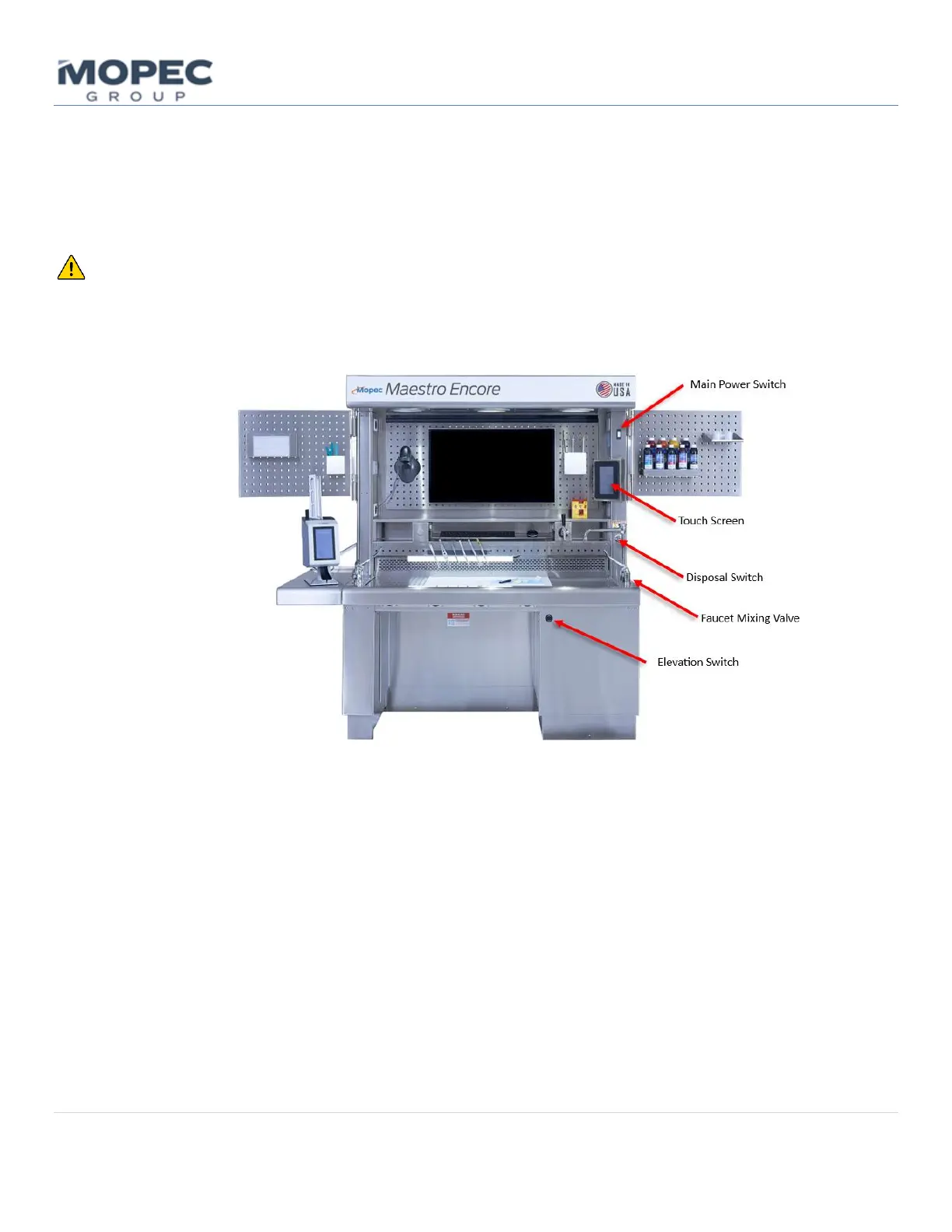
• The unit is powered ON by the main power switch located on the sink side column in the Hood section.
• After the unit is switched on the touchscreen controller will start to boot up. While the system
microprocessor boots up you will see the startup screen saver and may see the screen flash.



 To Next Page