39 | P a g e
• To start pumping simply hold down the green Dispense Pump button located just inside the knee panel. The
system is equipped with level sensors and will turn off the pump when full. The user can visually see if the tank
is Low, Partially Full, or Full by viewing the tank Level Screen.
o An empty system will typically transfer 5 gallons when filling.
• Once full the system will automatically stop filling the container to prevent spilling. It will also visually show a full
container status to notify that the stem is ready for use at its maximum capacity.
• To dispense pull the spigot handle. The spigot also has a flow control on the side. Adjust this to your desired
flower rate. With a gravity-fed system, the flow will be the fastest when full and the slowest when empty.
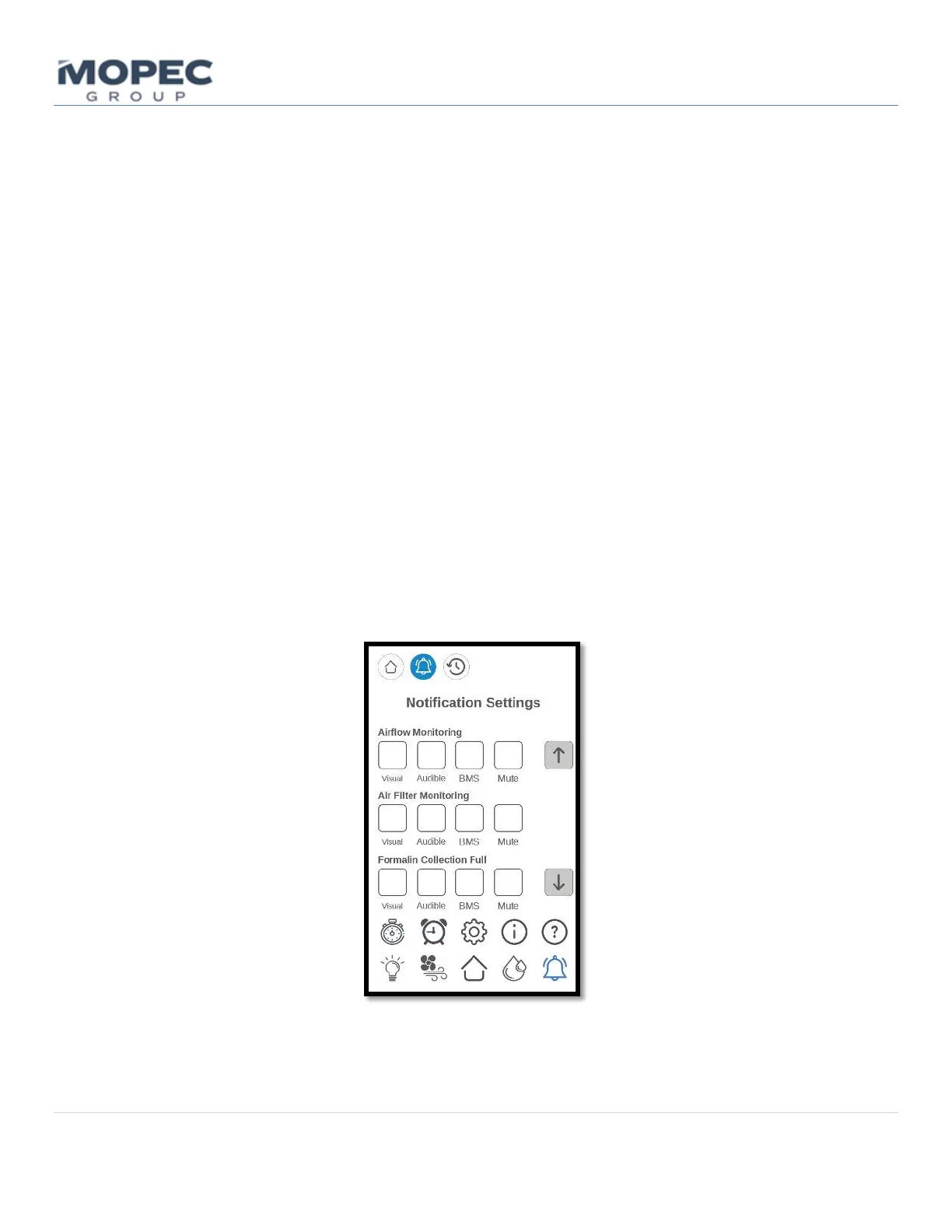
6.1.9 Notification Settings
The Notification Settings screen is utilized to notify lab personnel that the unit has an indicating alarm. The Notifications
Setting pages can be found on the home screen by pressing the bell icon. This page contains user selections for six alarm
notifications. The scrolling bar to the right will allow users to page up and down to see the full list. The notifications are
Airflow Monitoring, Air Filter Monitoring, Formalin Collection Full, Formalin Dispense Low, Formalin Collection Leak
Detection, and Formalin Dispense Leak Detection. Each feature has the ability for a visual, audible, BMS notification, or
the ability to mute the alarm with a selectable duration. Visual notifications will be displayed at the top of the home
page. Audible notifications alerts users by emitting an audible alarm tone. The BMS (Building Management System)
connection, is a simple output signal intended to be connected to a hospital remote management system. The last
selectable option is the ability to mute a given alarm. Different facilities have different requirements for alarms. Having
the option to configure these settings to your specific organization’s needs makes it easy to do on the Alarm Settings
Page.



 To Next Page