Page22 CREASING/FOLDING
SECTIONF
ReplacingtheTouchScreenAssembly
Ensurethemainspoweristurnedoffbutwiththepluginthesocket,thismaintainsan
earthtoreducestaticdamage.
1.OpenthehingedControlcoverlocatedbeneaththefeedbedandopentherear
covertoexposethemounting.
2.UnplugtheUSBconnectorandnineway“d”typeplugfromtheITXboard,then
carefullyremovethewithwhitepowerconnector(thisistightandthewirescan
easilybepulledfromtheplug)
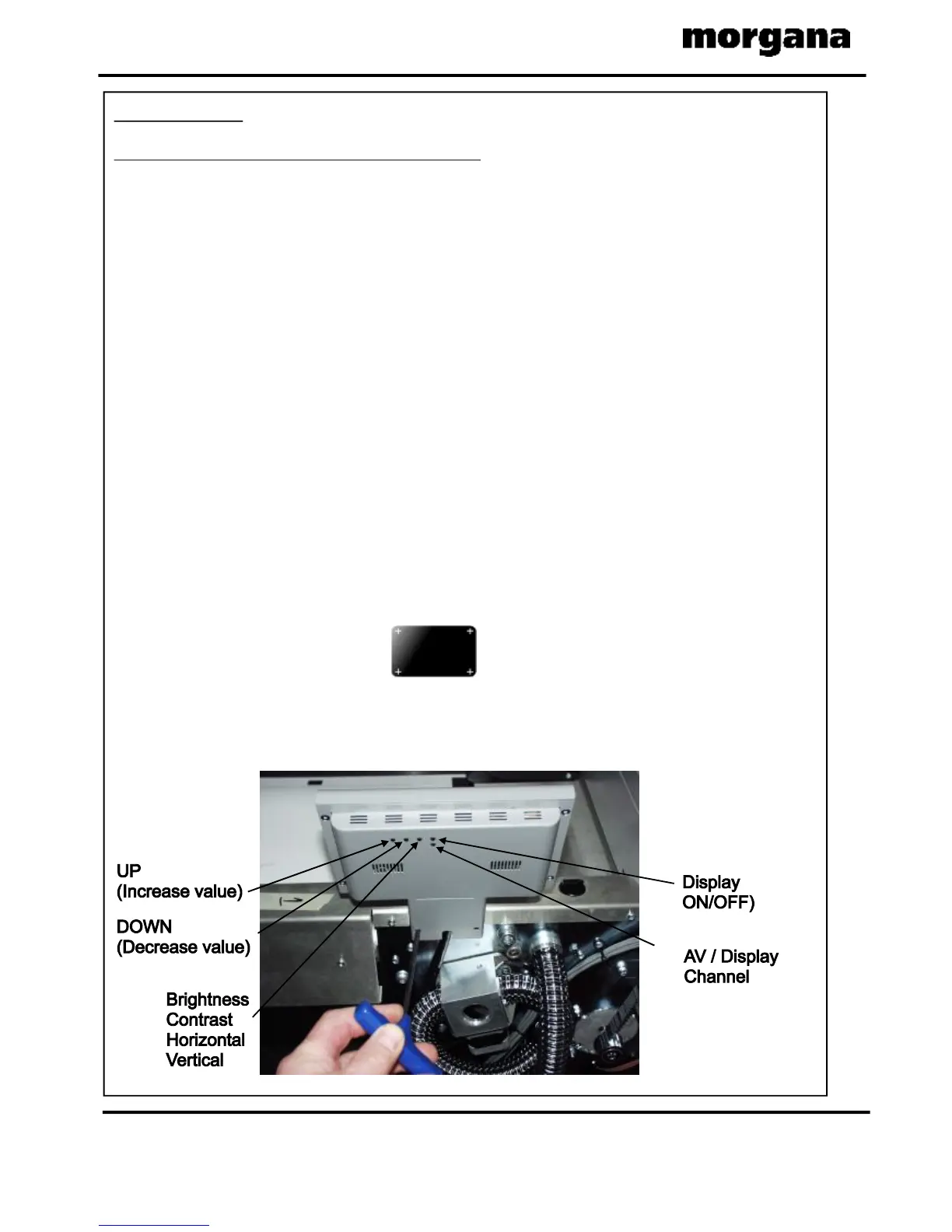
3.Throughtherearofthemetalsupportloosenthetwosocketheadscrewsusing
a4mmA/FAllenkey.seebelow.
4.Carefullylifttheunitupandthroughthetopcoveraperture.
Replacementistheoppositeprocedure.
CalibrationoftheTouchScreen.
1.Switchonthepowerandwaitforthemainscreentoappearbeforecommencing
tocheckthehorizontalandverticalpositionofthedisplay.
Thepositionofthedisplaywithinthesurroundisachievedbyoperatingthe
centrebuttonattherearofthehousing,pressthisanumberoftimestoobtain
thecorrectorientationrequired,movetothenextbuttontomovethepositionto
centralizehorizontal.
2.Selectthetoolsmenutab,andthenselecttheTouchScreencalibrationicon.
Usingaplasticpointer,softleadedpencil,birocapetc.andwithgentlepressure.
TouchthecentreofthecrossineachcorneroftheTouchScreen,asprompted,by
thehandgraphics.ThisprocedurewillcalibratetheTouchScreen.



 To Next Page