NPort Server User’s Manual
5-32
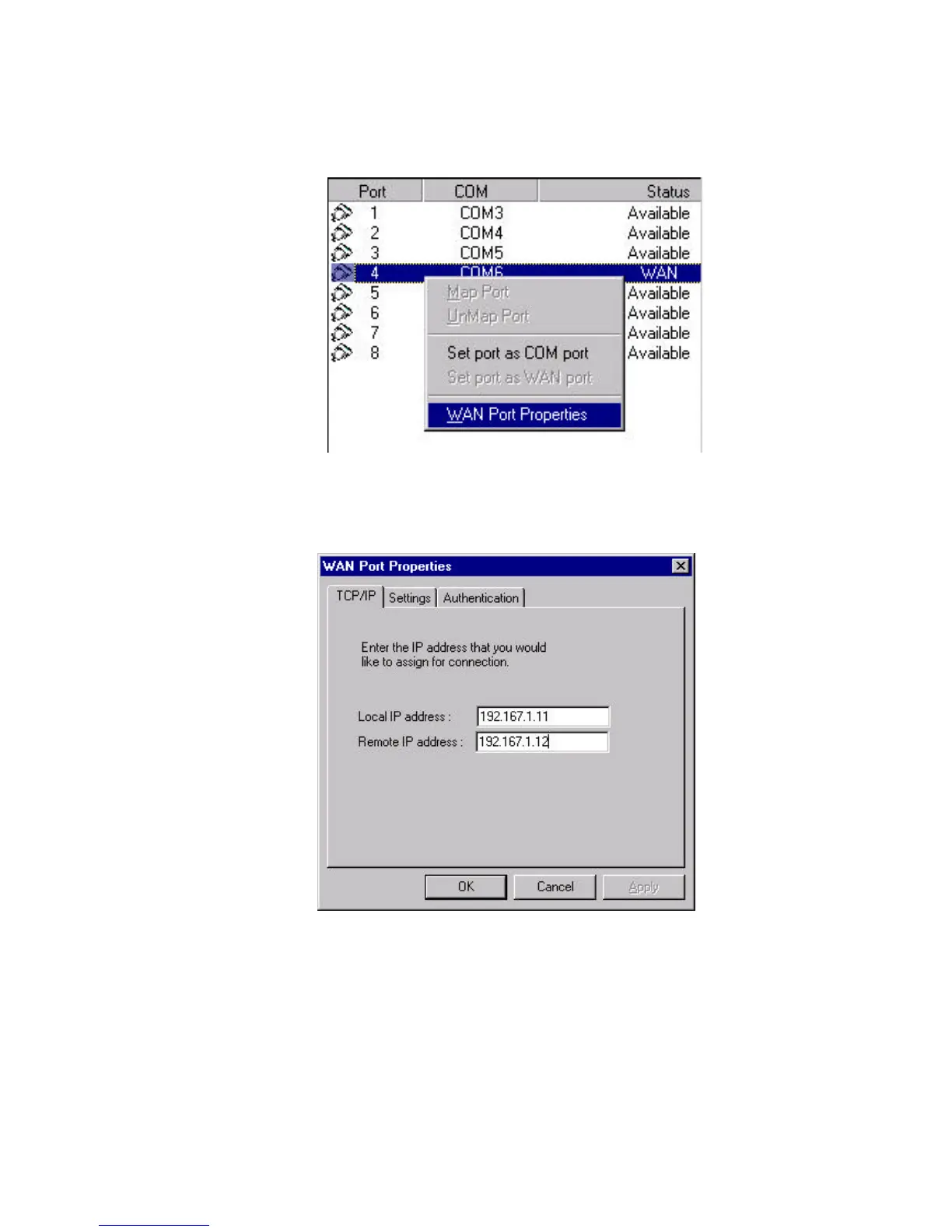
5. To keep configuring the port, right click to select WAN Port Properties.
6. Under the TCP/IP page, enter the IP address for Remote and Local interfaces.
For example, if the IP address for the WAN port providing for connection is
192.167.1.11 and you may assign a remote one as 192.168.1.12.



 To Next Page
 Loading...








