SUPREMATouch
100
Maintenance and Service
MSA
US
6.10 Display of Digital Messages
Fig. 55 Display of the digital messages
The highest priority messages [“1” means highest priority] are displayed first. Messages with a
lower priority are displayed in addition if these use other indicating ranges for message display.
6.11 LED and Sounder Test
An LED and sounder test is provided for the MDO which enables a visual functional test of the
front panel LEDs and an acoustical test of the sounder. This test can be carried out independently
from the active operating state of the SUPREMATouch and does not affect the mode of operation
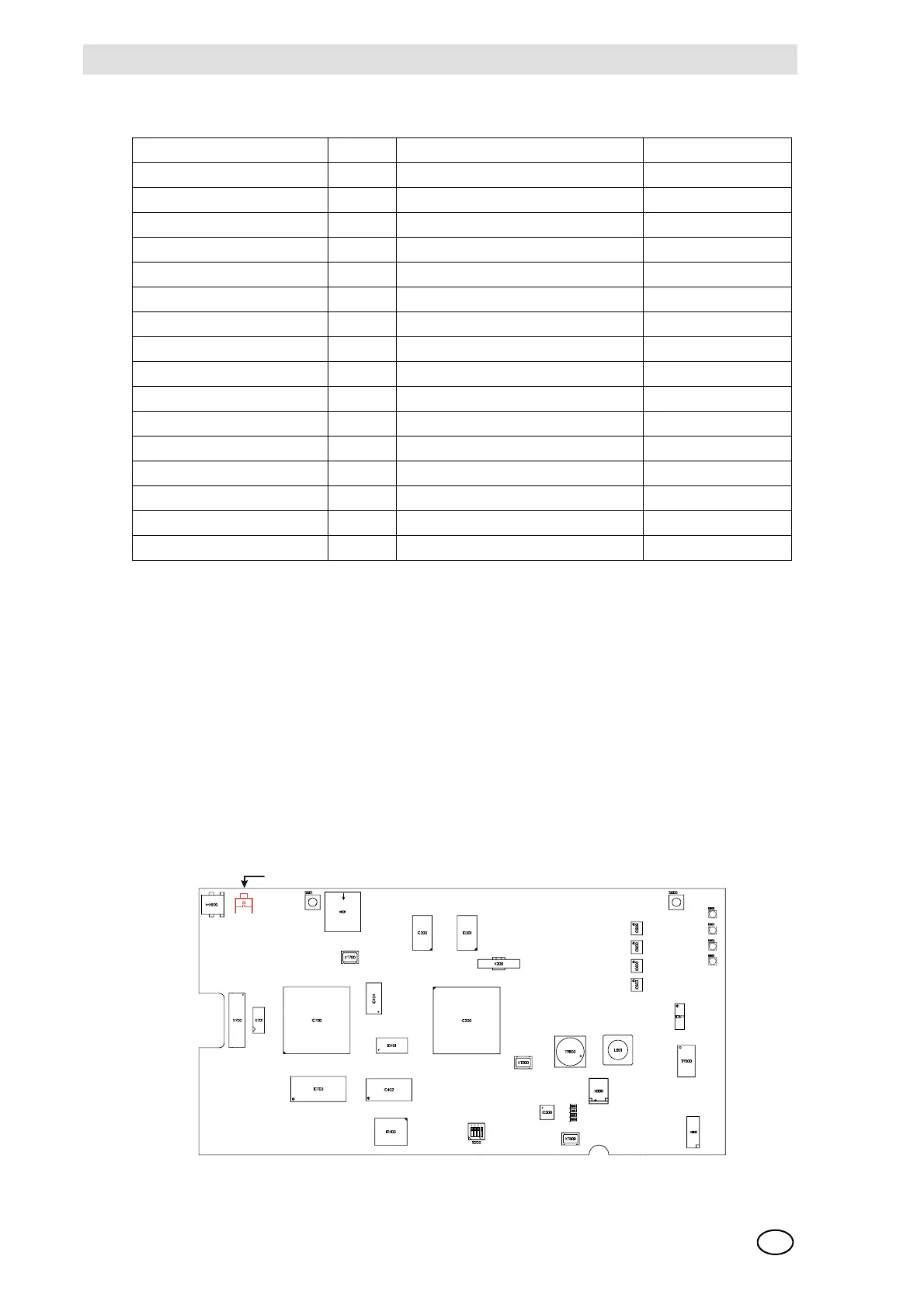
of the SUPREMATouch. To carry out this test, press the button shown in the illustration. The front
panel LEDs should now be illuminated [System – power, fail, inhibit and Signal – 1st to 4th alarm,
fail]. If there is an LED that is not illuminated when the switch is pressed, it is possible that the
MDO module needs to be replaced.
Fig. 56 MDO Module, Switch for LED Test
Message Priority Display [List] LEDs/Relays
Alarm 1 9 Measure points status 1st Alarm Signal AL 1 at
Alarm 2 8 Measure points status 2nd Alarm Signal AL 2 at
Alarm 3 7 Measure points status 3rd Alarm Signal AL 3 at
Alarm 4 6 Measure points status 4th Alarm Signal AL 4 at
System error 1 System Fail at
Signal error 3 Meas. point status Signal failure Signal Fail at
Module error 1 Module failure at
CAN-Bus failure 1
Free 1 Measure point status free
Measuring 10 Measure point status measuring
Inhibit 2 Measure point status inhibited Inhibit at
DO [Disable Output] 2 Measure point point status Inhibit flashing
Calibration 6 Measure point status calibration Inhibit at
Sensor warm-up 4 Measure point status suppressed Inhibit at
Measuring range overflow 5 Measure point status overflow Signal Fail at
New value 1 Signal blinking
LED and sounder test



 To Next Page