Connection of Peripherals
SUPREMA
227
US
Display Software
On request, display software customized to customer specifications can be provided.
The program is made available on CD-ROM.
How to use the software is described in detail at the enclosed operation instructions.
12.2 Protocol Printer
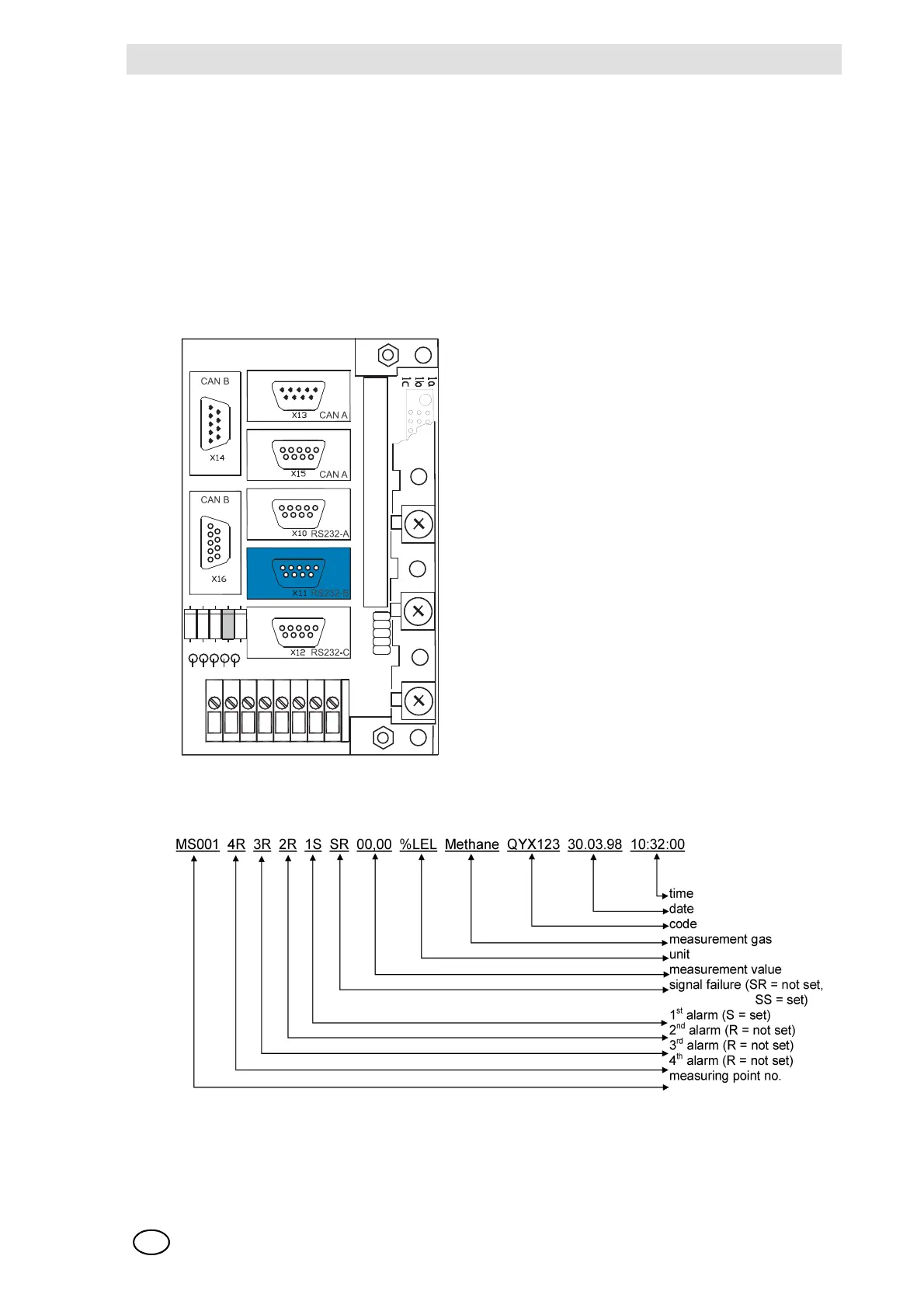
For the continuous recording of events, a protocol printer can be connected to the RS 232-B port
on the MST module. The MST module is mounted on the rear of the rack, behind Slot 1–3.
Fig. 165 MST Module, RS 232-B port
The terminal assignment of the RS 232-B connection is described in chapter 10.10.
Fig. 166 Protocol printer, Data Structure
This output is generated each time a change occurs in the status of a sampling point, that, is,
whenever the upper or lower alarm threshold is crossed (unless the alarm is self-locking), when-
ever a signal error is received, and whenever a self-locking alarm or a signal error is successfully



 To Next Page