SUPREMA
226
Connection of Peripherals
MSA
US
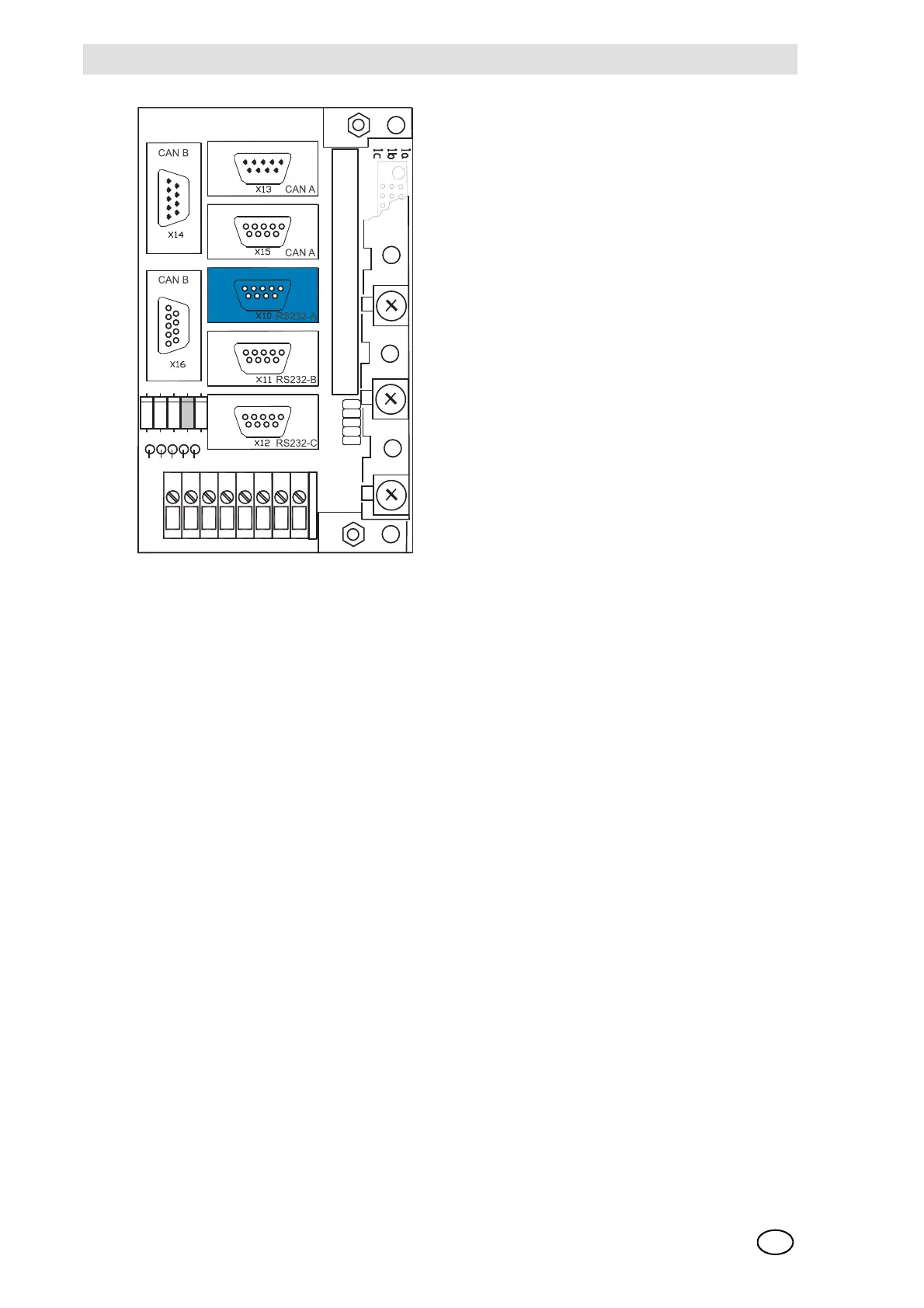
Fig. 164 MST Module, RS 232-port
The PC/laptop is connected via the serial interface (RS 232). The necessary settings for the inter-
face are described in the following sections.
Operating Software
PC operating software "SUPREMA Manager” is available as an option to improve the conven-
ience of the operation and configuration of the SUPREMA system. The software is available on
CD-ROM. It is installed on the PC/laptop by running the setup program (Setup.exe) from the CD.
The PC should satisfy the following minimum requirements:
- Minimum Pentium IV, 2GHz, 2 GB of RAM
The operating software runs under the following operating systems:
- Windows 7, Vista and XP (SP3)
For the connection of the PC/laptop, an USB and alternatively an serial interface (RS232) is pro-
vided. The serial interface of the PC/laptop must be configured in accordance with the following
specifications:
- RS 232 configuration (COM1): 19200 baud (by setting DIP switch S200-4 on the MDO, the
baud rate can be changed to 115200 baud), 8 data bits, 1 stop bit, parity none
NOTE: The operating software can be connected to any USB or RS232 interface of the PC!
Section3.4 PC Operation describes in detail how to use the software.



 To Next Page