Chapter 2 – Getting Started
Multi-Tech Systems, Inc. MultiModem® iSMS User Guide for Administrators 15
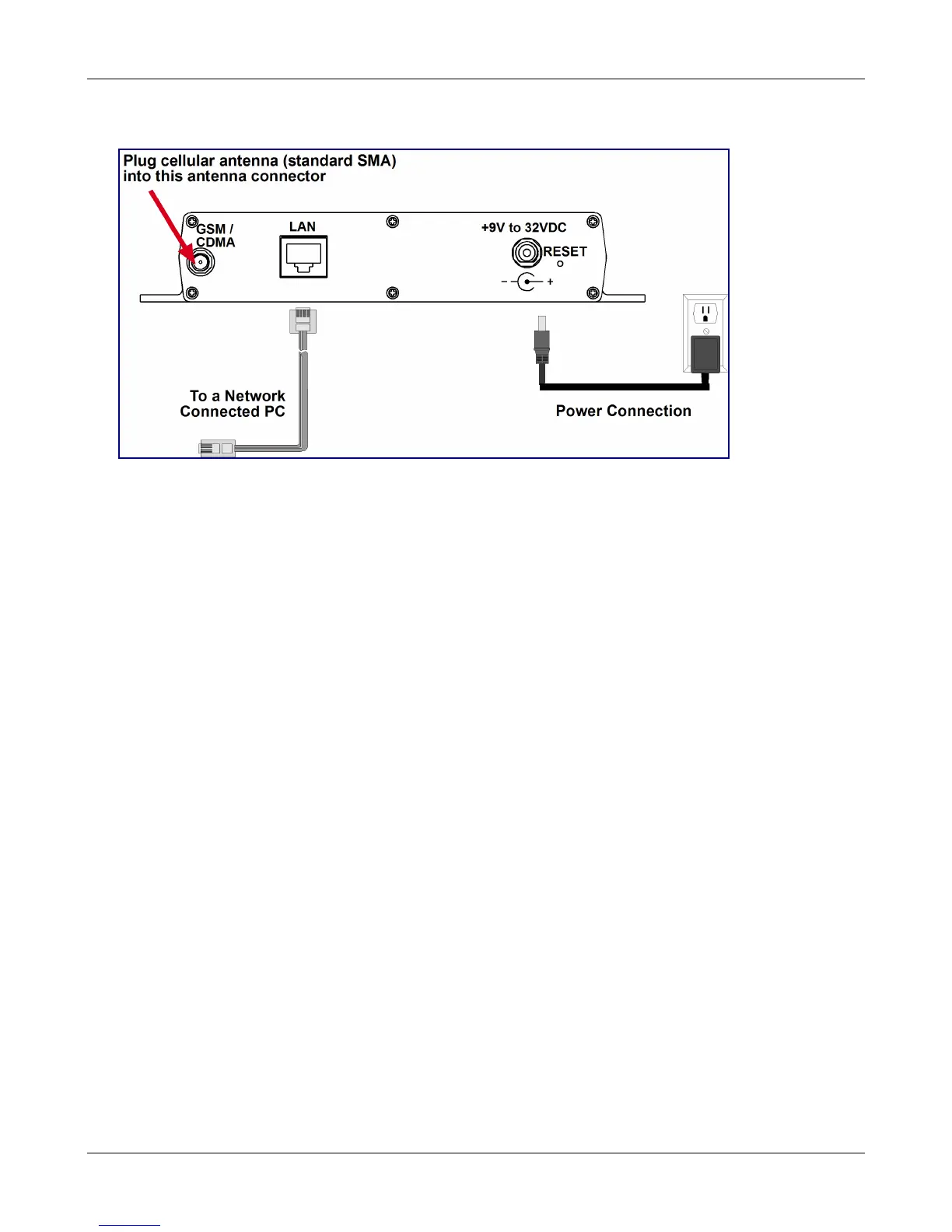
SF 100 Cabling
1. Plug one end of a RJ-45 cable into the LAN port on the MultiModem iSMS and the other end into your
network or workstation interface.
2. Attach the cellular antenna.
3. Connect the provided power supply cable to the 9 volt power port on the back of the MultiModem
iSMS, and plug the other end into an AC power outlet. The unit’s front panel Status and LAN LEDs
should report normally approximately 30 seconds after power is applied. Refer to Chapter 1, Front
Panel LEDs.
Antenna Notes:
• Be sure to locate this appliance where there is wireless coverage.
• The antenna must be attached in order for the MultiModem iSMS to be operational.
• Maintain a separation distance of at least 20 cm (8 inches) between the transmitter’s antennas
and the body of the user or nearby persons. The product is not designed for, nor intended to be,
used in applications within 20 cm (8 inches) of the body of the user.
Downloaded from Elcodis.com electronic components distributor



 To Next Page