Chapter 4 – Using the Web Interface
Multi-Tech Systems, Inc. MultiModem® iSMS User Guide for Administrators 45
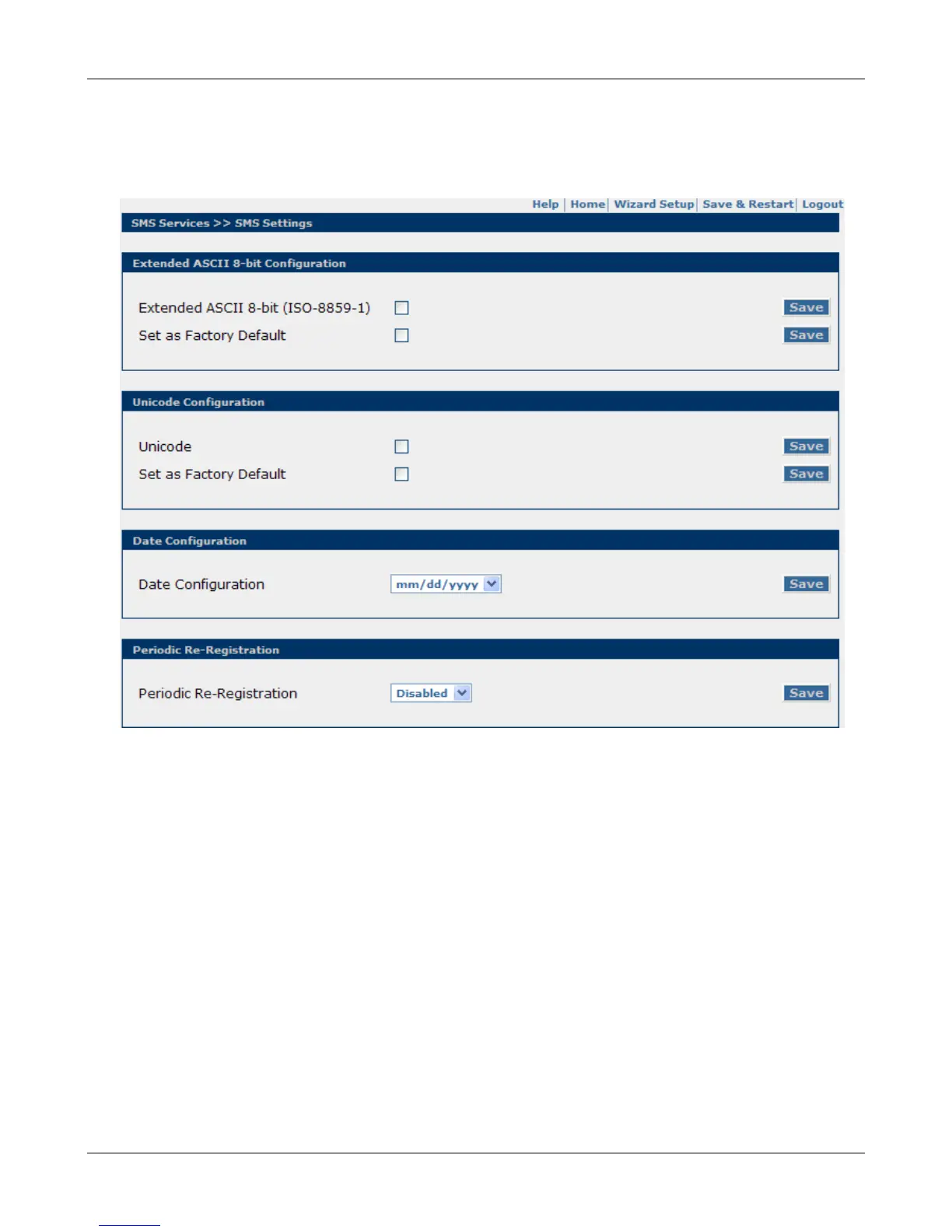
SMS Services > SMS Settings
SMS Services > SMS Settings
Use this screen to set general system settings related to SMS encoding format, time & date format and
network registration.
Extended ASCII 8-bit Configuration
Extended ASCII 8-bit (ISO-8859-1)
Enabling this mode allows the MultiModem iSMS to pass characters in the text message that are made
up of 8 bits instead of 7 bits (1 byte characters 0x80 through 0xFF). When enabled, the Extended ASCII
characters option will be linked to the following screens in order for you to select the characters: Send
SMS, Triggers, Preconfigured SMS.
Set as Factory Default
Select this check box and click the Save button to set Extended ASCII 8-bit as the factory default. This
option is used when performing a "Reset to Factory Defaults". This option is ignored and overwritten
when invoking the "Reset MultiModem iSMS Defaults" option.
Save
Click the Save button to set each changed setting before navigating away from this page.
Downloaded from Elcodis.com electronic components distributor



 To Next Page