Chapter 3 – iSMS Basics and Setup Wizard
Multi-Tech Systems, Inc. MultiModem® iSMS User Guide for Administrators 25
Saving System Configuration Changes
There are two types of save functions within the WEB Management menu system.
The first is a 'per feature' (per menu) save button. Most changes made per menu take effect immediately upon
performing this save (but not all, some require a system restart). These are found individually in the Sub Menu
input areas.
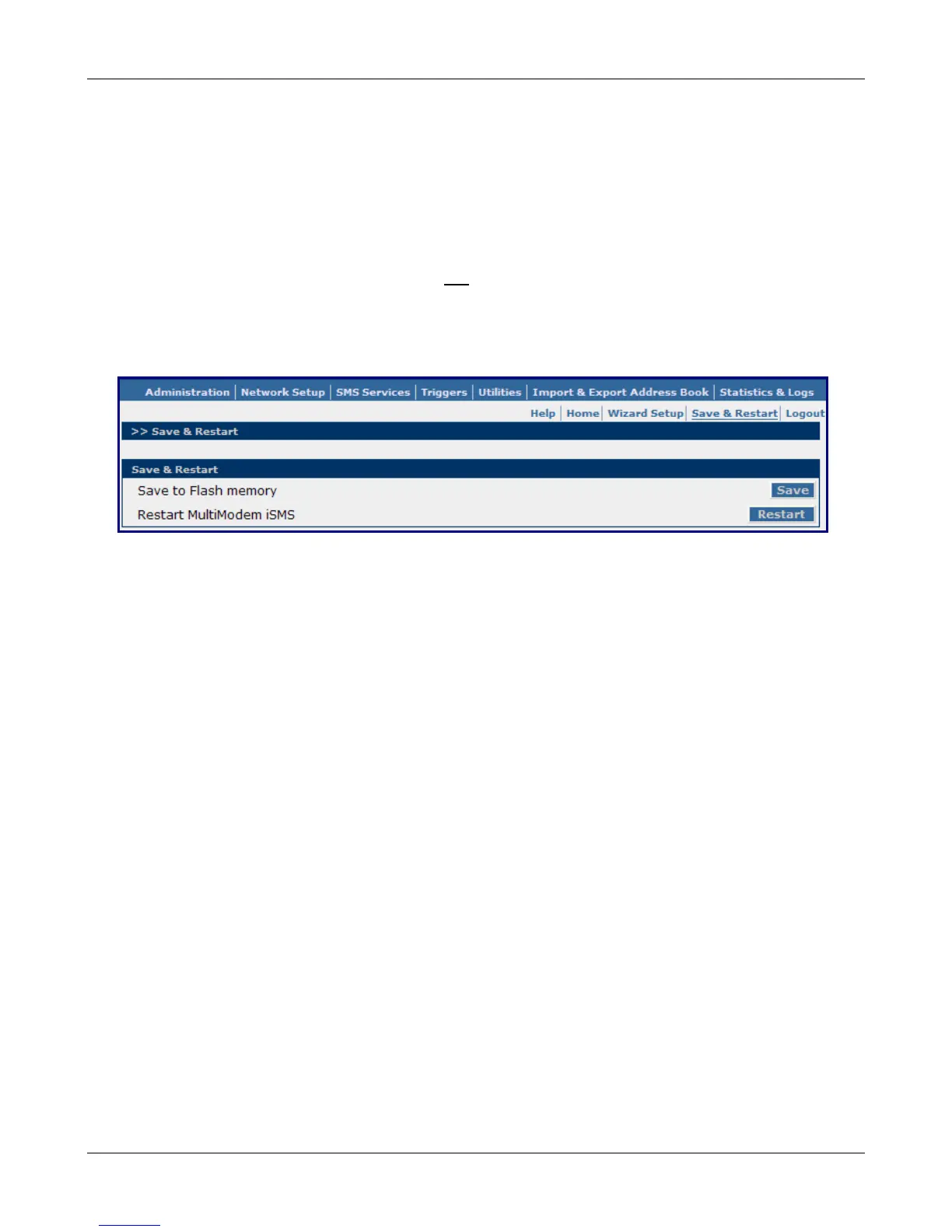
The second type is a system wide save function called "Save to Flash". Non default parameters (parameter
changes you have made to suit your needs) will be lost
upon restart if they have not been saved to the flash
memory. After you have completed the setup of your MultiModem iSMS system, you will want to make sure
your selections are permanently saved.
Save & Restart Button under Menu Bar
Save to Flash Memory
This is a system wide save function.
Upon system start up, system parameters are taken from what is stored in the unit's Flash Memory. After
you have configured the unit for your needs, perform the "Save to Flash" function before the unit is to be
restarted. Additionally, as changes are made to the Address Book, Groups, the User accounts, and Triggers
(all living databases) the changes to them take effect immediately, but will be lost upon a restart if the
Save to Flash is not performed before the restart.
Save
Click the Save button to save your system settings to the flash memory.
Restart
This is optional. You do not have to restart the MultiModem iSMS after saving to the flash memory.
Downloaded from Elcodis.com electronic components distributor



 To Next Page