Chapter 4 – Using the Web Interface
Multi-Tech Systems, Inc. MultiModem® iSMS User Guide for Administrators 33
Administration > Admin Access > Allowed Networks
Administration > Remote Syslog
Administration > Admin Access > Allowed Networks
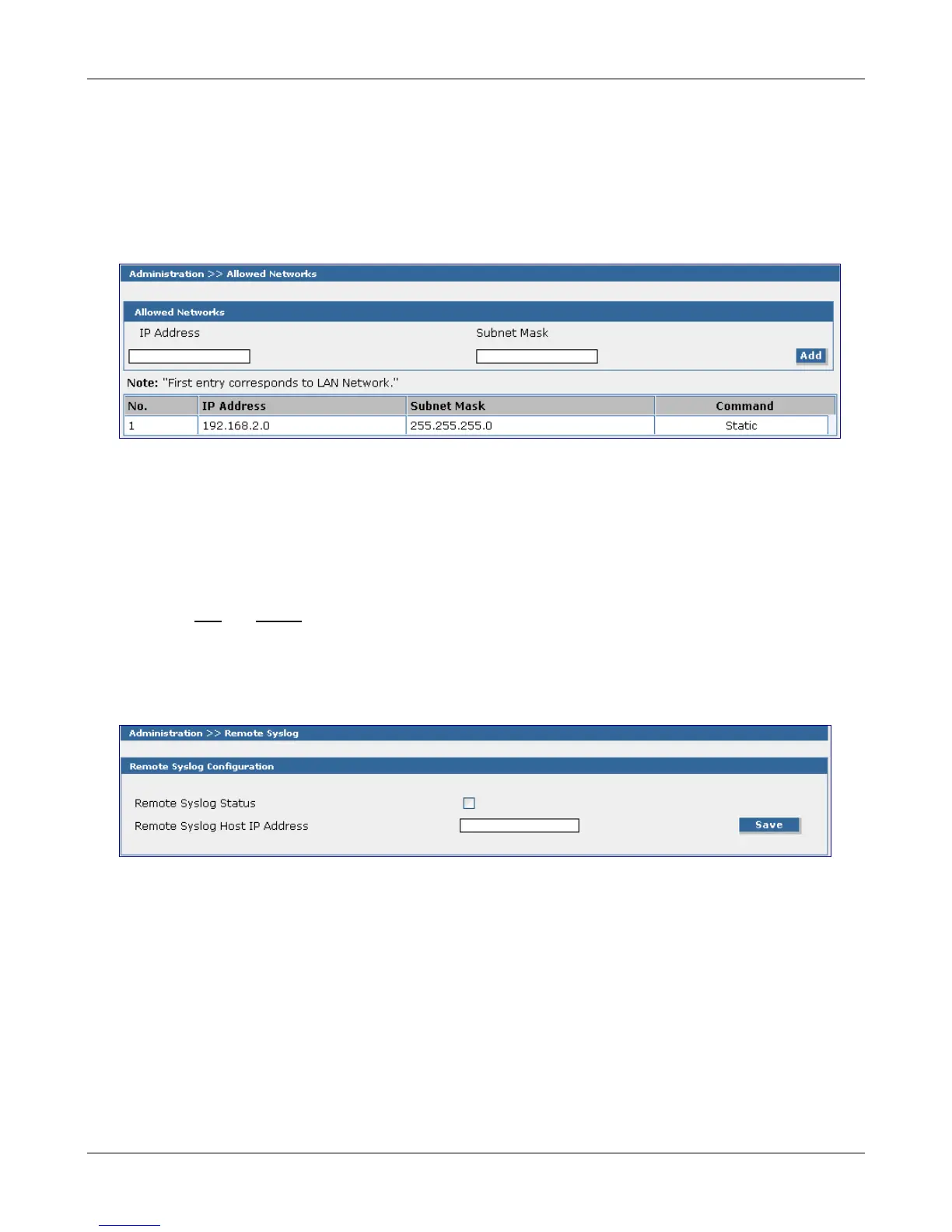
Use this screen to set the networks that will be allowed access to the MultiModem iSMS. The
administrator can then add, edit and delete any network. By default, the LAN network is always allowed
access to the MultiModem iSMS. In addition, the administrator can configure the IP Address and Subnet
Mask as 0.0.0.0 to allow access to any network.
Allowed Networks
IP Address – Enter the IP address of any network you want to allow access to the MultiModem iSMS.
Subnet Mask – Enter the Subnet Mask of any network you want to allow access to the MultiModem
iSMS.
Add – Then click the Add button.
The allowed network displays at the bottom of the screen.
Note: The first entry is the LAN Network, which defaults onto this screen. Subsequent entries will have
Edit
and Delete as Command options.
Administration > Remote Syslog
Use this screen to enable/disable the Syslog Client in the MultiModem iSMS and to define the IP address of
the Syslog Server. The default is Disabled.
Remote Syslog Configuration
Remote Syslog Status – Check the Remote Syslog Status box to enable this remote syslog.
Remote Syslog Host IP Address – Enter the IP address or resolvable name of your Syslog server.
Save – Then click the Save button.
Note: When Remote Syslog is enabled, the Trace Log screens (found in the Statistics and Logs menu)
no longer display data. The data is now being sent to your Syslog Server.
Downloaded from Elcodis.com electronic components distributor



 To Next Page