Chapter 4 – Using the Web Interface
Multi-Tech Systems, Inc. MultiModem® iSMS User Guide for Administrators 30
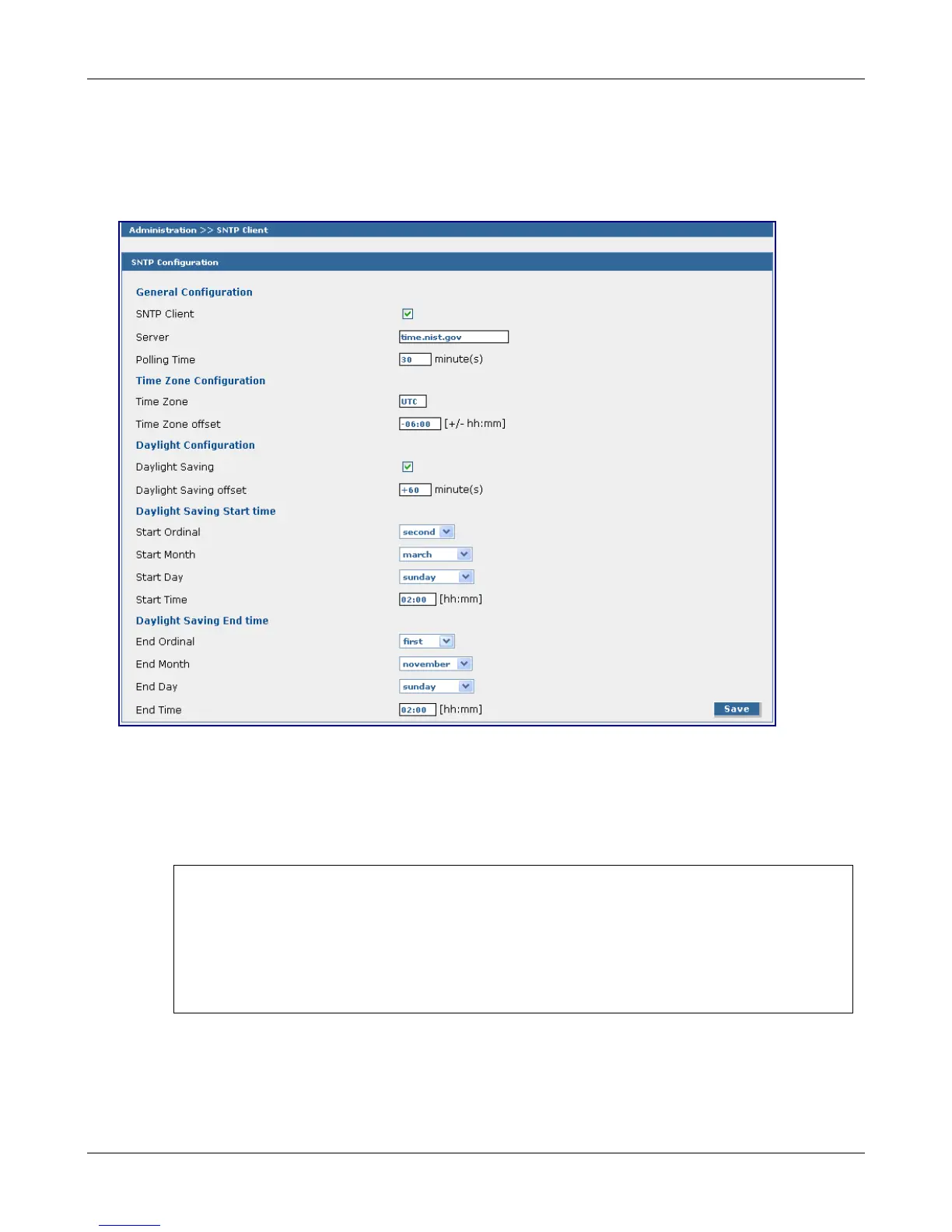
Administration > SNTP Client
Administration > SNTP Client
Clicking the SNTP Client check box enables the SNTP client within the MultiModem iSMS. SNTP (Simple
Network Time Protocol) is an internet protocol used to set up the synchronization of the unit’s clock to real
time.
SNTP Configuration
General Configuration
SNTP Client
Enable or disable the SNTP Client to contact the configured server on the UDP port 123 and set the
local time. Default is Enabled.
A Note About the Outbox
In order for messages in the outbox to have a valid date/time stamp, do one of the following
options:
• SNTP Client must be enabled and the Ethernet connection must be live to the Internet.
-or-
• Enter the MultiModem iSMS phone number on the Network Setup > Cellular Modem
screen.
Server
Enter the SNTP server name or IP address to which the SNTP Client must contact in order to
update the time. The default is time.nist.gov.
Polling Time
Enter the polling time at which the SNTP client requests the server to update the time. Default is
30 minutes. Time must be entered in minutes.
Downloaded from Elcodis.com electronic components distributor



 To Next Page