Chapter 4 – Using the Web Interface
Multi-Tech Systems, Inc. MultiModem® iSMS User Guide for Administrators 34
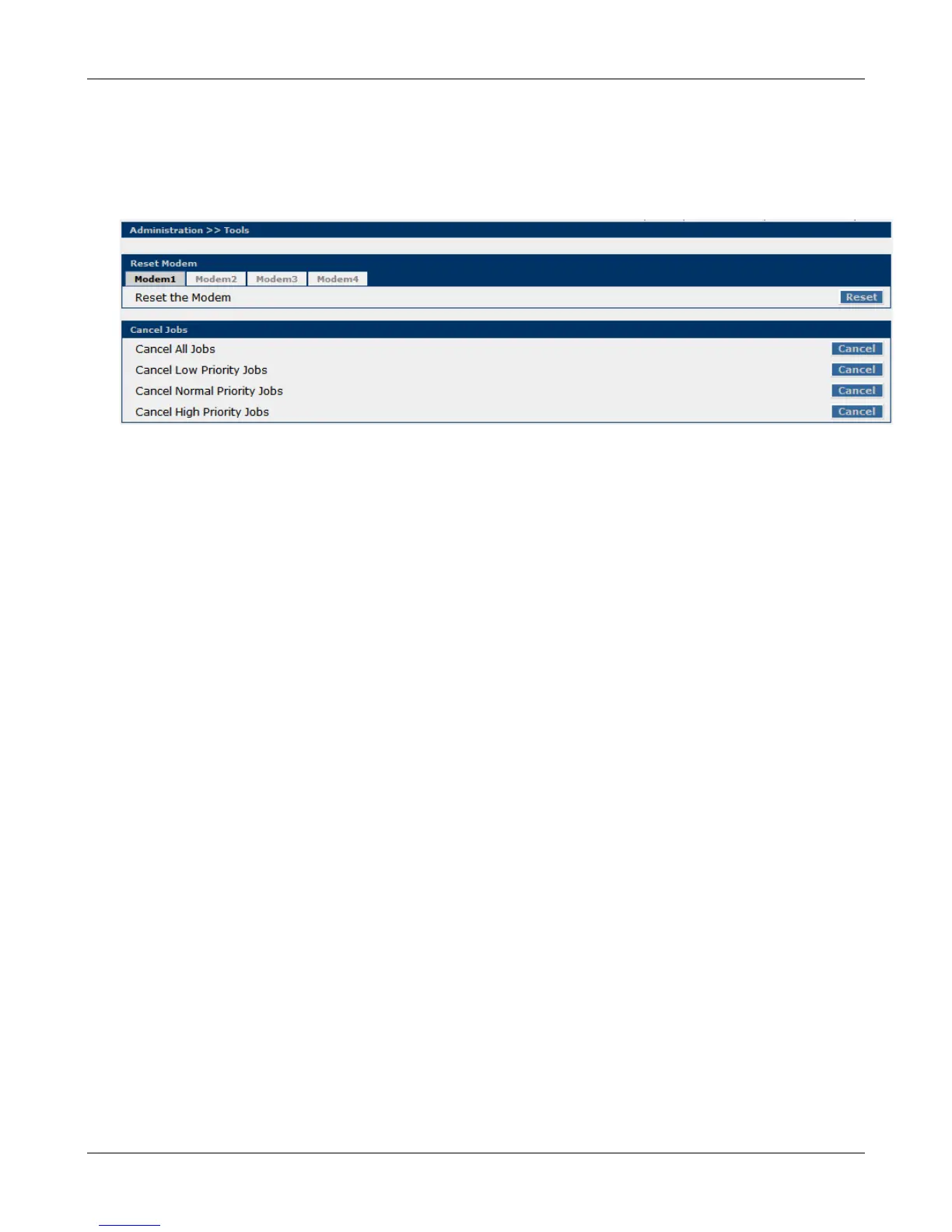
Administration > Tools
Administration > Tools
This screen is used to reset the cellular modem. You may want to use Reset if you have lost your
connection or the modems are not functioning properly but you don't want to recycle power through the
MultiModem iSMS.
Reset Modem
After clicking on the modem tab for the modem you want reset, click the Reset button. The modem
corresponding to the number selected (1 – 4 for the SF 400, 1 – 8 for the SF 800) will be reset.
Cancel Jobs
From here you can cancel "Pending" SMS messages that have been submitted for sending via either
Send API or the Send SMS menu. View the "Send API Status Log" screen found in Statistics and Logs |
Log Traces menu to determine message status. Pending messages submitted by the Send SMS Web
interface will also be cancelled.
Cancel All Jobs
Clicking this Cancel button will stop and clear all jobs queued.
Cancel Low Priority Jobs
Clicking this Cancel button will stop and clear all jobs flagged as Low Priority that are queued.
Cancel Normal Priority Jobs
Clicking this Cancel button will stop and clear all jobs flagged as Normal Priority that are queued.
Cancel High Priority Jobs
Clicking this Cancel button will stop and clear all jobs flagged as High Priority that are queued.
Downloaded from Elcodis.com electronic components distributor



 To Next Page