Chapter 4 – Using the Web Interface
Multi-Tech Systems, Inc. MultiModem® iSMS User Guide for Administrators 32
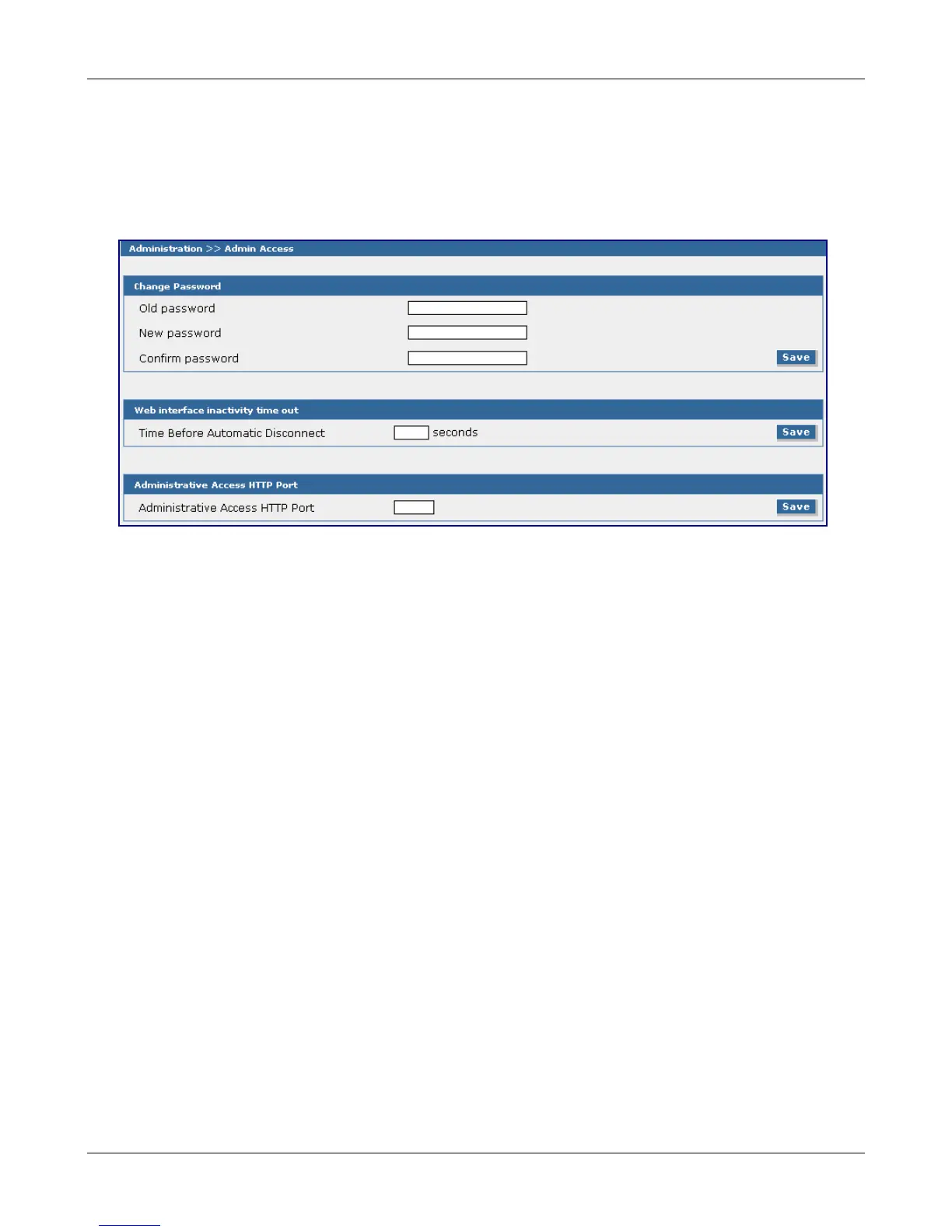
Administration > Administrative Access
Administration > Administrative Access
Use this screen to set up the password that will be used by the administrator and to set an automatic
inactivity disconnection interval. Additionally, use this screen to define which TCP port the Web
Management interface listens on.
Change Password
Old Password, New Password, Confirm Password
To change the password, enter the existing password in the Old Password field, enter the new
password into the New Password field, and confirm your new password by re-entering it into the
Confirm Password entry field. Click the Save button.
Note: You should change the password immediately after initial installation and configuration, and
also change it regularly thereafter.
Web Interface Inactivity Time Out
Time Before Automatic Disconnect
An automatic inactivity disconnection interval is part of this firmware for security purposes.
In the Time Before Automatic Disconnect entry field, enter the desired time span (in seconds) after
which you will be automatically disconnected from the Web Interface if no operations take place.
• The default setting is 600 seconds (this should allow enough time to download the CSV file).
• The smallest possible setting is 30 seconds.
• The maximum setting is 3600 seconds.
Click the Save button.
Administrative Access HTTP Port
Specify the HTTP port for administrative access. Port 80 is the default used for HTTP sessions. If you
choose to change the port number, it should be between 1 and 65535. Port numbers currently in use
by the MultiModem iSMS are not allowed.
Click the Save button.
Downloaded from Elcodis.com electronic components distributor



 To Next Page