Appendix A – Application Programming Interface (API)
Multi-Tech Systems, Inc. MultiModem® iSMS User Guide for Administrators 76
HTTP Send API Format
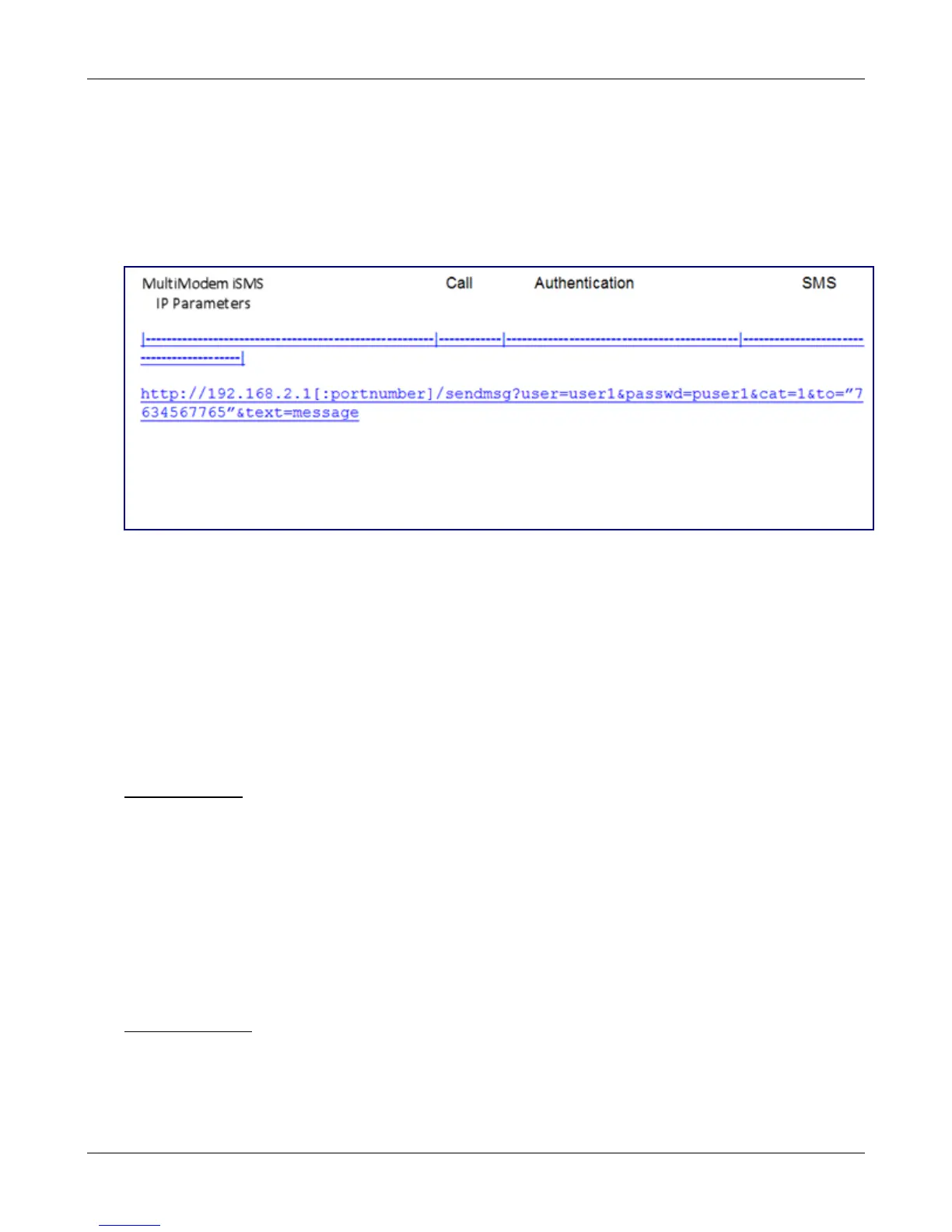
Each "HTTP Send API Request" consists of four parts:
• The first part is the destination; i.e., the MultiModem iSMS IP and HTTP port number.
• The second part is the API call which is the query; therefore, it has a '?' post-fixed to the call.
• The third part is for authentication, which is in the form of a username and password.
• The fourth part is the message parameters.
Where: portnumber is optional.
modem is optional
user1, puser1, 7634567765 and message are variables / configured parameters.
Note: The MultiModem iSMS can be accessed ONLY from the preconfigured allowed networks.
Example: To access the MultiModem iSMS 204.26.122.125 from 125.63.78.44, you MUST add the network
125.63.78.0 to the following MultiModem iSMS screen: Admin Access >> Allowed Networks
When HTTP Send API is enabled, it is also possible to send SMS from a non-browser with a TCP connection
to the configured HTTP Port by following the steps below:
• Initiate a raw TCP connection to the MultiModem iSMS IP address over the "HTTP Send API" port
Example : telnet 192.168.2.1 81
• Issue GET command to send SMS.
• Issue GET command to query the status of send SMS.
Send API Format
GET
/sendmsg?user=admin&passwd=admin&cat=1[&enc=0][&priority=1][&modem=2]&t
o=5645676543&ton=Graham&group=Engineering&text=This%20is%20a%20test%20m
essage.^M^J
-or-
GET
/sendmsg?user=admin&passwd=admin&cat=1[&enc=1][&priority=2][&modem=0]&t
o=%225678976543%22&ton=%22Bob%22&group=%22Engineering%22&text=This%20is
%20a%20test%20message.^M^J
Query API Format
GET /querymsg?user=admin&passwd=admin&apimsgid=message id.^M^J
Note: All special characters must be given in URL encoded format with hex value; e.g., space should be
given as %20; double quotes should be given as %22.
Example: If a name is Graham Bell, it should be given as Graham%20Bell
Downloaded from Elcodis.com electronic components distributor



 To Next Page