3-34 Creating Address Books
Click [Save].
9
The display returns to the “Address Book” group list screen.•
Press [Back] to cancel registering the group information and return to the “Address Book” •
group list screen.
Changing a Group
Log in to OfficeBridge as a user.
1
(See page 2-2.)
This function is also available on Administrator screen.•
This function may also be available on Guest login screen, depending on user policy settings.•
Click [User Information], and then [Address Book].
2
The “Address Book” list screen is displayed.
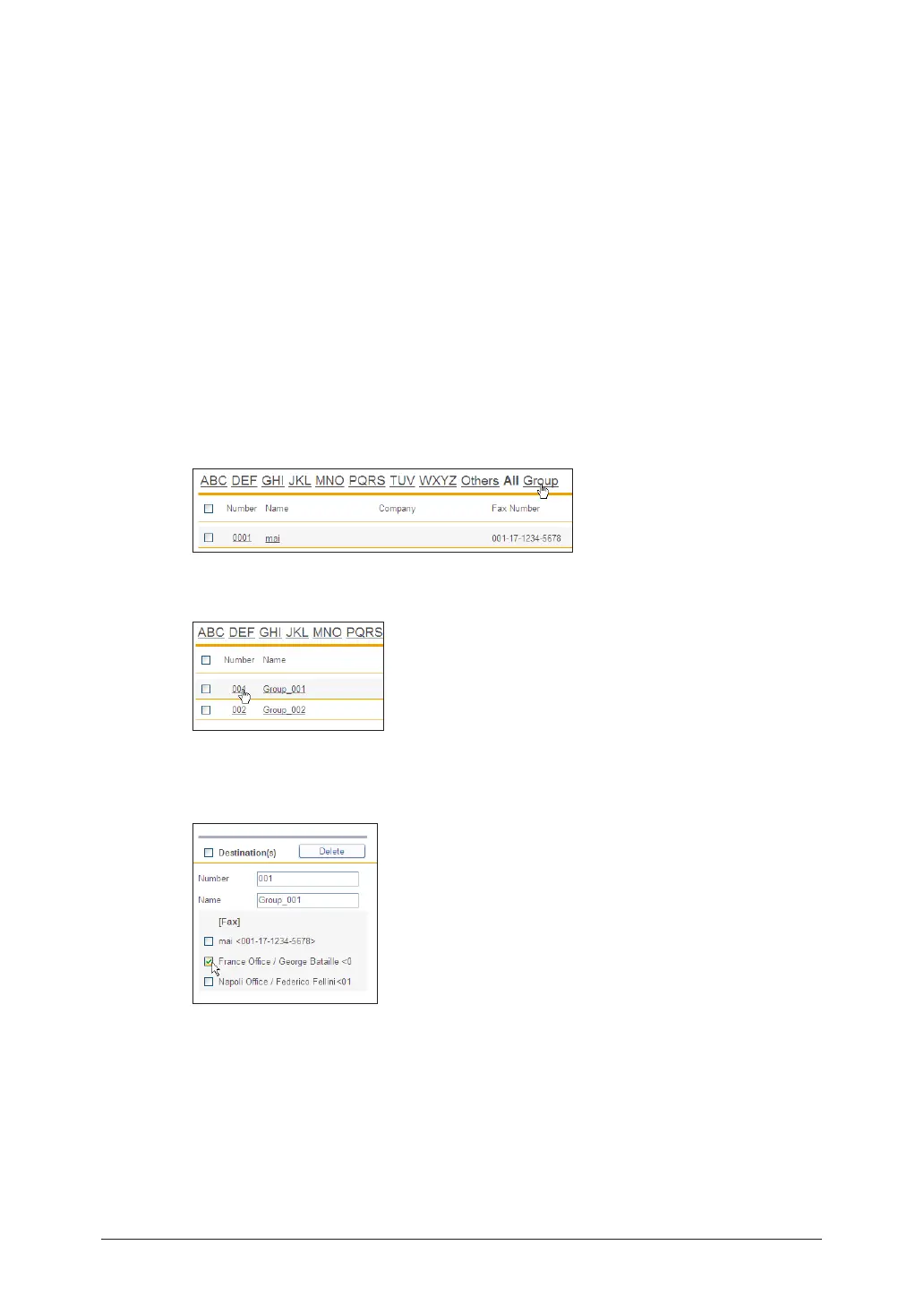
Click [Group].
3
Click the number or name of the group to change.
4
To delete a destination, select the checkbox for the destination to delete in the
5
group edit area on the right side of the screen.
To select all the displayed destinations, select the top checkbox.•
Click the same checkbox to deselect the item.•



 To Next Page
 Loading...








