1
2
3
OfficeBridge Administrator Settings
Specifying Device Settings 3-81
Specifying User Install Mode Settings
You can specify the settings required for using the machine.
Click [Admin Login] in OfficeBridge, and log in.
1
(See page 2-7.)
This function may also be available on Guest and User login screen, depending on user policy
settings.
[
2
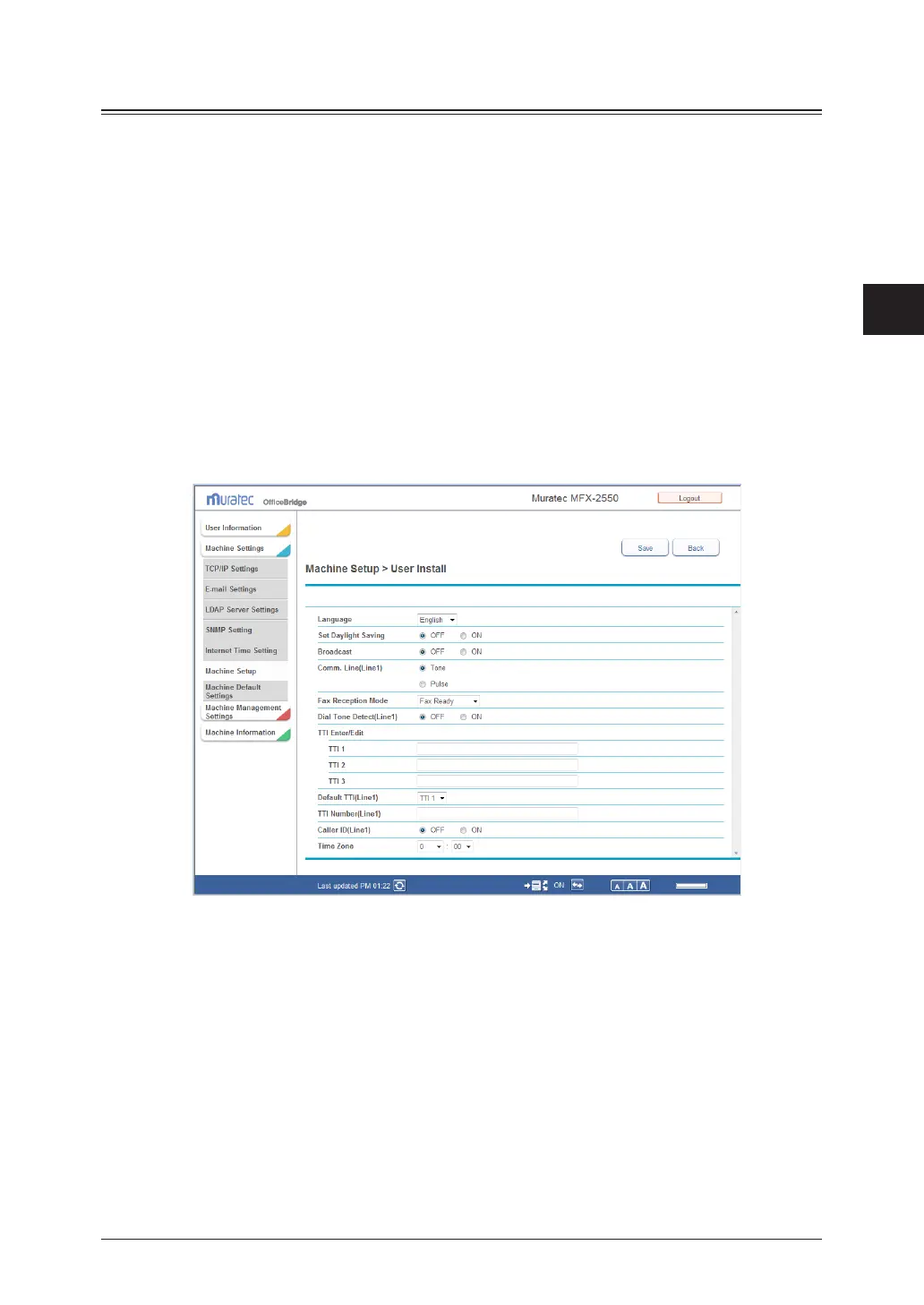
Click [Machine Settings], and then [Machine Setup].
The “Machine Setup” list screen is displayed.
Click “User Install”.
3
The “User Install” screen is displayed.
Set the detailed information.
4
For details on the settings, refer to Chapter 3, “Initial Setup (User Install)” in the Scanner and
Fax Guide.
Click [Save].
5
The display returns to the “Machine Setup” list screen.



 To Next Page
 Loading...








