Maintenance Manual – SC Cutting Plotter
48 AP-74030, Rev / B
6.2. Mechanical parts.
6.2.1. Covers Left and Right : removal and installation.
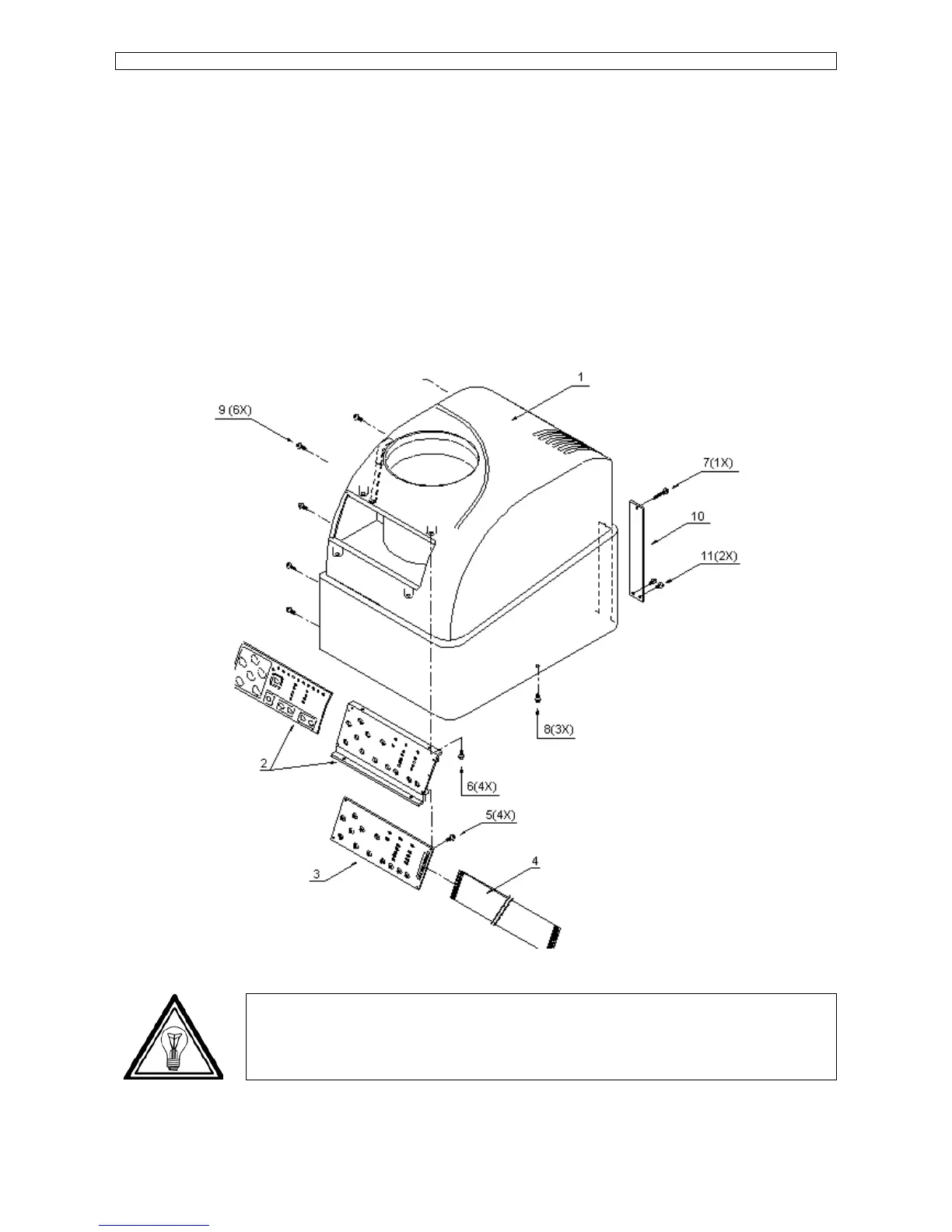
Step 1 : Remove screw 9 (6X) (Please refer to the figure mentioned below).
Step 2 : Remove screw 8 (3X) (please refer to the picture mentioned below) and screw 7 (1X) (Cover right
only) and remove the cover.
Step 3 : (Cover right only)
Be careful with the flat cable. If the cover need to be removed completely, pull the flat cable out
of the connector on the side of the keyboard PC board. (Please refer to nr 3 and 4 in the picture
mentioned below.)
Note :
To reinstall covers left and right perform above steps in reversed order.









 To Next Page