Maintenance Manual – SC Cutting Plotter
71 AP-74030, Rev / B
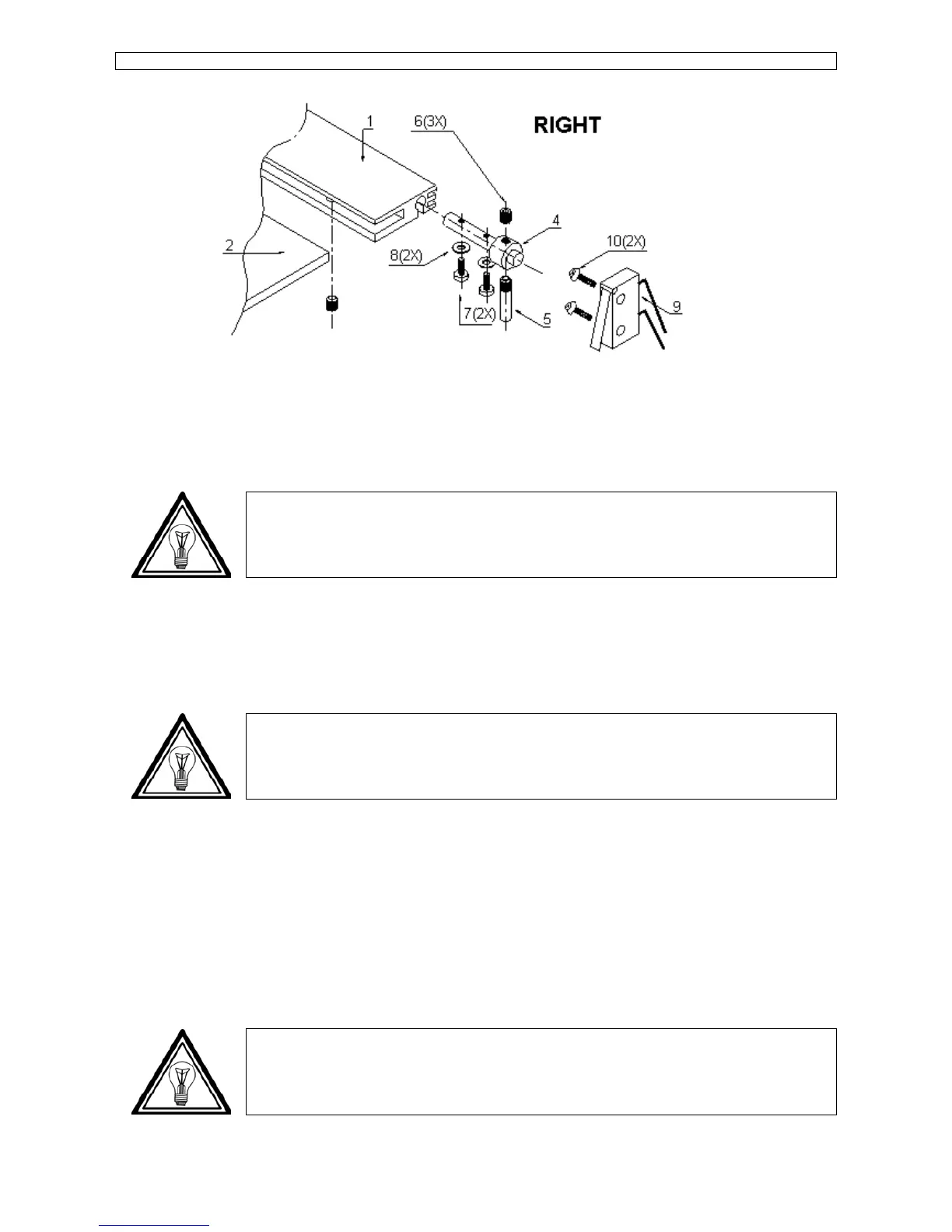
Step 3 : Tighten screw #6 and check the detection position again.
6.3.15. Pressure roller UP/DOWN sensor : removal and installation.
Note :
This procedure is valid for all SC-series except for SC-550. For the SC-550 please refer
to 6.3.16. Pressure roller UP/DOWN sensor SC-550.
Step 1 : Remove the right cover (Please refer to 6.2.1. Covers left and right).
Step 2 : Open the PCB box (Please refer to 6.2.3. PCB box).
Step 3 : Remove the sensor.
Note :
To reinstall the pressure roller UP/DOWN sensor perform above steps in reversed order.
6.3.16. Pressure roller UP/DOWN sensor SC-550 : removal and installation.
Step 1 : Remove the right cover (please refer to 6.2.1. Covers left and right).
Step 2 : Remove the Up/DOWN lever knob and the Y-rail.
Step 3 : Unplug the sensor cable connector from the terminal board.
Step 4 : Remove the sensor by unscrewing 2 screws.
Note :
To reinstall the pressure roller UP/DOWN sensor perform above steps in reversed order.









 To Next Page