Maintenance Manual – SC Cutting Plotter
66 AP-74030, Rev / B
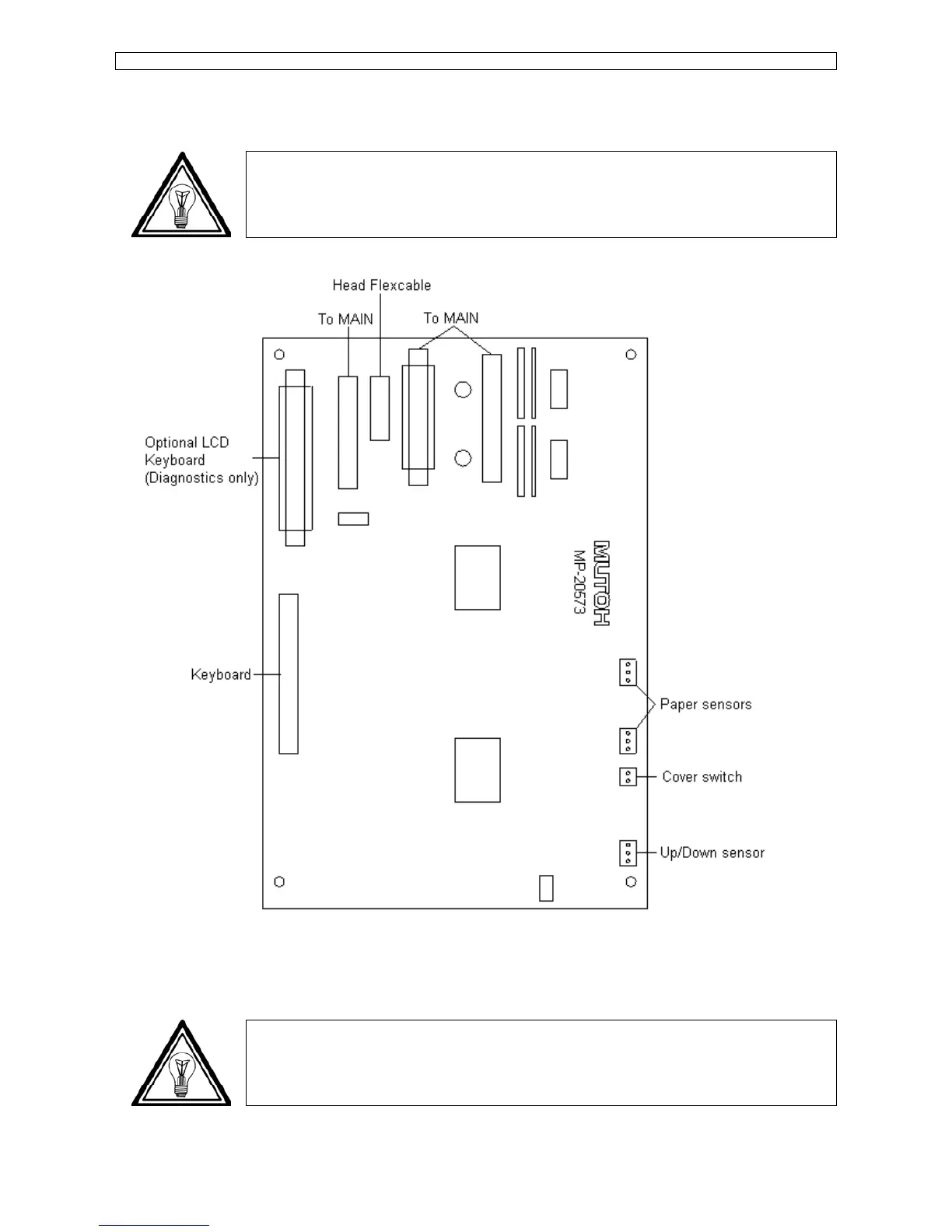
6.3.8. Terminal Board : removal and installation.
Note :
This procedure is valid for all SC-series except for SC-550. For SC-550 please refer to
6.3.2. Main and terminal PCB SC-550.
Step 1 : Open the PCB box (Please refer to 6.2.3. PCB box).
Step 2 : Unplug all connectors, remove all screws from the board and remove the board.
Note :
Pay attention to the position of all connectors and proper place of all the cables. This
will simplify the installation.









 To Next Page