12 Displaying the Printing Preferences screen of printer driver
Displaying the Printing Preferences screen of printer driver
[1]
Windows 10
Click [Start], [All Apps], [Windows System], then [Control Panel].
In the screen that appears, click [Devices and Printers].
Windows 8 / Windows 8.1
Display the charm bar on Desktop, and click [Settings]. Click [Control Panel] - [View devices and printers].
Windows 7
Click [Start] - [Devices and Printers].
[2]
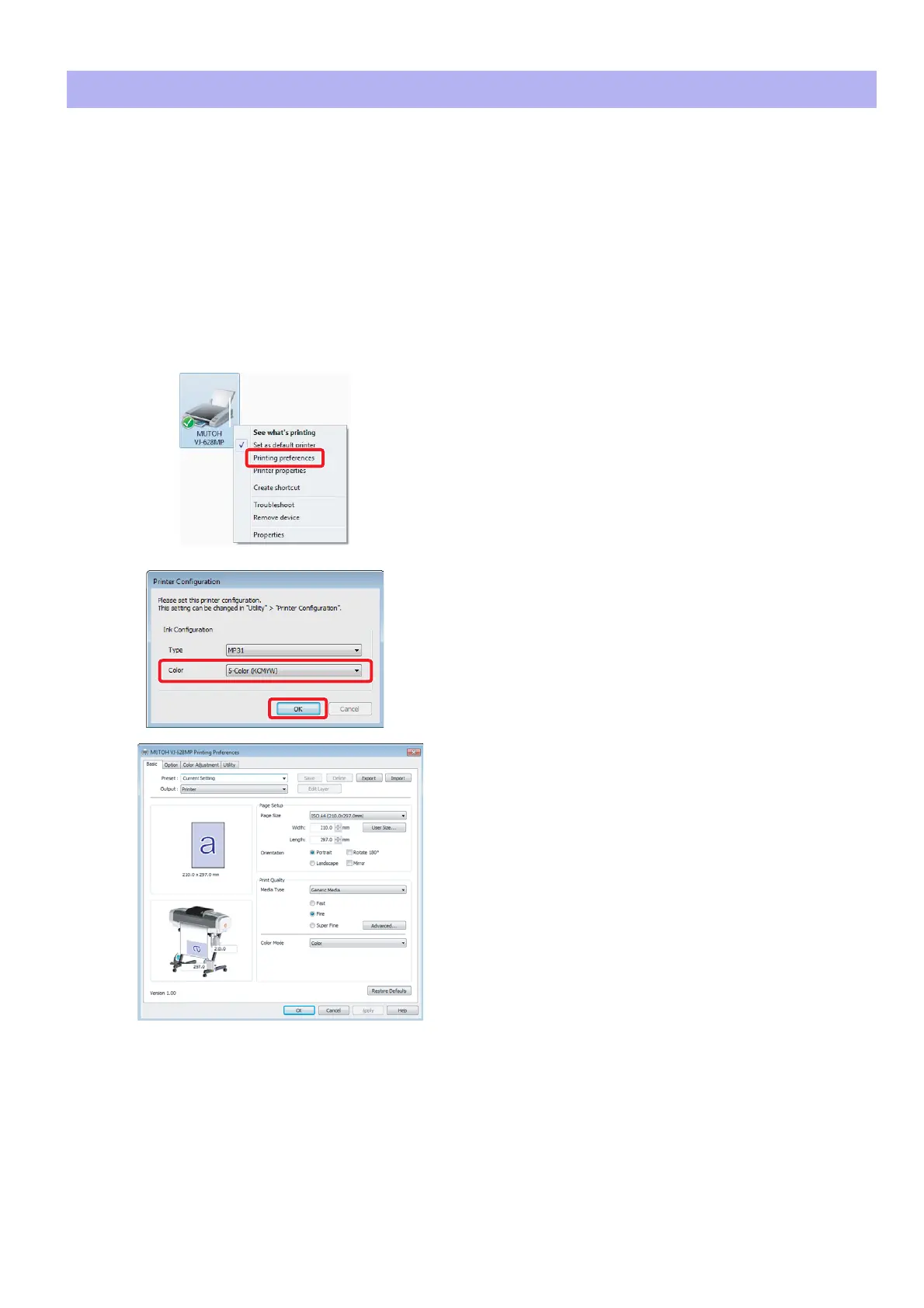
Right click the “MUTOH VJ-628MP” icon and click [Printing
preferences].
• The “Printer Configuration” dialog box opens only at the first time.
• The Printing Preferences screen of printer driver opens from the
second time.
[3]
Select the ink color configuration and click [OK].
• After clicking, the Printing Preferences screen of printer driver
opens.















 To Next Page