Setting auto cut 47
2 Advanced settings
Settings in this product can be changed to match your usage.
Only a part of functions is introduced here.
For usage functions of software, please refer to help or manual of software.
"Displaying Help" on page 15
It can be set to cut media automatically, when printing is done.
Setup is done to match the width, thickness and material of media.
Setting auto cut
Depending on media, cutting cannot be done. In such a case, cut manually.
Procedure
[1]
Launch the remote panel of VSM.
"Displaying remote panel" on page 13
[2]
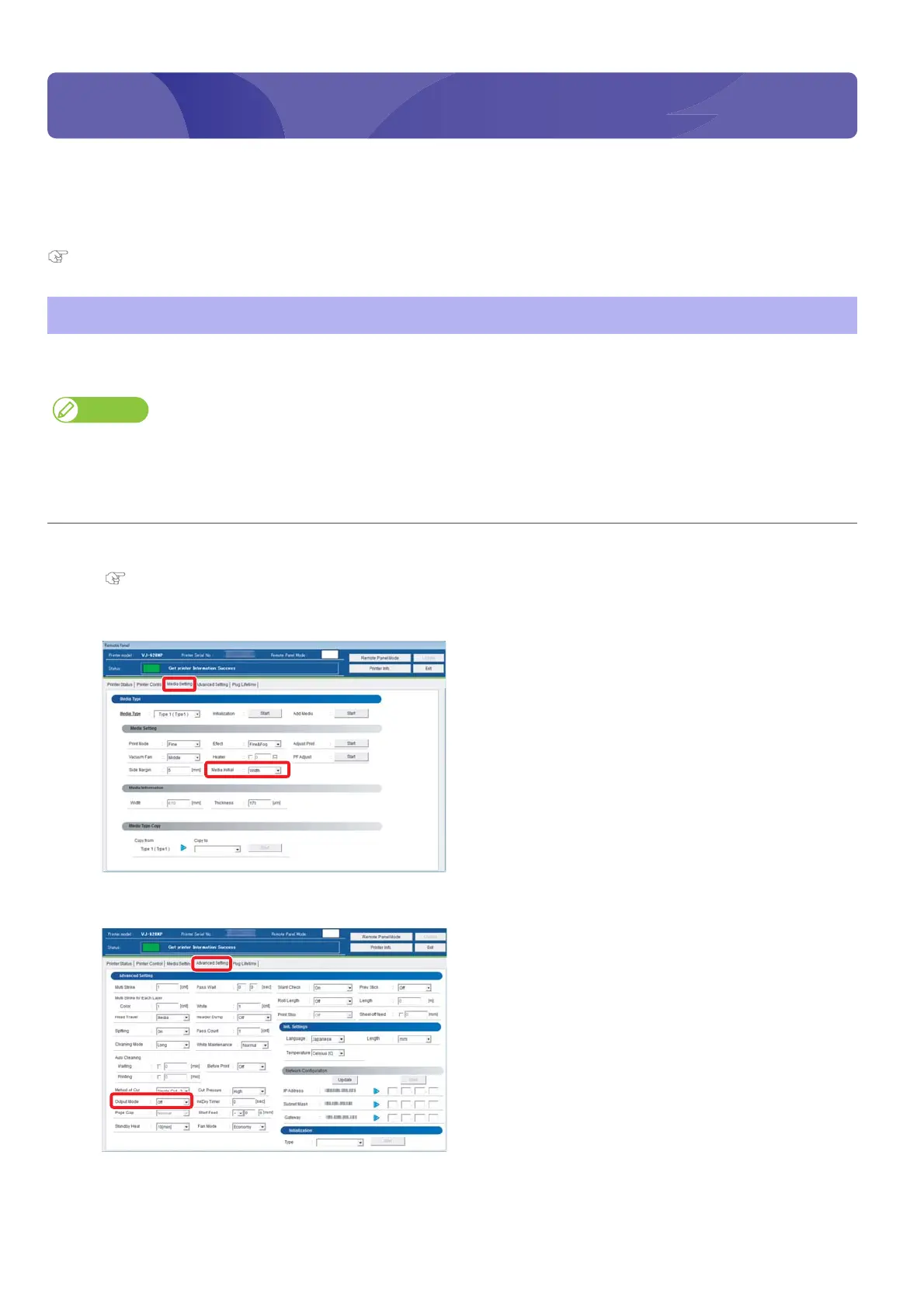
Select anything but [Off] in the [Media Initial] menu under the [Media Setting] tab.
[3]
Select [Auto Cut] in the [Output Mode] menu under the [Advanced Setting] tab.















 To Next Page