How to Enable Color Maintenance 51
The printer performs a color ink maintenance when powered on or waking up from over 24 hours of sleep mode.
If variations in color on the print is noticeable, choose “On” to enable the color maintenance.
How to Enable Color Maintenance
If enabled, the printer may consume more ink than a normal automatic cleaning performed when powered on or waking from sleep mode.
Procedure
[1]
Launch the remote panel of VSM.
"Displaying remote panel" on page 13
[2]
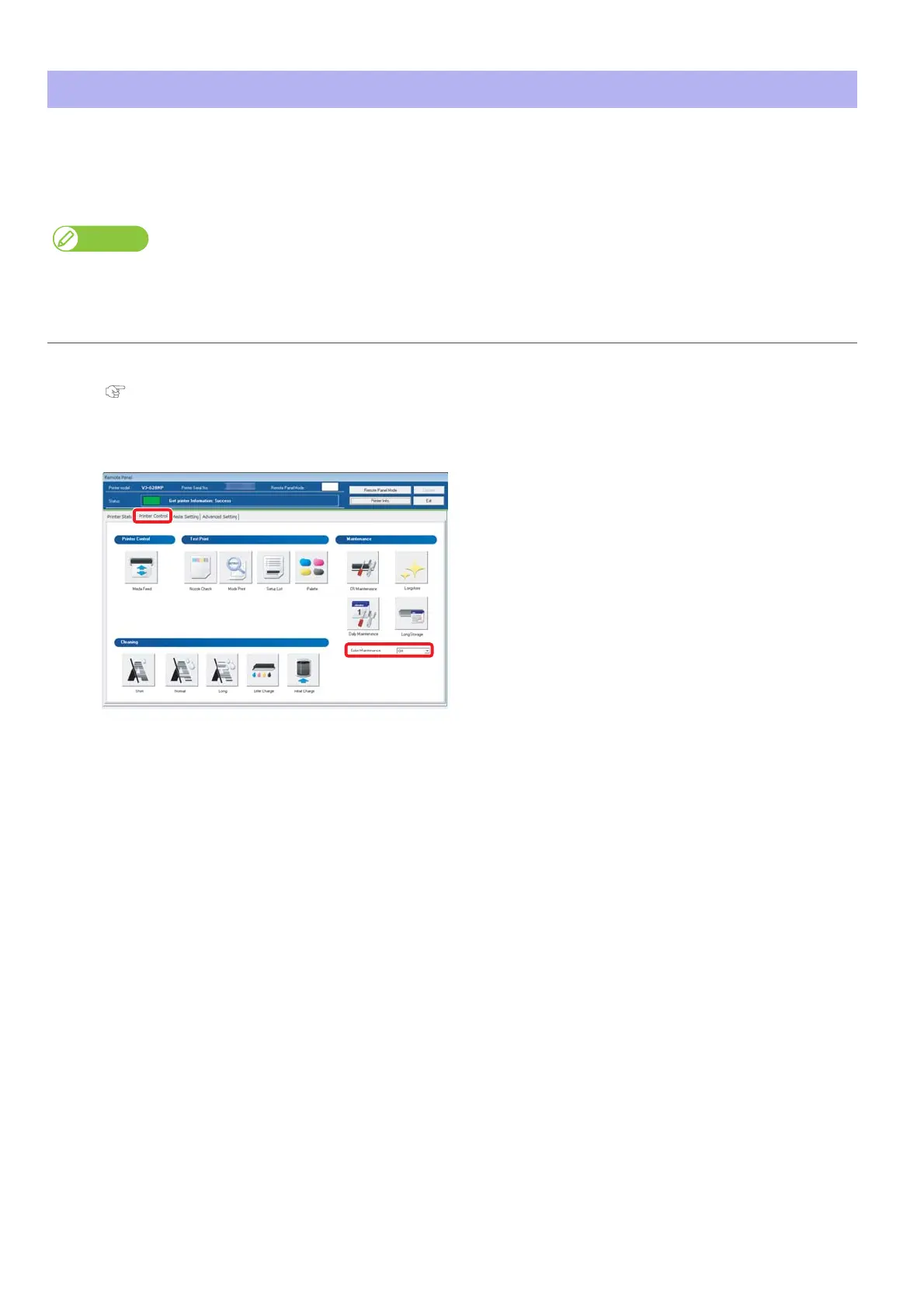
Click the [Printer Control] tab.
Choose “On” in the Color Maintenance menu.













 To Next Page