76 Head cleaning
3 Printer Ma intenance
When nozzle clogging is found in nozzle check, conduct head cleaning. Head cleaning consumes ink.
There are several cleaning modes in this product. Please use them accordingly based on your usage condition.
Head cleaning
Short cleaning Consumes less ink than Normal cleaning.
Normal cleaning Conduct nozzle check before and after printing, and use when nozzle clogging is found.
Long cleaning Consumes more ink than Normal cleaning. When nozzle clogging still occurs after Normal
cleaning, conduct Long cleaning.
Little Charge Though much better cleaning results can be expected than Long cleaning, it consumes a
large amount of ink.
Initial Charge Gives a rather higher cleaning effect than “Little Charge”, but also consumes rather more ink.
Important!
Comply strictly with the following when you performing “Little Charge” or “Initial Charge”. If charging is interrupted, ink will be
lost when charging is resumed.
• Do not open the Front cover.
• Do not use ink cartridges that have little ink remaining.
Steps for head cleaning
[1]
Display the Printing Preferences screen of the printer driver.
"Displaying the Printing Preferences screen of printer driver" on page 12
[2]
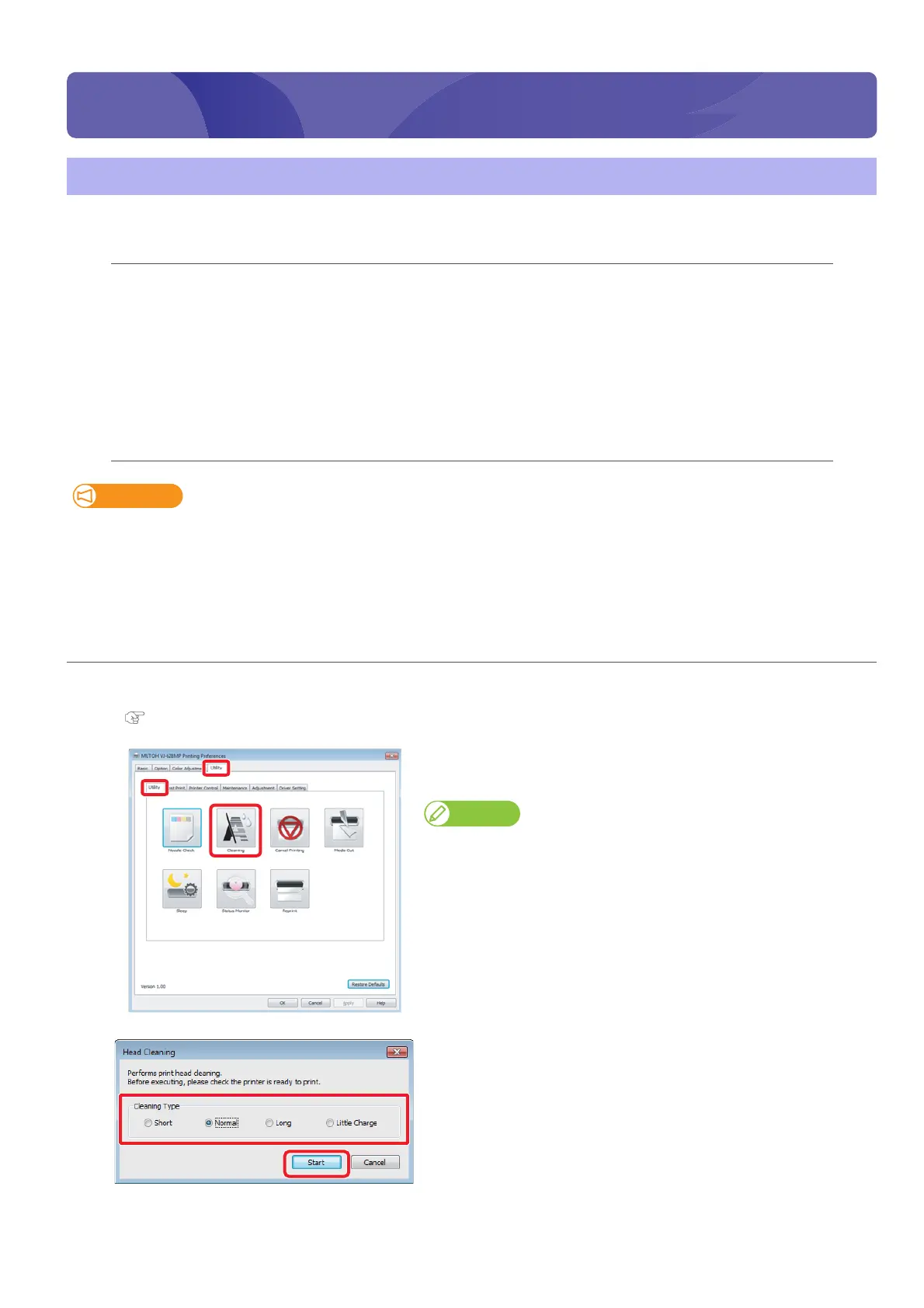
Click [Cleaning] in the [Utility] tab under the [Utility] tab.
• The “Head Cleaning” window opens.
Note
The same can be also done with VSM.
[3]
Select a mode of cleaning and click [Start].
• Cleaning starts.















 To Next Page