Continuously using printer after daily maintenance 75
The maintenance procedure and parts to be cleaned are the same as "Performing Daily Maintenance" on page 67.
• "How to clean the flushing-box sponge" on page 67
• "How to clean the cleaning wiper and capping unit" on page 69
• "How to clean around the print head" on page 71
2. Cleaning daily maintenance parts
Important!
• Standard cleaning time should be within 5 minutes.
• If maintenance is likely to take more than 5 minutes, suspend it and perform head cleaning before resuming the maintenance.
3. Finishing maintenance
[1]
Close the front cover.
[2]
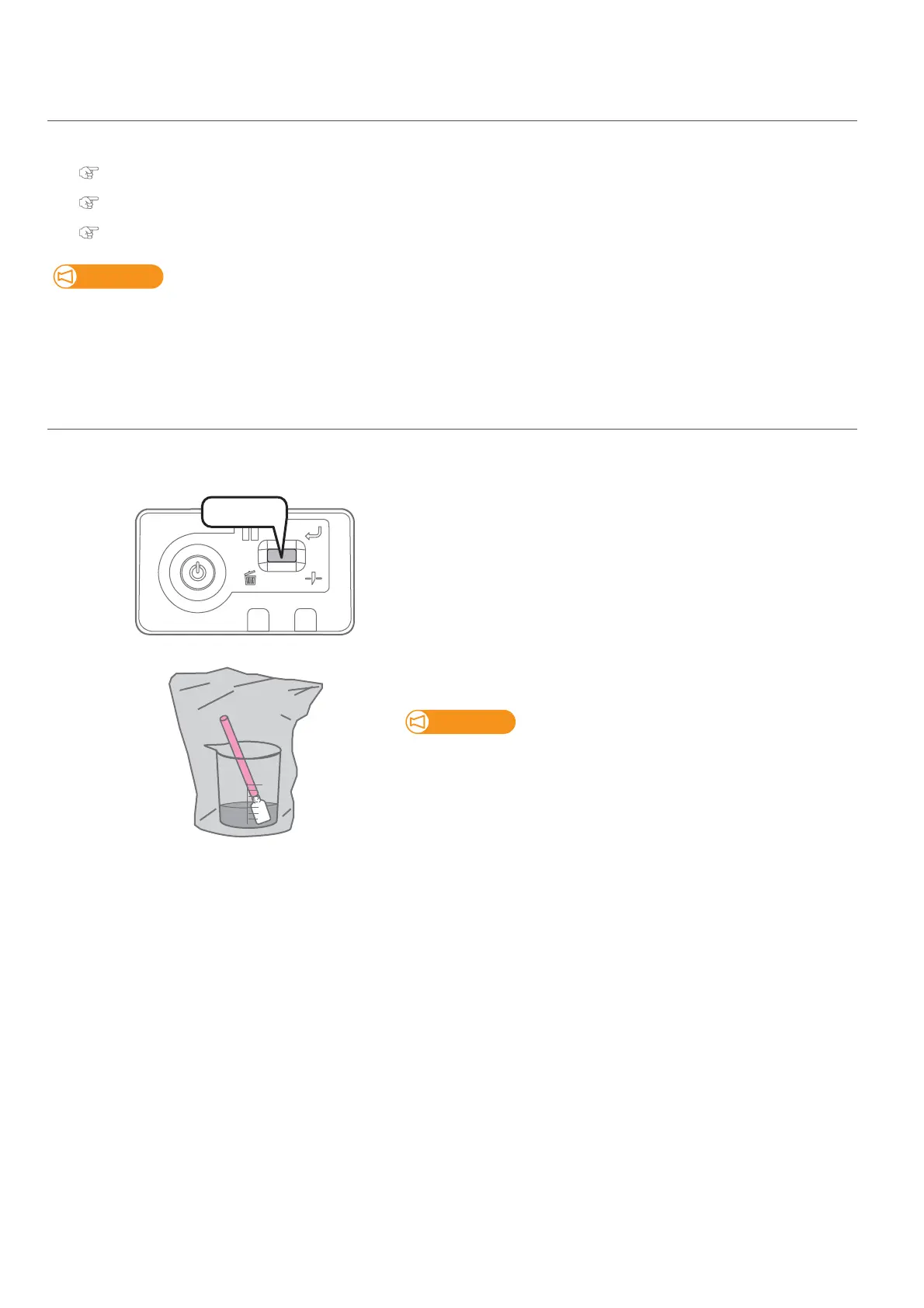
Short press the operation key on the operation panel.
• The carriage returns to the original position.
[3]
After cleaning, leave the cleaning stick dipped in dedicated
maintenance cleaner.
• Using plastic bag or wrap, cover the plastic cup with dedicated
maintenance cleaner inside to keep out dust.
• Check that the lid of the maintenance cleaner is shut properly and
store it.
[4]
Clean off the maintenance cleaner from the dropper with lint-free cloth.
[5]
Now the daily maintenance is complete.
Press!















 To Next Page