Performing Daily Maintenance 71
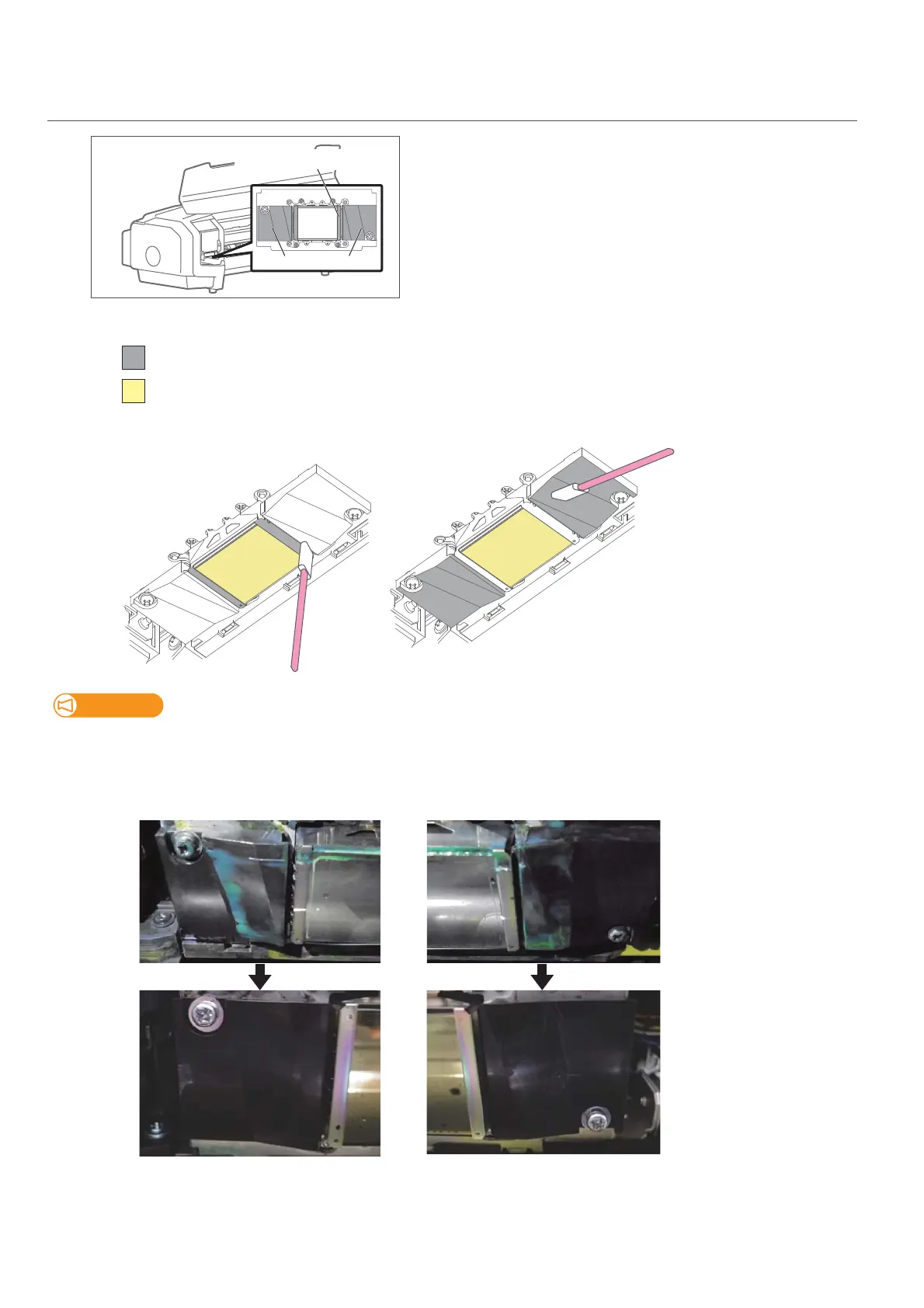
3. How to clean around the print head
[1]
Look at the bottom side of the carriage and check if dusts and ink
lump are adhered.
• Print head circumference (silver metal part)
• Print head guide part (black plastic part)
[2]
Use the cleaning stick to remove the ink deposits or dust on the bottom of the carriage.
Important!
• Do not touch the platen or media guide. The temperature may be high.
• If maintenance cleaner is splashed onto the printer, use a lint-free cloth to wipe it off.
[3]
Check that the area around the print head is clean.
Print head circumference
Print head guide part
DO NOT touch the surface of a print head (yellow)
Clean this part (grey)
Surface around print head (silver metal part)
Print head guide (black plastic part)
Clean the part between the print head and
print head guide.















 To Next Page