Preparing for Daily maintenance 65
Preparing for Daily maintenance
Required Items
[1]
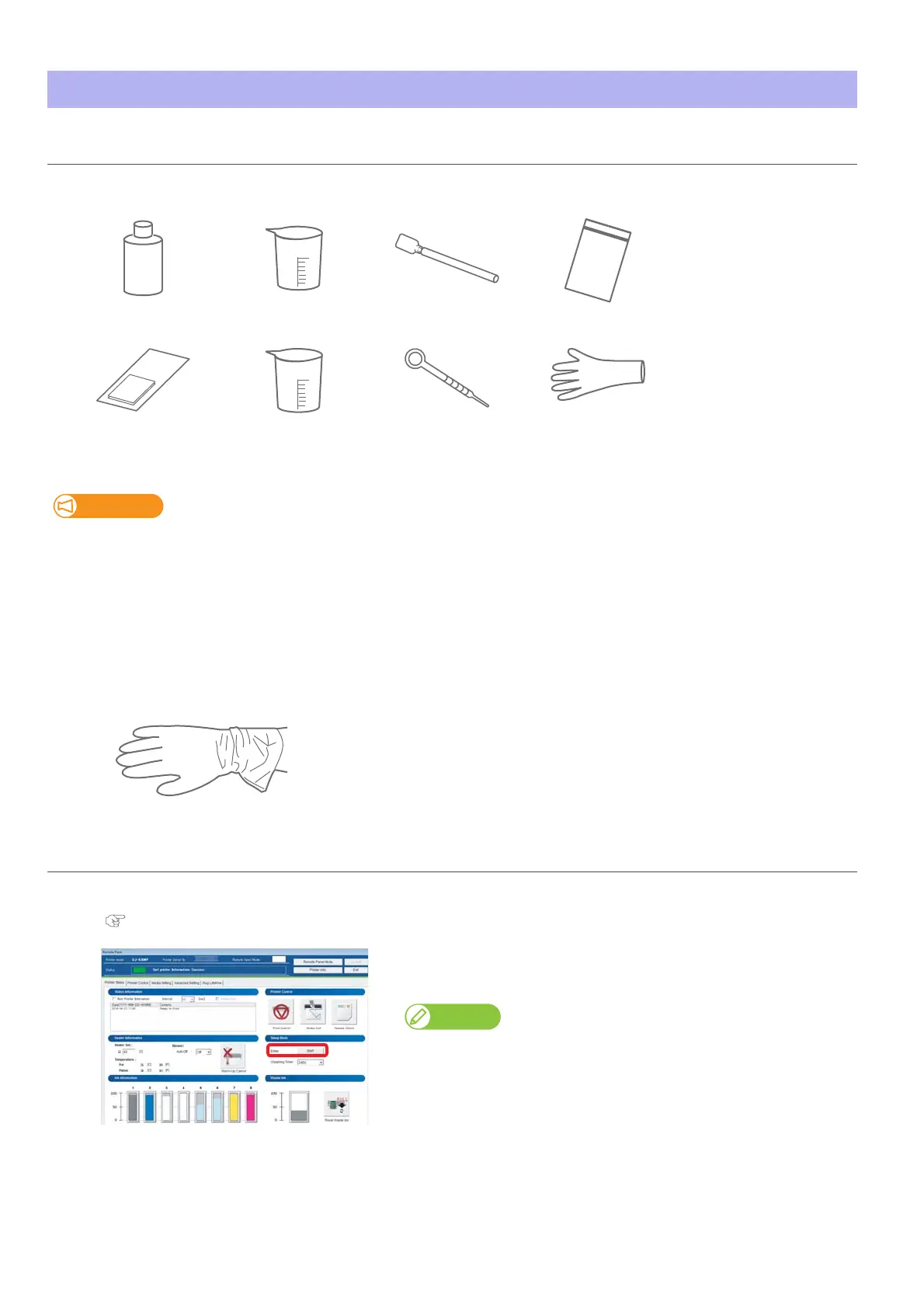
Prepare the following items to perform daily maintenance.
Important!
• Use a lint-free cloth supplied with the printer or optional polyester knit wiper. DO NOT use a tissue.
Lints or flakes on tissue may cause damage to the print head.
• DO NOT use non-dedicated maintenance cleaner.
• If you cannot suck up maintenance cleaner directly from the maintenance cleaner bottle using the dropper, use one of the plastic
cup to pour the cleaner.
If the maintenance cleaner still remains in the plastic cup, put a plastic bag or wrap over the cup to keep out dust.
• If you want to purchase the optional maintenance cleaner, contact your local Mutoh dealer or nearest Mutoh sales office.
[2]
Wear the vinyl gloves.
Put the printer into Sleep Mode
[1]
Launch the VSM remote panel.
"Displaying remote panel" on page 13
[2]
Click “Sleep Mode” - “Start”.
• The confirmation window opens.
Note
You can also start sleep mode from the printer driver.
Cleaning stickDedicated maintenance
cleaner
Dropper
Plastic cup
for cleaning stick
Lint-free cloth
or Polyester knit wiper
Vinyl gloves
Plastic cup
for dropper
Plastic zipper bag















 To Next Page