Replacing the cleaning wiper 81
The cleaning wiper is an essential part to make printing consistent. Please replace it periodically.
Replacing period:
• Approx. every six months
Preparation:
• Cleaning wiper (Supplied accessories)
• Vinyl gloves (Supplied accessories)
Replacing the cleaning wiper
Procedure
[1]
Wear the vinyl gloves
[2]
Put printer in CR Maintenance state.
"Put the printer into Sleep Mode" on page 65
[3]
Open the front cover.
[4]
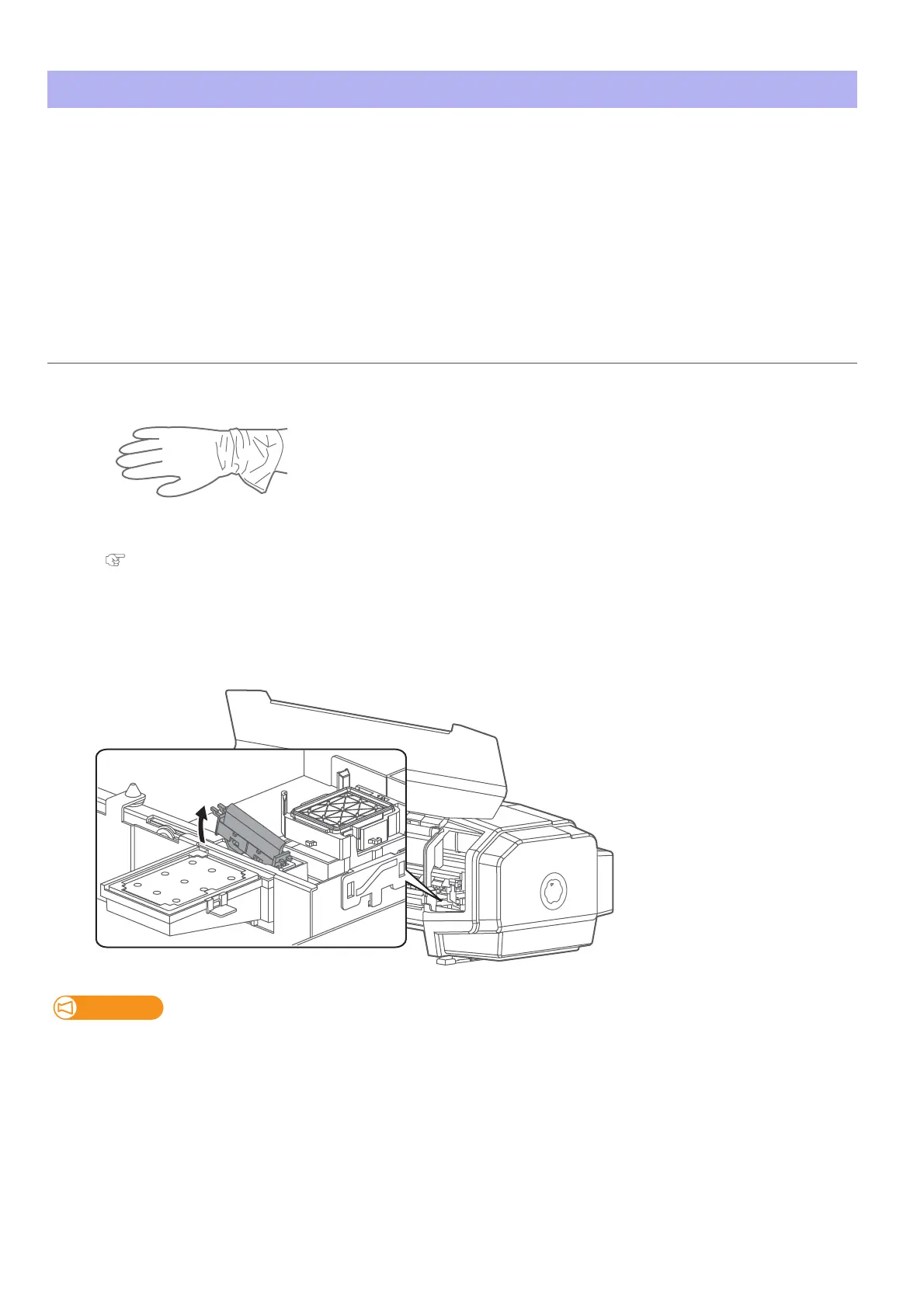
Remove the cleaning wiper.
• Lift the cleaning wiper hook and release the hook. Then, remove the cleaning wiper.
When removing the cleaning wiper, be cautious of ink drops.















 To Next Page