Continuously using printer after daily maintenance 73
In following cases, clean the daily maintenance parts.
• When print blurring and dot missing remain after head cleaning is done.
• If you perform printing all day without entering to sleep mode and you need to perform daily maintenance.
Preparation:
See "Preparing for Daily maintenance" on page 65 to prepare items required for the maintenance.
Continuously using printer after daily maintenance
• If you want to continuously use the printer after this maintenance, follow the steps below.
• If you will not use the printer after this maintenance, enter to sleep mode and then perform maintenance.
1. Putting the printer into the Daily maintenance mode
[1]
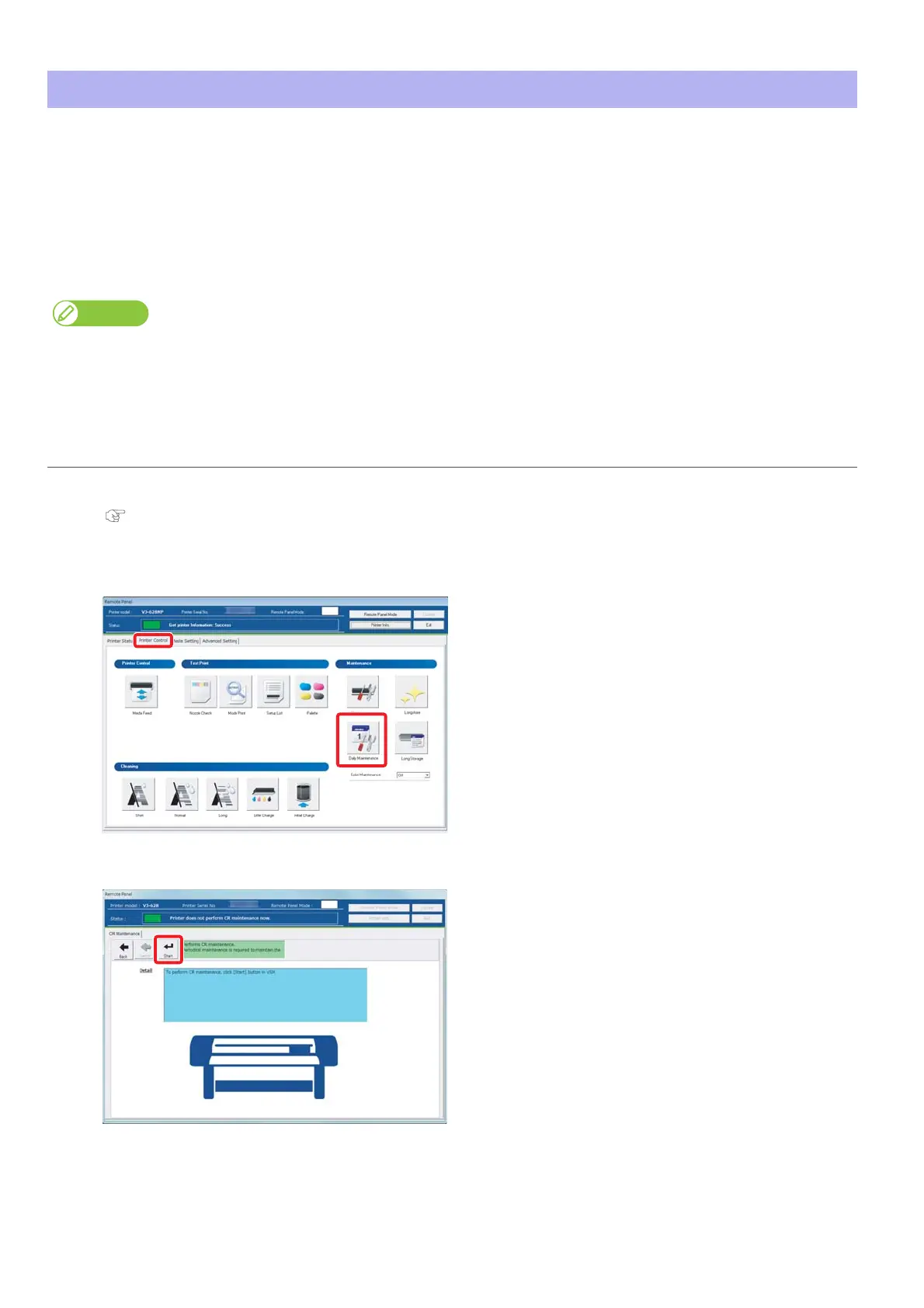
Launch the VSM remote panel.
"Displaying remote panel" on page 13
[2]
Click the [Printer Control] tab.
Click [Daily Maintenance].
[3]
Click [Start].















 To Next Page