Performing Long Storage 85
Required item:
• Cleaning cartridges (8 packs)
Performing Long Storage
[1]
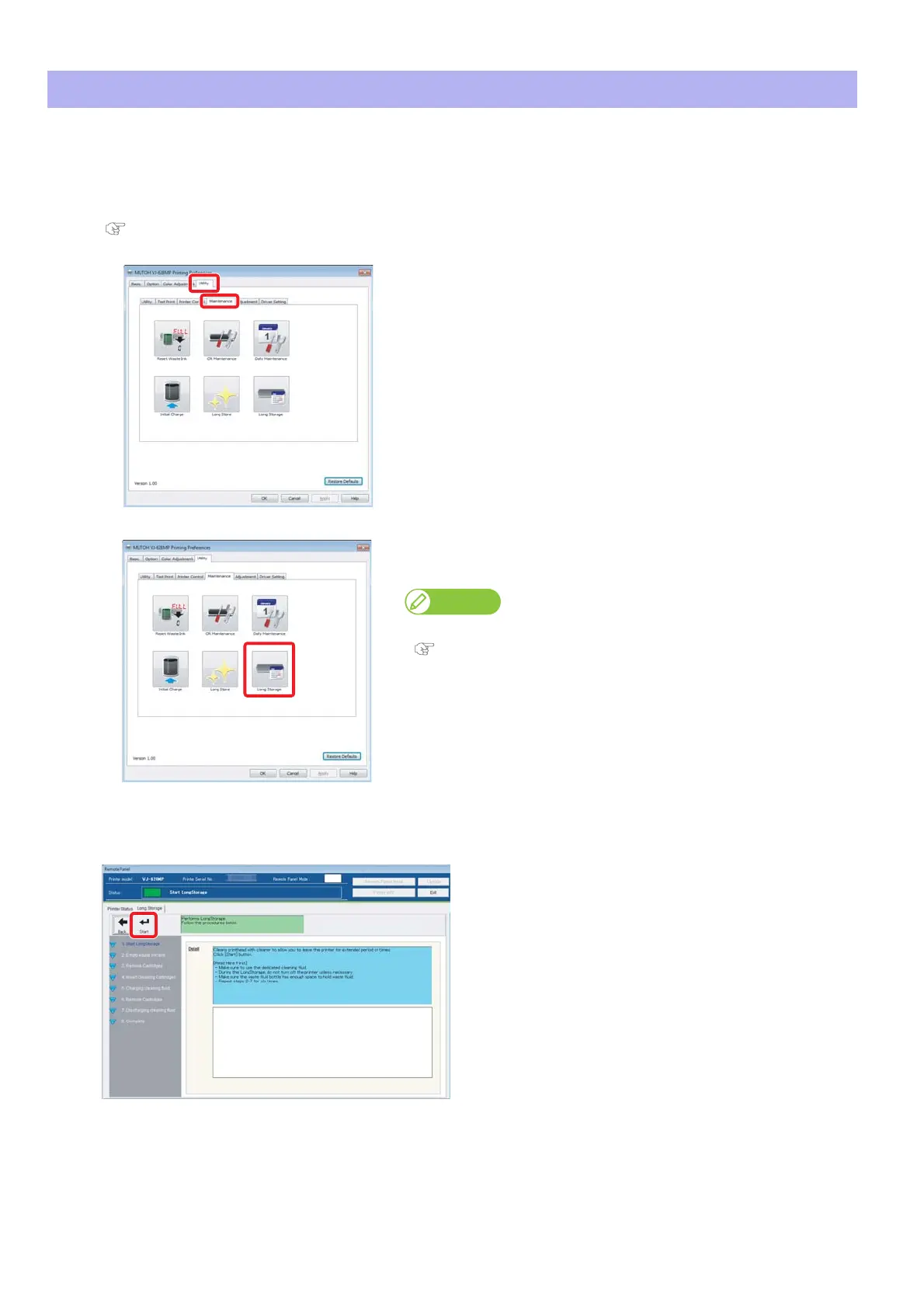
Display the Printing Preferences screen of printer driver.
"Displaying the Printing Preferences screen of printer driver" on page 12
[2]
Click the [Maintenance] tab under the [Utility] tab.
[3]
Click [Long Storage]
• The VSM remote panel opens.
Note
VSM can be launched directly.
"Launching VSM" on page 13
[4]
Click [Start] in the [Long Storage] tab.
• Follow the screens.















 To Next Page