86 Performing Long Storage
[5]
Prepare required items for daily maintenance.
"Preparing for Daily maintenance" on page 65
[6]
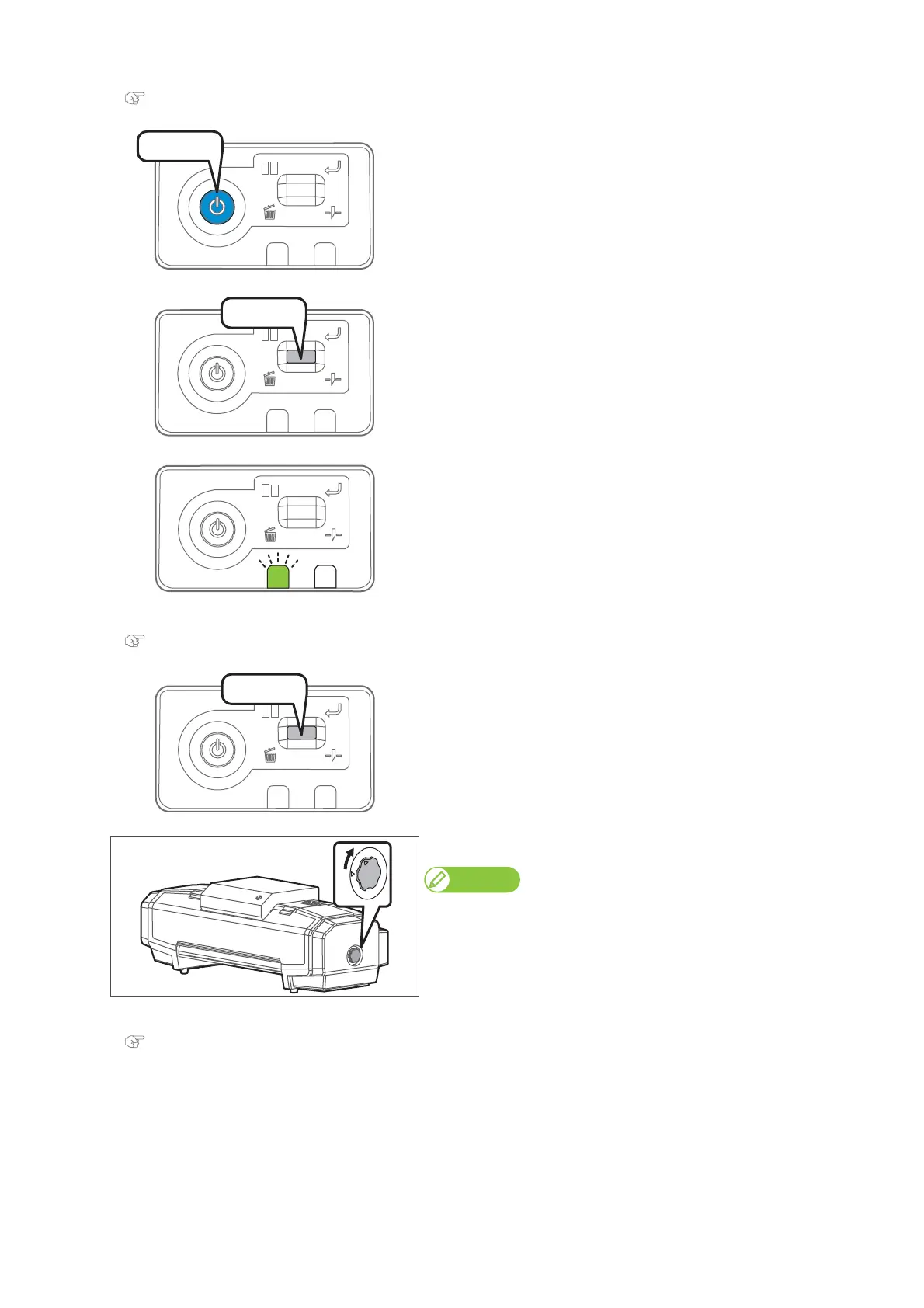
Press the power button of this product.
• The blue light blinks.
[7]
Short press the operation key on the operation panel.
• The printer automatically performs the “Short” cleaning.
• The carriage moves to the maintenance position.
[8]
The data LED flashes.
• Open the front cover.
[9]
Perform daily maintenance.
"Daily Maintenance" on page 64
[10]
After performing maintenance, short press the operation key on the
operation panel.
• This product starts its powering off operations.
•The blue light becomes OFF.
[11]
Turn the media fixing knob to release the lock.
Note
When not using this product, release the lock of the media fixing knob
regardless of power being OFF.
[12]
To use the printer again, perform initial charging.
"Performing Initial Charge" on page 87
Press!
Press!















 To Next Page