56 Agitating ink cartridges
Agitating ink cartridges
Procedure
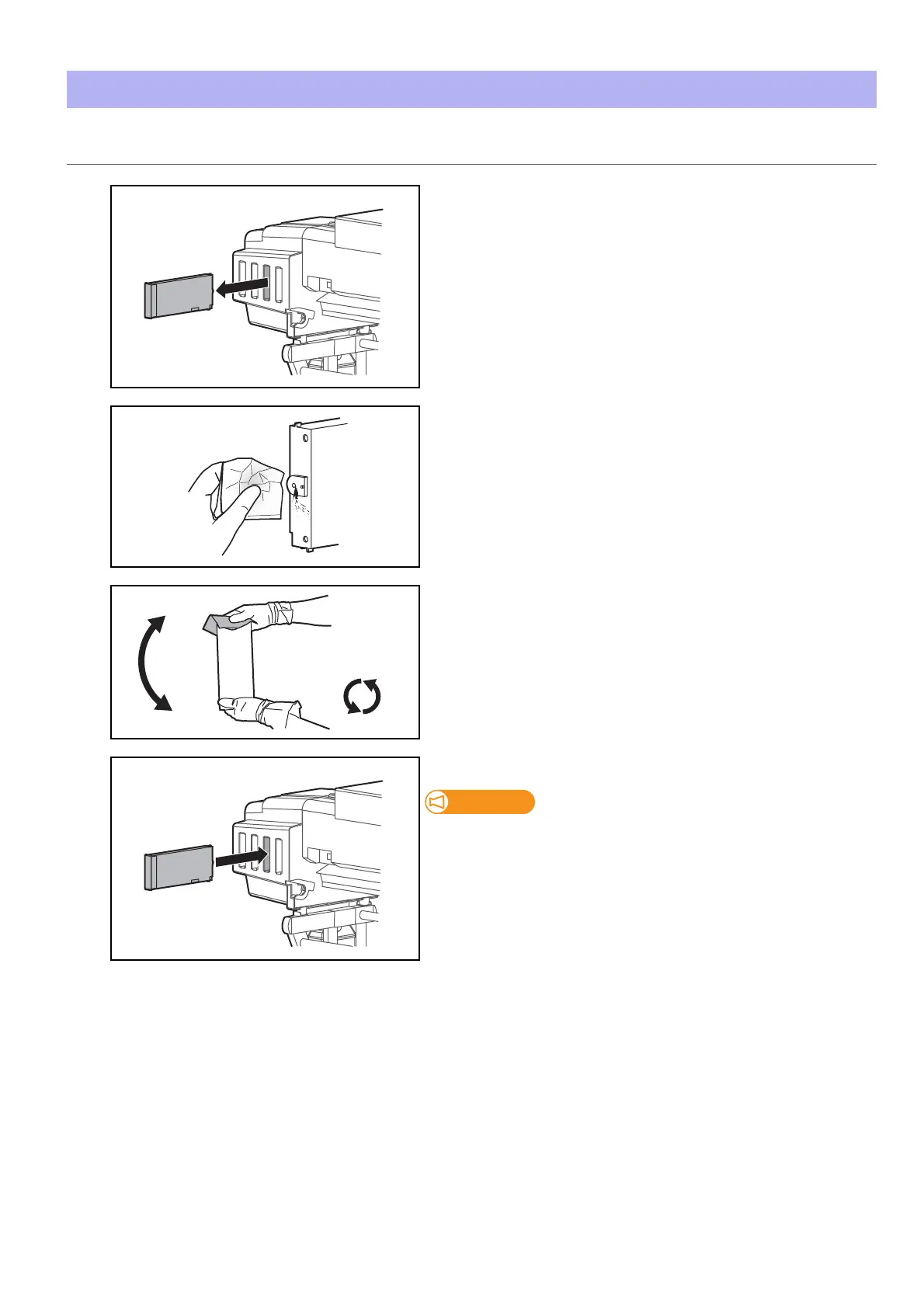
[1]
• Check that the printer is turned on.
• Wear the vinyl gloves and remove ink cartridges from ink cartridge
slots.
[2]
Using the lint-free cloth provided with the printer to wipe off the ink
attached to the printer plug of Ink cartridge.
[3]
• Place the lint-free cloth over the ink plug of the cartridge, turn the
plug up and maintain vertical position for three seconds.
• Rotate cartridge upside down (plug facing down) and hold for three
seconds.
• Repeat it 10 times.
[4]
Insert the ink cartridge into the original cartridge slots.
Make sure you insert ink cartridges into the original slots. Even when you
have the same color ink cartridges, do not switch and insert them into
different slots.















 To Next Page