Cutting from the operation panel 41
1 Cutting media
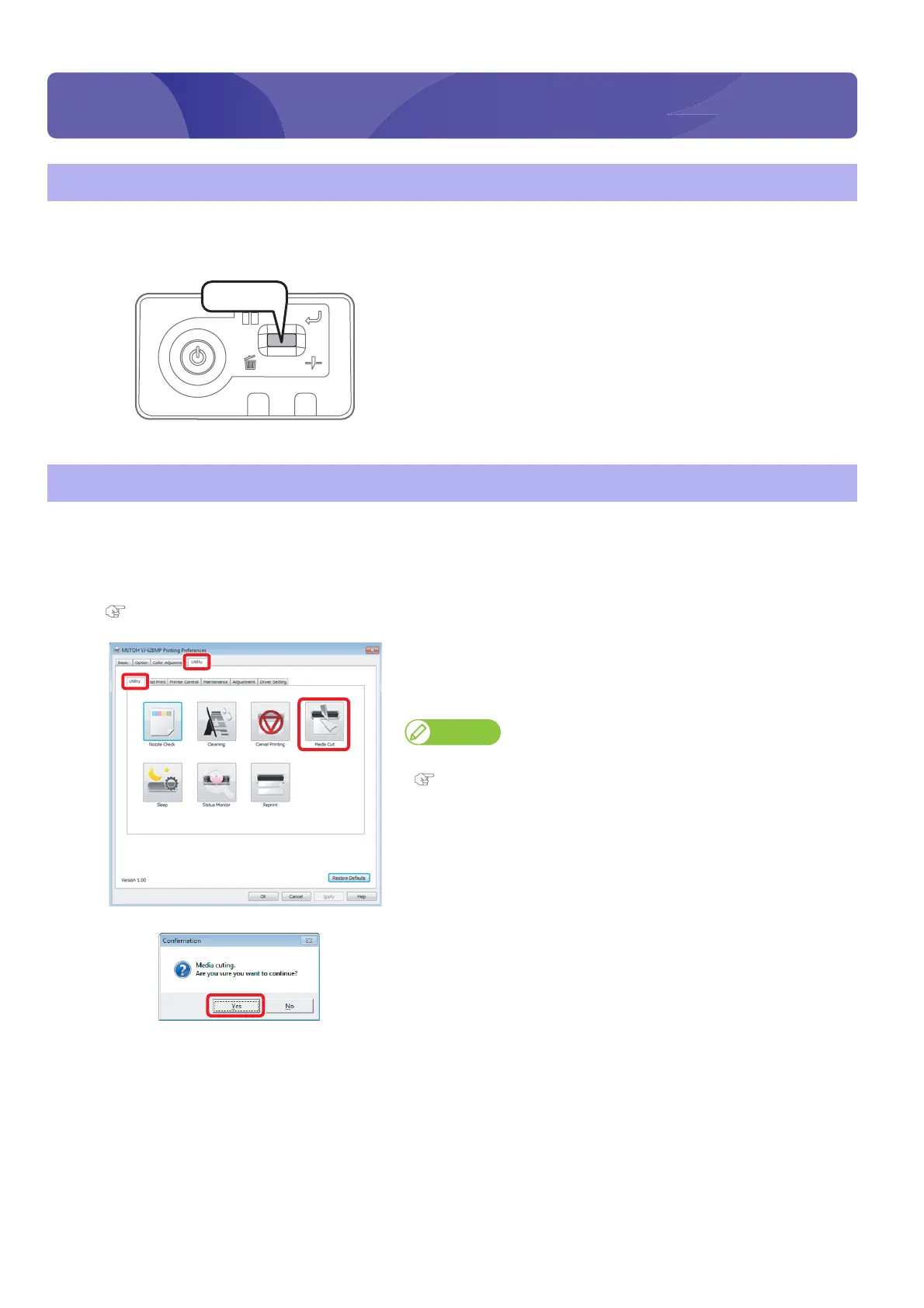
Cutting from the operation panel
[1]
Check printing is done.
[2]
Press and hold the operation key on the operation panel for 2 seconds
or more.
• The built-in cutter in the product cuts the media.
Cutting from printer driver/VSM
[1]
Check printing is done.
[2]
Display the Printing Preferences screen of printer driver.
"Displaying the Printing Preferences screen of printer driver" on page 12
[3]
Click [Media Cut] in the [Utility] tab under the [Utility] tab.
• The remote panel of VSM launches.
• The [Confirmation] window opens.
Note
VSM can be launched directly.
"Launching VSM" on page 13
[4]
Click [Yes].
• The built-in cutter in the product cuts the media.
Press!















 To Next Page