24 Setting up media
[6]
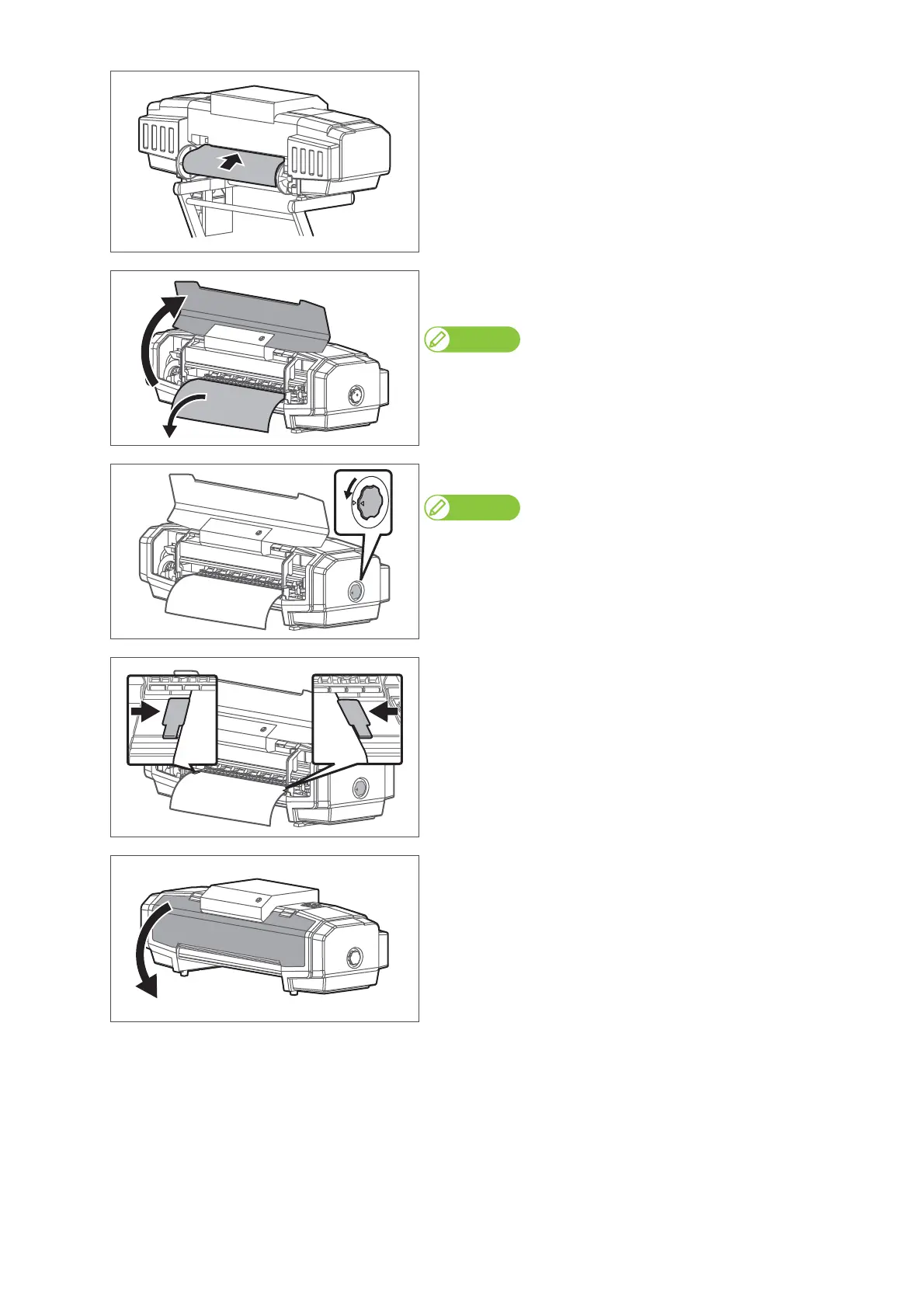
Let the roll media pass through the paper feed slot.
[7]
• Open the front cover.
• Pull out the media roller from the front side of the product.
Note
If the media gets loose, rewind the scroller to correct the looseness.
[8]
Turn the media fixing knob to lock.
Note
Make sure that the operation switch of the take-up unit is set forward (to take
up) while printing.
[9]
Set the paper guides to media.
• Slide from both sides of platen and set.
[10]
Close the front cover.















 To Next Page