26 Adjusting image quality
Steps for image quality adjustment
1. Media thickness
[1]
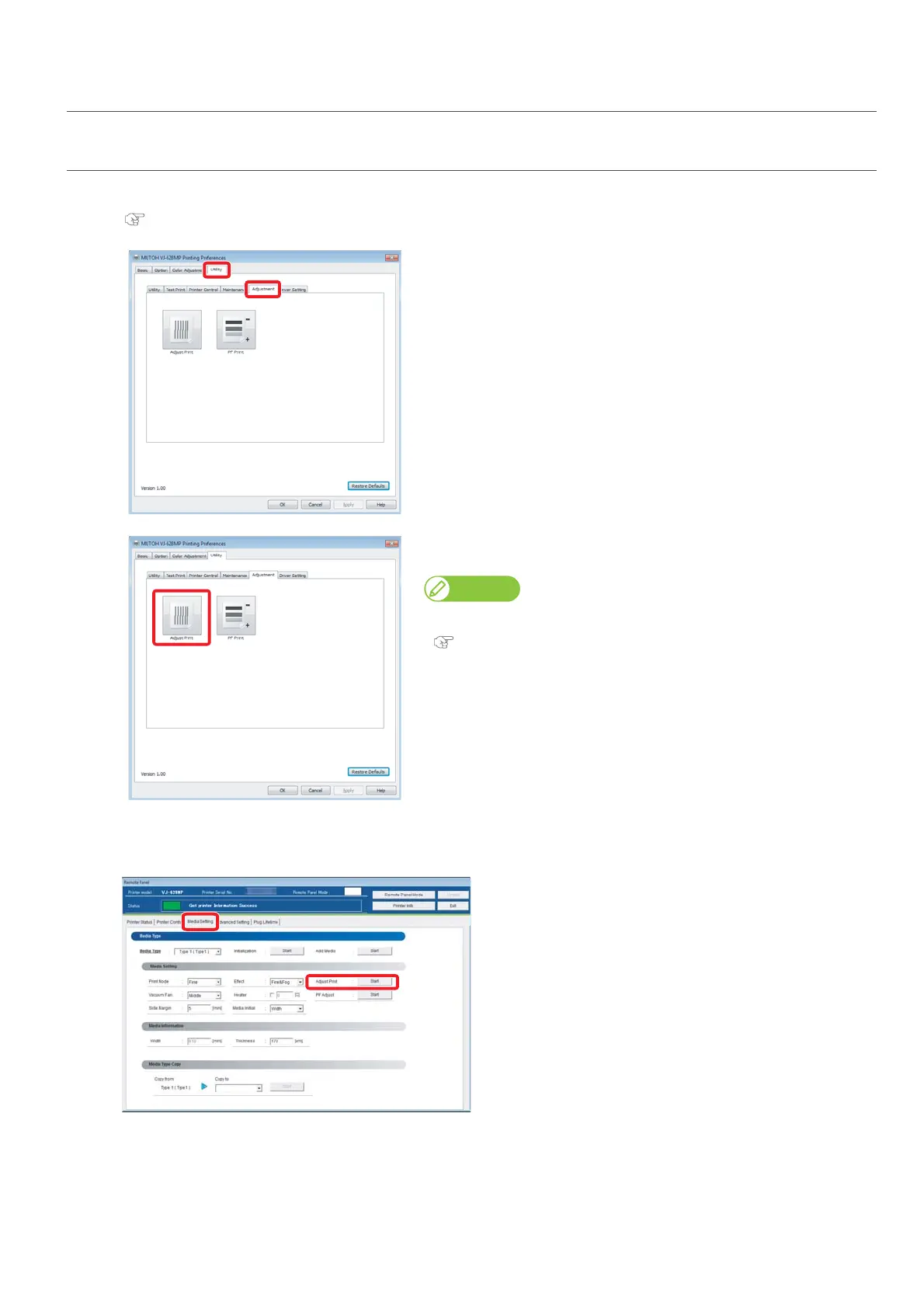
Display the Printing Preferences screen of printer driver.
"Displaying the Printing Preferences screen of printer driver" on page 12
[2]
Click the [Adjustment] tab under the [Utility] tab.
[3]
Click [Adjust Print]
• The remote panel of ValueJet Status Monitor (VSM) launches.
Note
VSM can be launched directly.
"Launching VSM" on page 13
[4]
Click [Start] in [Adjust Print] of the [Media Setting] tab.
• The [Adjust Print] window opens.















 To Next Page