Adjusting image quality 29
4. Micro adjustment
[1]
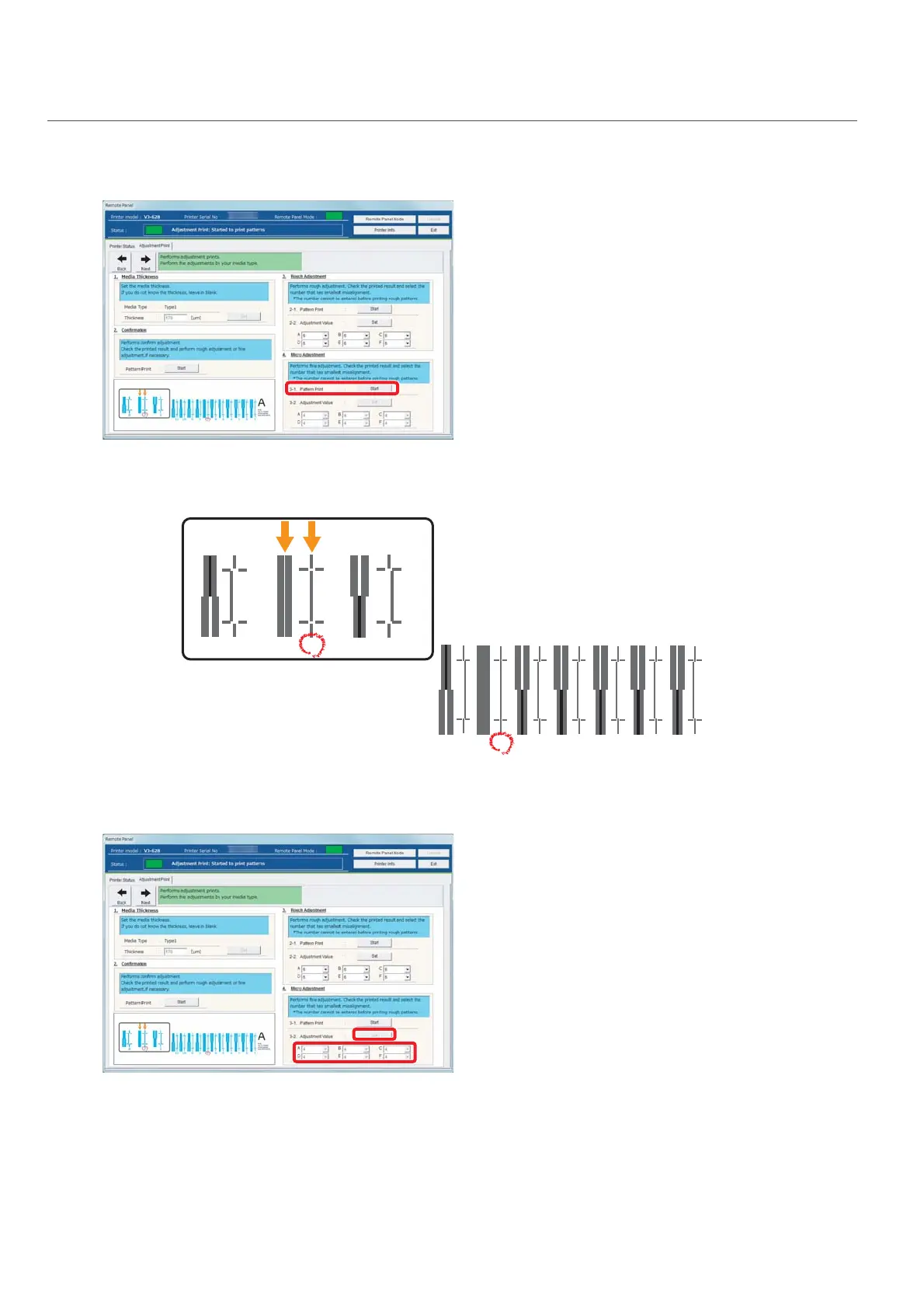
Click [Start] in [4-1 Pattern Print] of [4. Micro Adjustment].
• Pattern A to Pattern F are printed.
[2]
Similar to “3. Rough adjustment”, mark a number printed under the pattern that has the least misalignment.
• Mark on Pattern A to Pattern F.
[3]
Enter marked values in A to F of [4-2 Adjust Change] in [4. Micro Adjustment], and click [Setting].
• This completes the image quality adjustment.
1234567
A
Bi-dir
Low H. Height
normal speed
large drop fam
567















 To Next Page