68 Performing Daily Maintenance
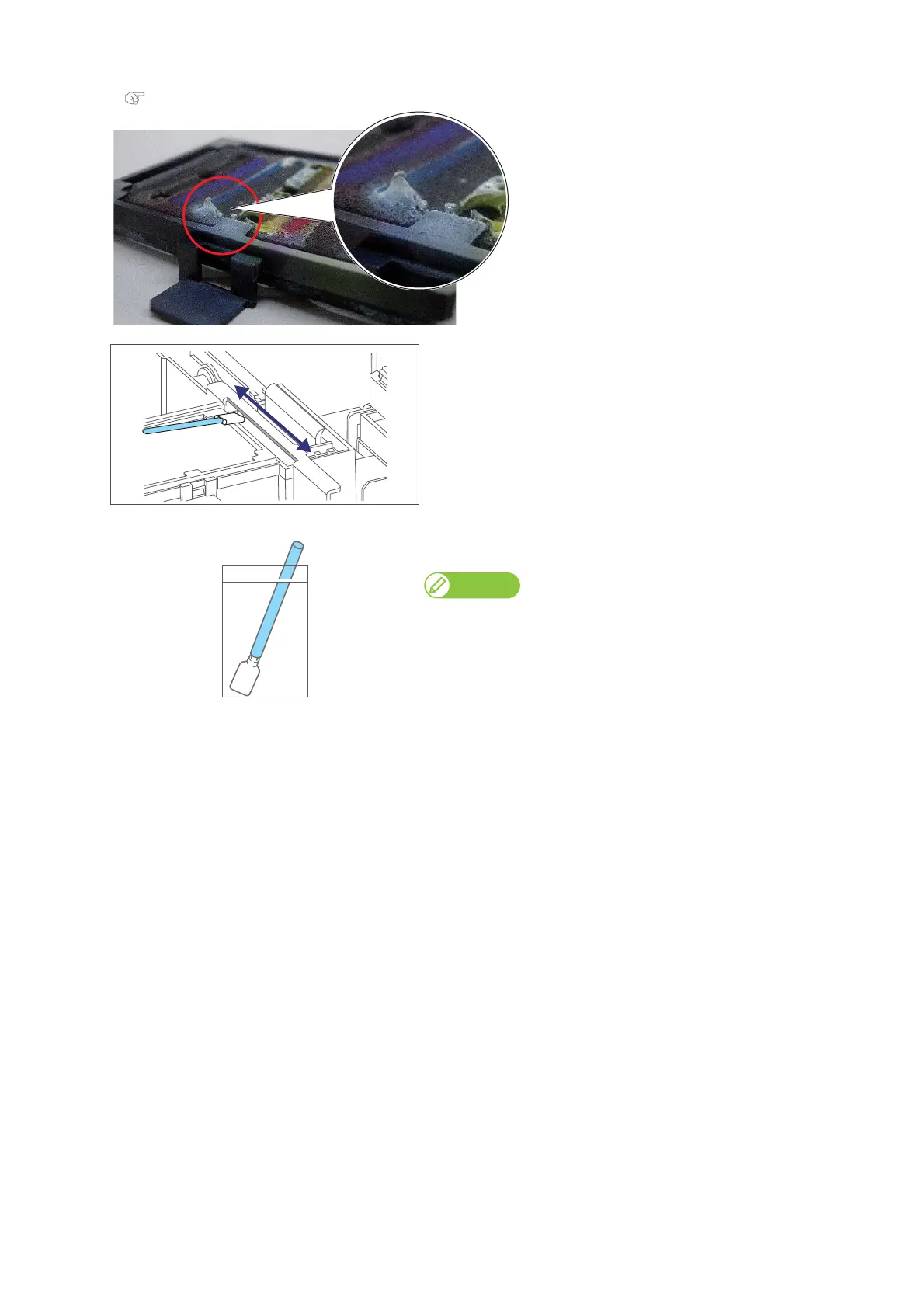
If you cannot remove ink clumps using the cleaning stick, replace the flushing-box sponge.
"Replacing absorption material for the flushing box" on page 78
[4]
Clean off the ink on the left edge of the part, located between the
flushing box and cleaning wiper.
[5]
After the cleaning is done, put the cleaning stick in the plastic zipper
bag and close the zipper to store.
Note
Make sure to close the zipper firmly to avoid dust in the bag.















 To Next Page