88 Performing Initial Charge
[6]
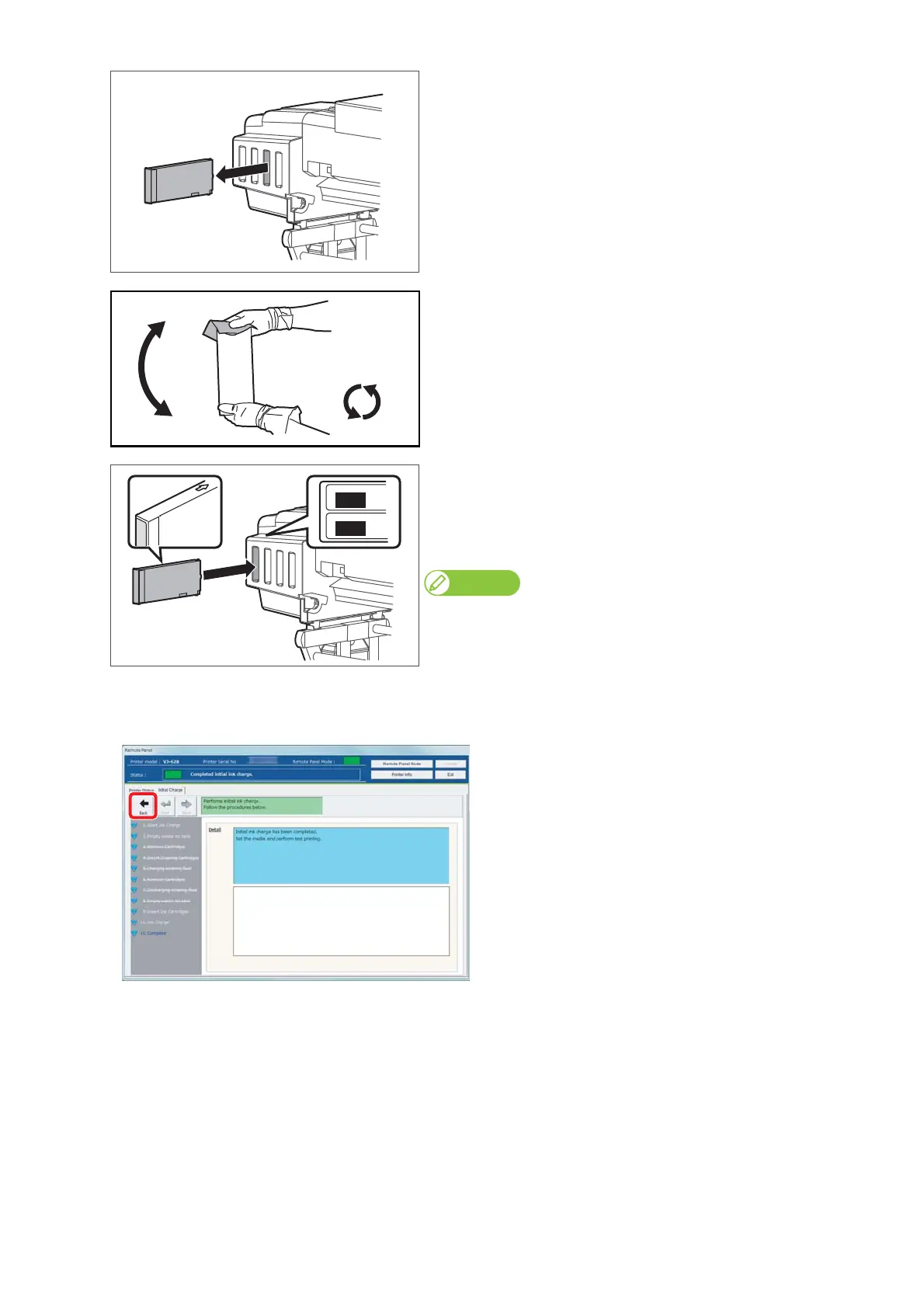
When cleaning cartridges are inserted to the cartridge slots, remove
them all.
[7]
Make sure you agitate the ink cartridge after you unpack it.
• Place the lint-free cloth over the ink plug of the cartridge, turn the
plug up and maintain vertical position for three seconds.
• Rotate cartridge upside down (plug facing down) and hold for three
seconds.
• Repeat it 10 times.
[8]
Insert the ink cartridge to this product.
• Match the label of this product to the color of ink cartridge.
• The arrow should face up.
• Insert all the way to the end.
Note
After all ink cartridges are inserted, this product starts ink charging.
[9]
In the [Finish] screen, click [Back].
• It finishes initial charging.















 To Next Page