FS728TP Smart Switch Software User Manual
2-5 Getting Started
v3.0, November 2006
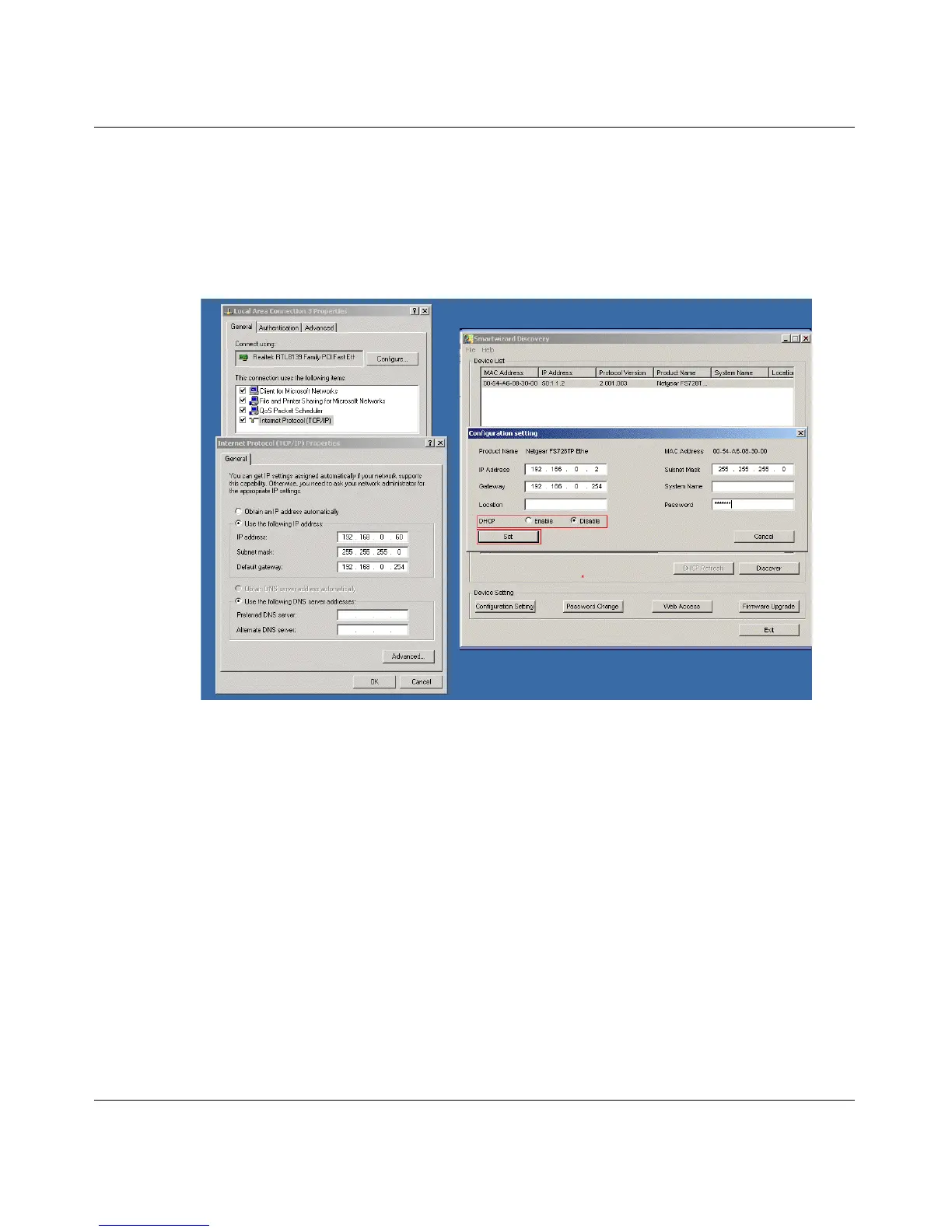
8. The default IP address is set as 192.168.0.239 with subnet mask ????. If you want different
values, enter your IP address, gateway address and subnet mask values, and then type your
password and click Set. Please make sure your PC and FS728TP switch are in the same subnet
(See
Figure 2-4).
Figure 2-4
9. Select your switch by clicking on it. Then click on Web Access, see Figure 2-2.
10. Start managing your switch via your web browser. The default password is password. For a
detailed description on web management access, please refer to
Chapter 5.






 To Next Page