25
Presets
If a Preset has unsaved changes, the Preset name will be written
in Italic*.
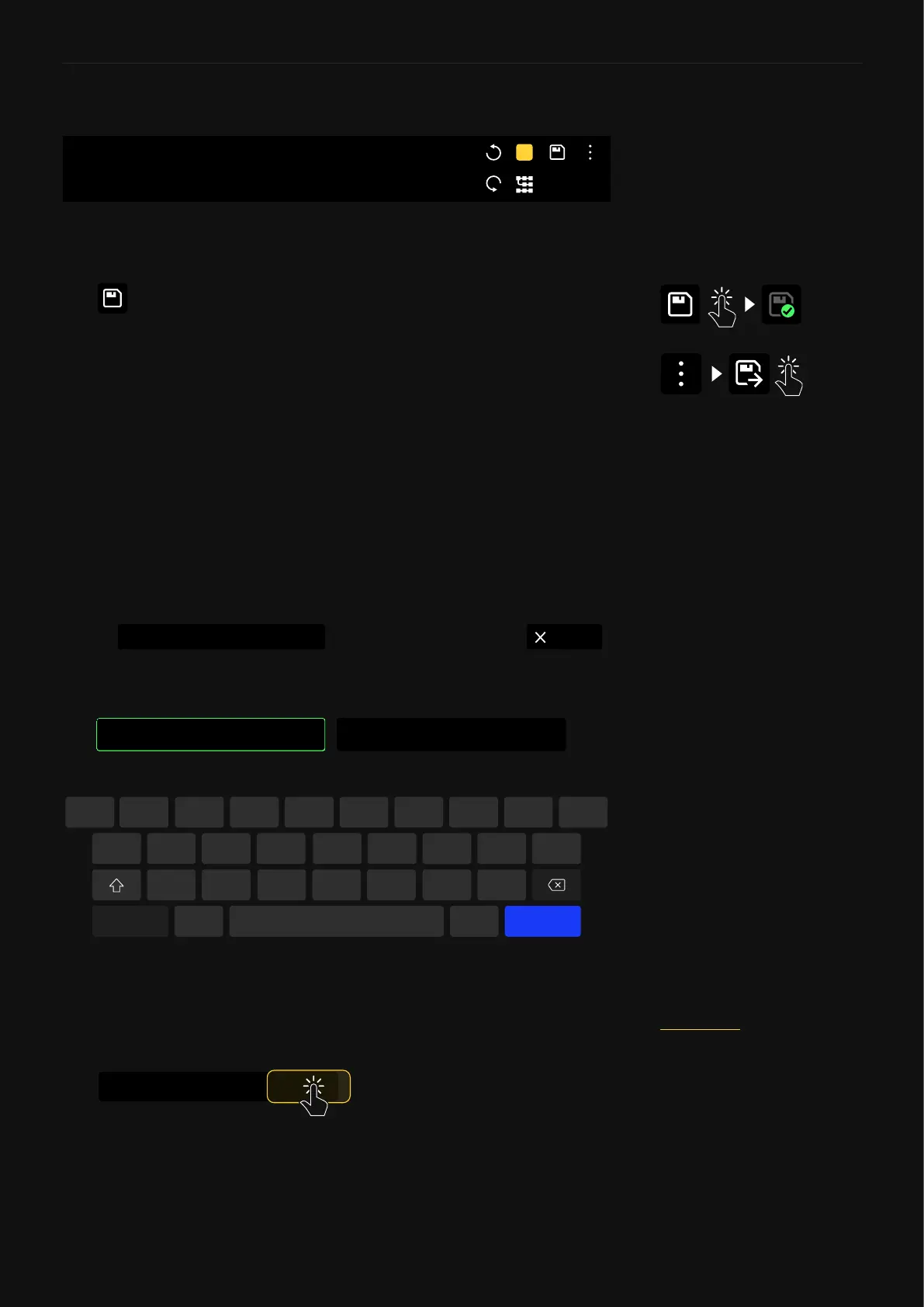
Tap at the top-right corner to save your changes and overwrite
the existing Preset immediately.
You can also go to the menu at the top-right and tap “Save as...”
to save a rig as a new Preset.
“Save as...” is helpful if you have modied a Preset and want to
save your changes as a new Preset, as tapping the save icon will
overwrite the active Preset with your modications.
Factory Presets can also be modied and stored as new Presets
in any of your Setlists by using the “Save as…” feature.
Saving Presets
PRESET
B
In the save menu, you can name your Preset as well as assign
it tags. Multiple tags have to be separated with a comma and a
single space between them.
CancelSetlist
Change
My Presets / 1A
q
a
123
s
z
,
x c v
Space .
b n m
d f g h j k l
w e r t y u i o p
Save
PRESET NAME
Electric LEAD
TAGS
Plini, Lead
If you want to know how to
share a Preset, please check the
Cortex Cloud section.
Tap to dene the Setlist where you
would like to save the preset.
Change
My Presets / 1A



 To Next Page