50
Modes
In the rst example, Scene A (Footswitch A) bypasses the
compressor, drive, and reverb blocks for a dry rhythm tone.
Scene B (Footswitch B) toggles the compressor and drive but
leaves the reverb pedal bypassed. Scene C (Footswitch C)
engages all the blocks in the row for a soaring lead guitar tone.
The parameters within each virtual device can also be changed in
each Scene.
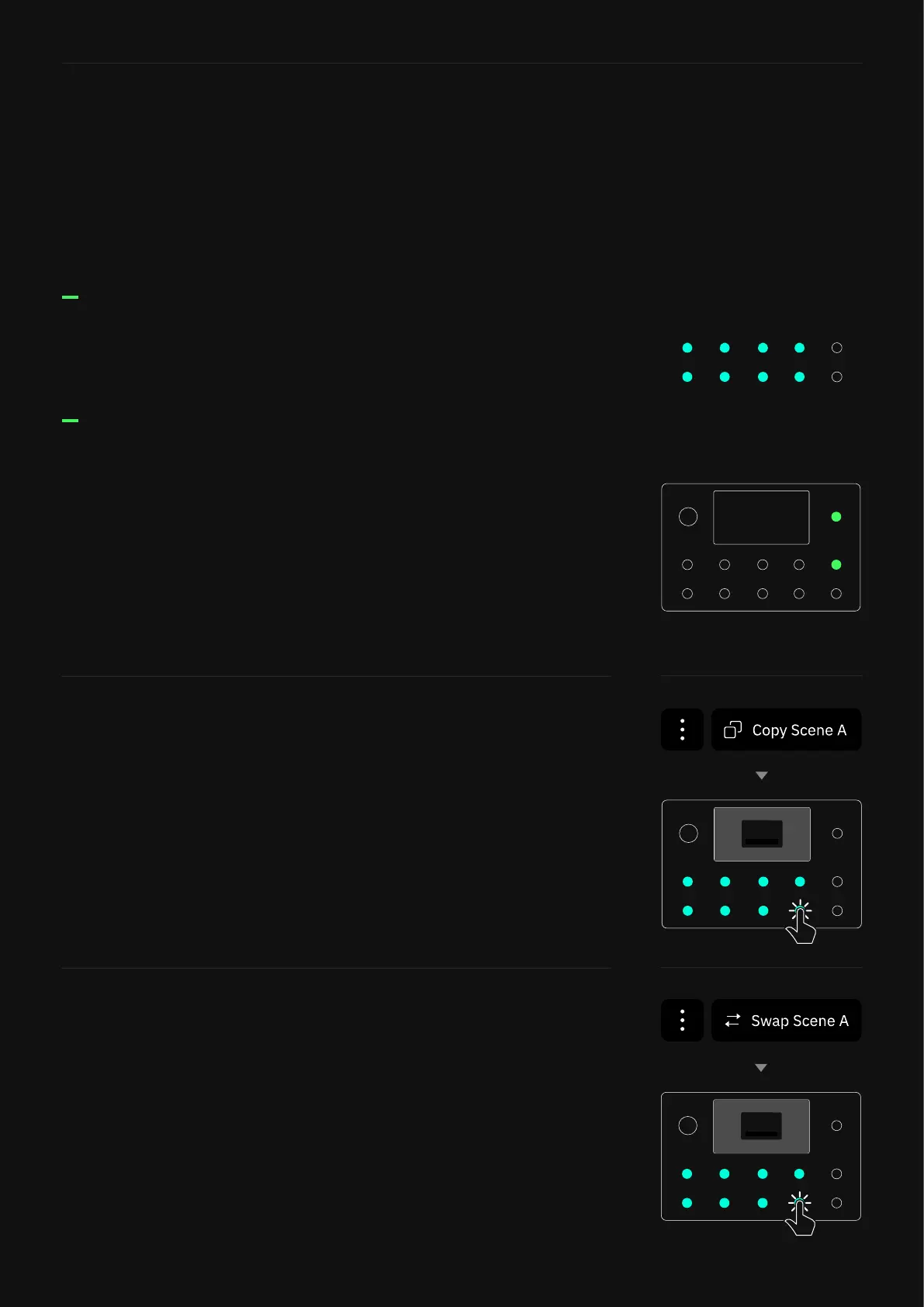
The footswitch LEDs will illuminate according to the selected
Scene. Eight scenes are available for each Preset.
Footswitch LEDs
While using Scene mode, press the Up and Down footswitches to
navigate through Presets.
Press and hold either the Up or Down footswitch to navigate
through banks. The Preset name and active footswitch will also
blink intermittently. To conrm the change, press the blinking
footswitch.
Navigating through Presets
Scenes can be copied and pasted into different footswitches via
the main menu on The Grid. This action can be performed in any
mode.
If you want to cancel the whole operation, tap the CANCEL button.
Copy & Paste Scenes
Scenes can be swapped via the main menu on The Grid. This
action can be performed n any mode.
If you want to cancel the whole operation, tap the CANCEL button.
Swap Scenes



 To Next Page