55
Setup Examples
Basic Routing
Quad Cortex offers multiple routing options,
which can be congured through the I/O
Settings screen.
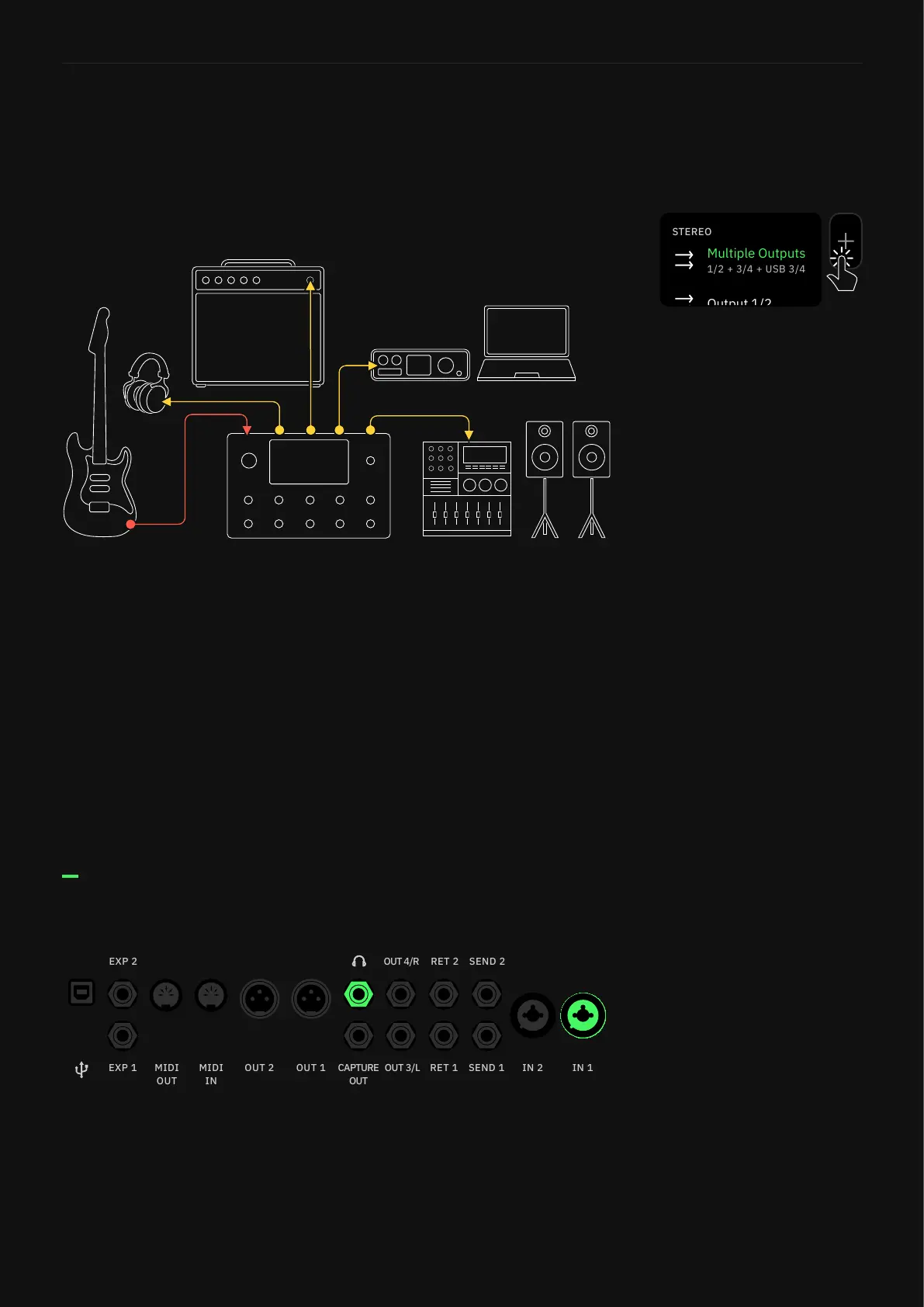
Most signals will begin with an instrument. Factory Presets and
newly created Presets will use In 1 and Multi-Output blocks by
default. The Multi-Out block routes your signal through XLR Outs
1/2 as well as TRS Outs 3/4, and USB. You can use this routing as
a multi-purpose set up to monitor your signal while you’re playing.
However, you can use the headphone out of the unit to keep things
even simpler:
1. Connect your instrument to Input 1.
2. Connect your headphones to the Headphone output.
3. Adjust the mix on the I/O Settings screen.
I/O Setup
The outlined routing congurations can be used to connect to
FRFR systems, audio interfaces, and many other setups.
Tap any output block in The Grid
then select “Multiple Outputs”
to enable this feature.
The Multi-Out block routes your
signal through XLR Outs 1/2
as well as TRS Outs 3/4, and
USB. It’s the default setting for
all Factory Presets and newly
created Presets.



 To Next Page