88
MIDI
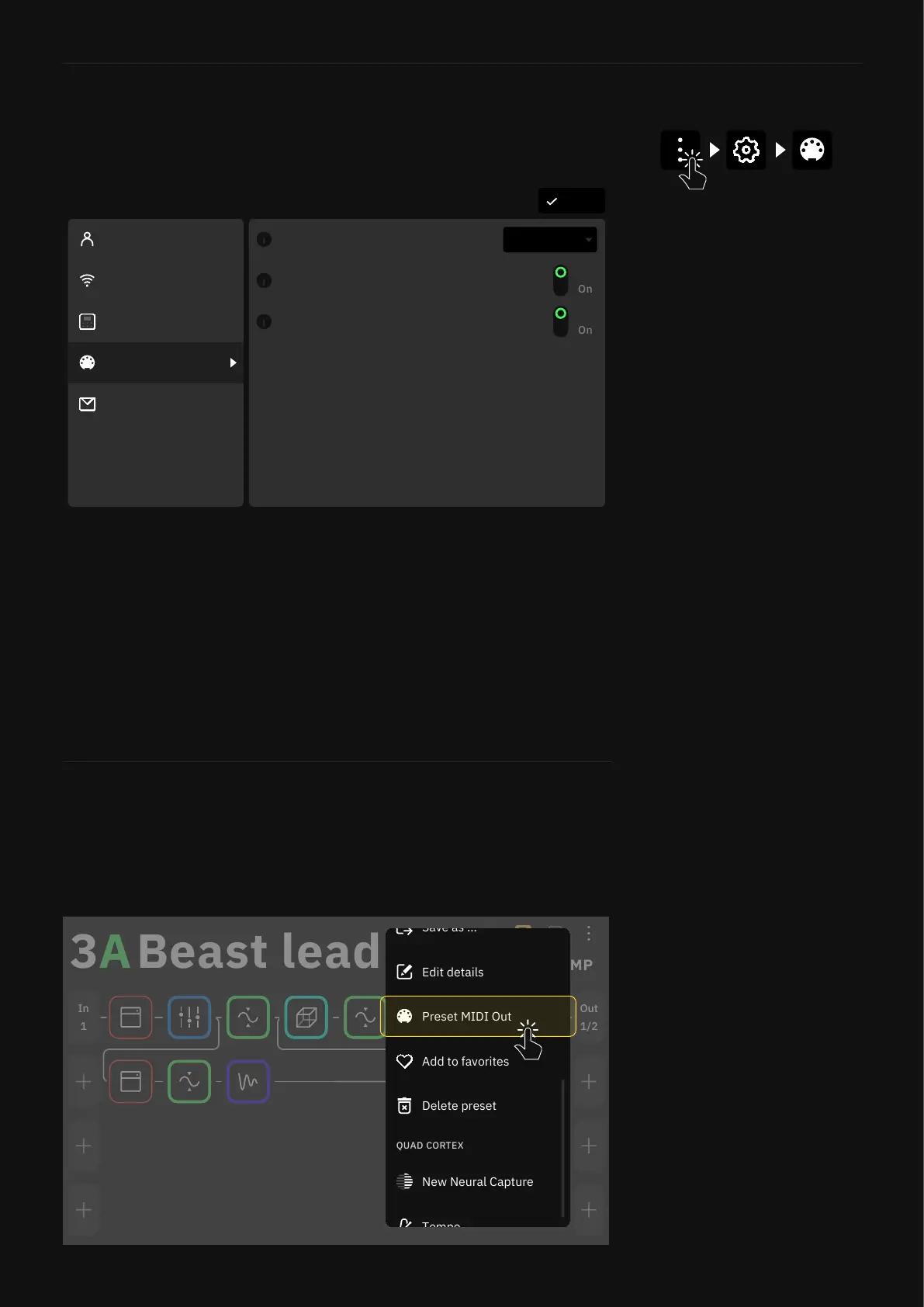
Tap the Main Menu on The Grid and select Settings to access to
the MIDI Settings screen.
MIDI Settings Menu
• MIDI CHANNEL LIST: Sets the Quad Cortex base MIDI
channel. The default value is 1.
• MIDI THRU SWITCH: Sets MIDI Thru ON or OFF. MIDI Thru
allows many devices to have their MIDI connections daisy-
chained together to be driven by a common MIDI source. This
setting is available in the I/O Settings as well. The default
value is OFF.
• MIDI OVER USB SWITCH: Enables or disables MIDI over USB.
The default value is ON.
DoneSettings
My Account
Contact Us
MIDI Settings
Device Options
Wi-Fi MIDI Thru
Off
MIDI Channel 1
MIDI over USB
Off
Preset MIDI Out Settings
1/2
Out
1
In
STOMP
B
Add to favorites
Delete preset
Save as ...
Edit details
Preset MIDI Out
Quad Cortex is capable of sending MIDI messages to external
devices. Those messages can be mapped and modied in the
Preset MIDI Out settings menu.



 To Next Page