28
Presets
Assigning Expression Pedals
You can assign an expression pedal to any
device (including Splitters, Mixers, and Lane
Output Control parameters), and it can control
multiple parameters simultaneously.
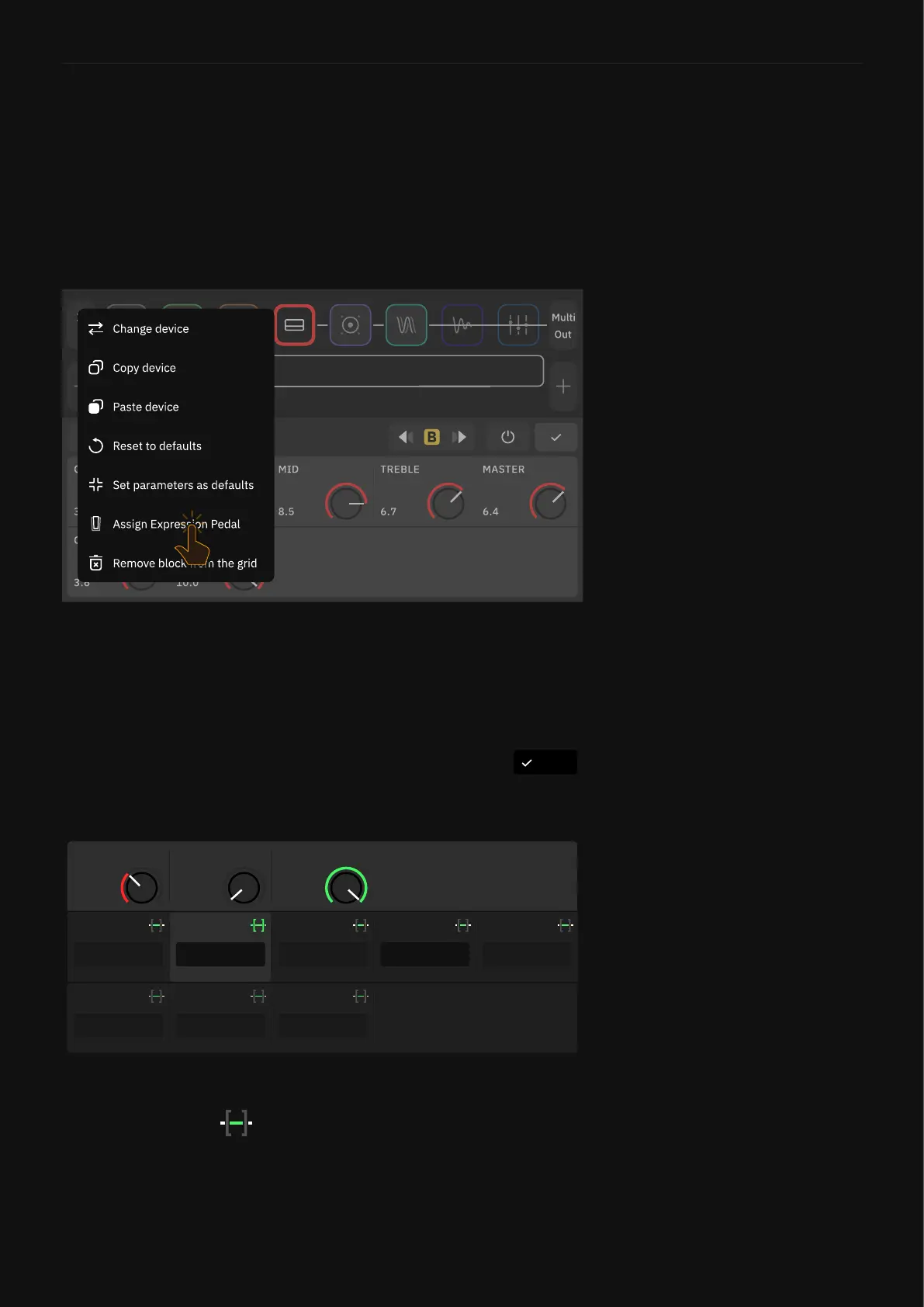
To assign an expression pedal, tap a block on The Grid, tap the
contextual menu, then tap “Assign Expression Pedal”. Select
the expression pedal you want to use to control the block’s
parameters.
DoneAssign Expression Pedal
100%
MAX RANGE
0%
MIN RANGE
0.71
DRIVE
ASSIGN
MID FREQ
ASSIGNED
MIDDLE
ASSIGN
BASS
ASSIGNED
DRIVE
ASSIGN
GAIN
ASSIGN
MASTER
ASSIGN
BYPASS
ASSIGN
TREBLE
Please choose which parameters you wish to control.
You can assign more than one at once.
Use the “Assign” button to assign a parameter to the expression
pedal, and use the button to modify the minimum and
maximum values accessible in the pedal’s sweep. Press the
“Done” button at the top-right corner when you’re nished.
It’s important to remember to calibrate your expression pedal via
the I/O Settings.



 To Next Page