48
Modes
Switching Modes
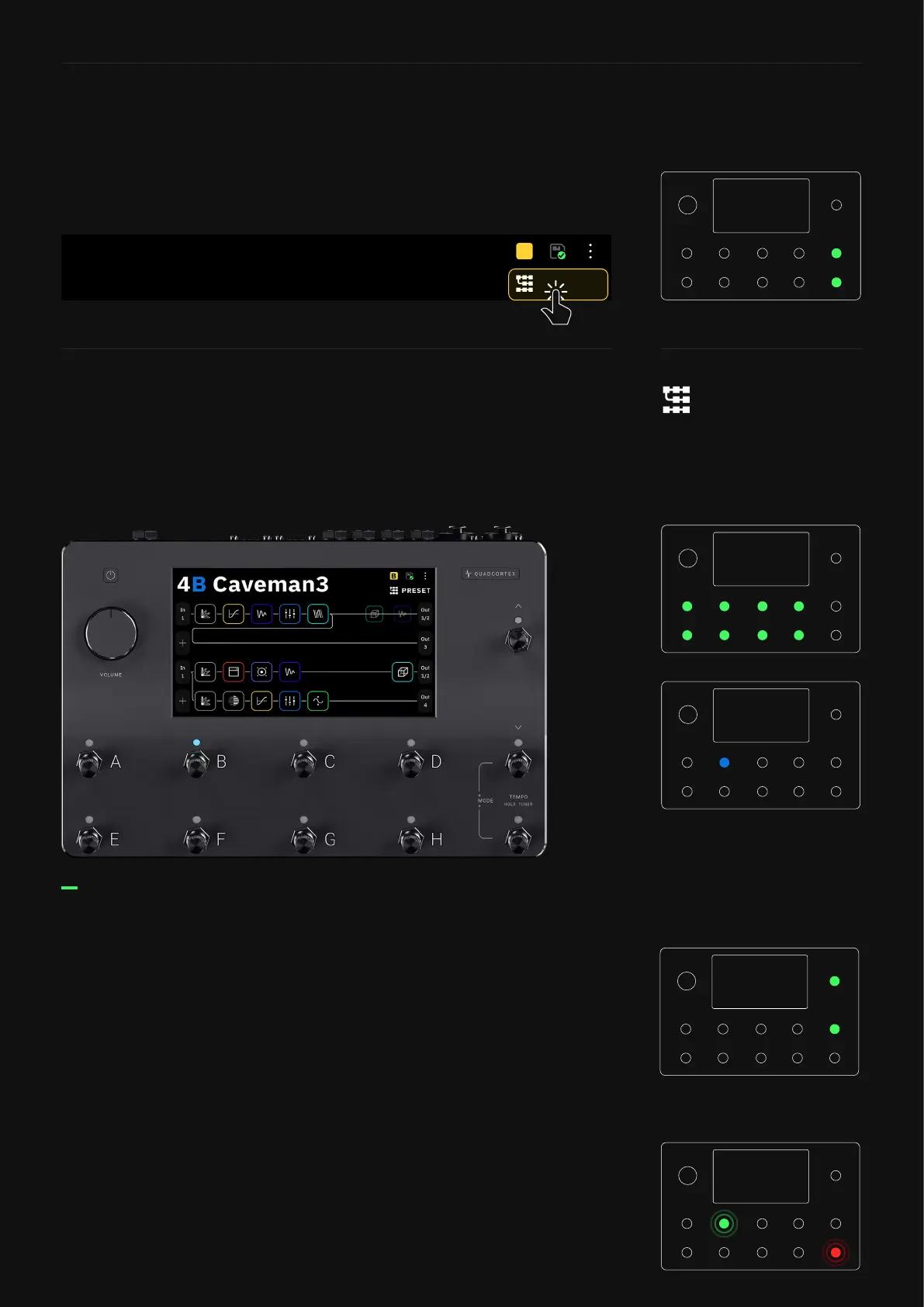
You can switch between modes by tapping the name of the mode
currently active at the top-right of The Grid, or by pressing the
furthest-right footswitches on the bottom two rows together.
Preset Mode enables you to have eight completely different rigs.
Press the A to H footswitches to navigate through the Presets.
B
Press the Up and Down footswitches to navigate through banks of
Presets in your Setlist.
Navigating through Banks
The bank number and Preset name will change immediately
after you press the up or down footswitches. The Preset name
and active footswitch will also blink intermittently. To conrm the
change, press the blinking footswitch again.
If you want to load another Preset in the new bank instead, press
the corresponding footswitch twice.
To cancel the whole operation, press the TEMPO footswitch (red
LED).
PRESET
B
Preset Mode



 To Next Page