61
Setup Examples
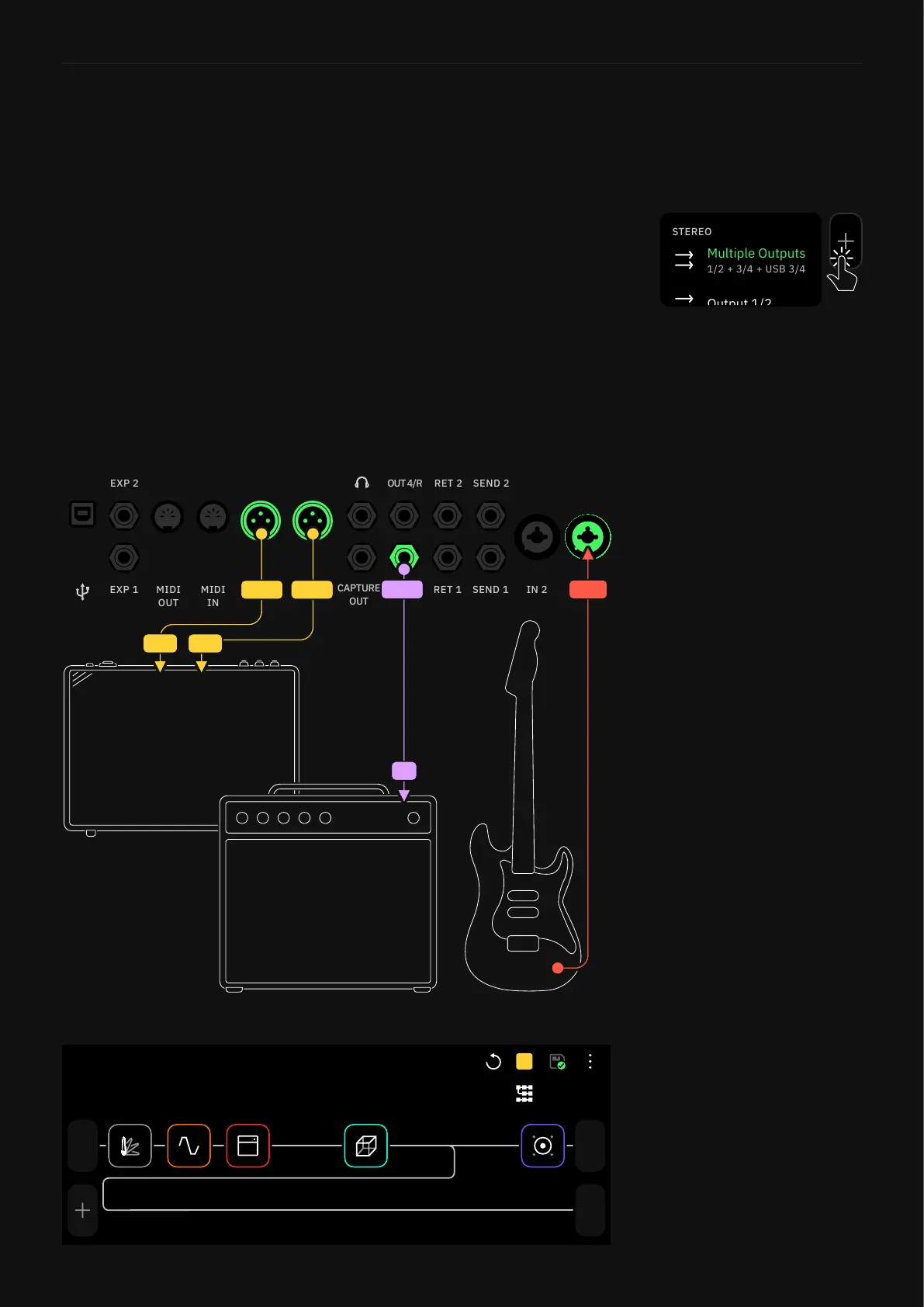
Power Amp & Cab + FRFR/Direct
This method is used to maintain a full signal chain that can be
sent to a flat response system while sending a parallel signal to a
cabinet with the cab device bypassed on Quad Cortex.
I/O Setup
1. Connect your instrument to Input 1.
2. On The Grid, make sure the main signal is going through
outputs 1 and 2 (OUT1/L and OUT2/R). Then use an A/B
Splitter to patch the signal before reaching the cab block to
output 3 (OUT3/L).
3. Connect OUT1/L (and OUT2/R if stereo) to an FRFR system,
and connect the OUT3/L to the power amp+cab setup.
IN 2 IN 1
OUT 2 OUT 1
IN 1
IN
OUT 3/L
1/2
Out
1
In
3
Out
PRESET
A
Preset Grid
Tap any output block in The Grid
then select “Multiple Outputs”
to enable this feature.
The Multi-Out block routes your
signal through XLR Outs 1/2
as well as TRS Outs 3/4, and
USB. It’s the default setting for
all Factory Presets and newly
created Presets.



 To Next Page