49
Modes
Scene A is the default Scene of any new Preset. To change a
Preset’s default Scene, just save the Preset with another Scene
loaded.
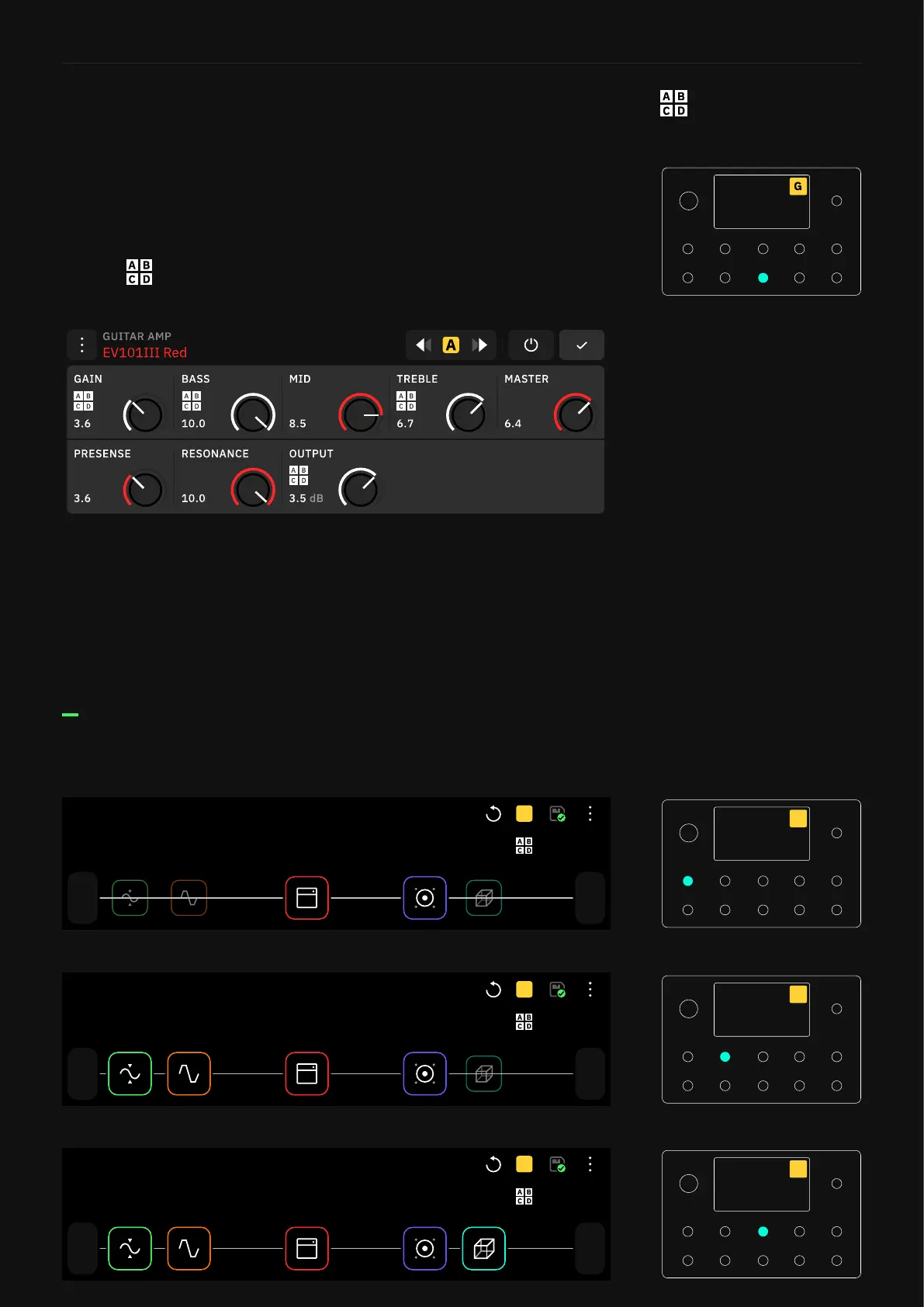
Scene Mode allows you to control the settings of any number of
blocks in a rig.
Press the footswitches to navigate through the different Scenes.
You can see the currently active Scene as a letter block in the
upper-right corner. Tap-and-hold a parameter to assign it to
Scenes . Scene parameter assignment/changes can be
performed regardless of the current active Mode.
Tap-and-hold a Scene-assigned parameter to prompt the unassign
dialog. Removing the assignment will restore the value from the
main Scene.
Preset Grid
Preset 4E - Scene A
1/2
Out
1
In
SCENE
A
A
Preset 4E - Scene B
1/2
Out
1
In
SCENE
B
B
Preset 4E - Scene C
1/2
Out
1
In
SCENE
C
C
Scene Mode



 To Next Page