74
Neural Capture
Creating a new Neural Capture
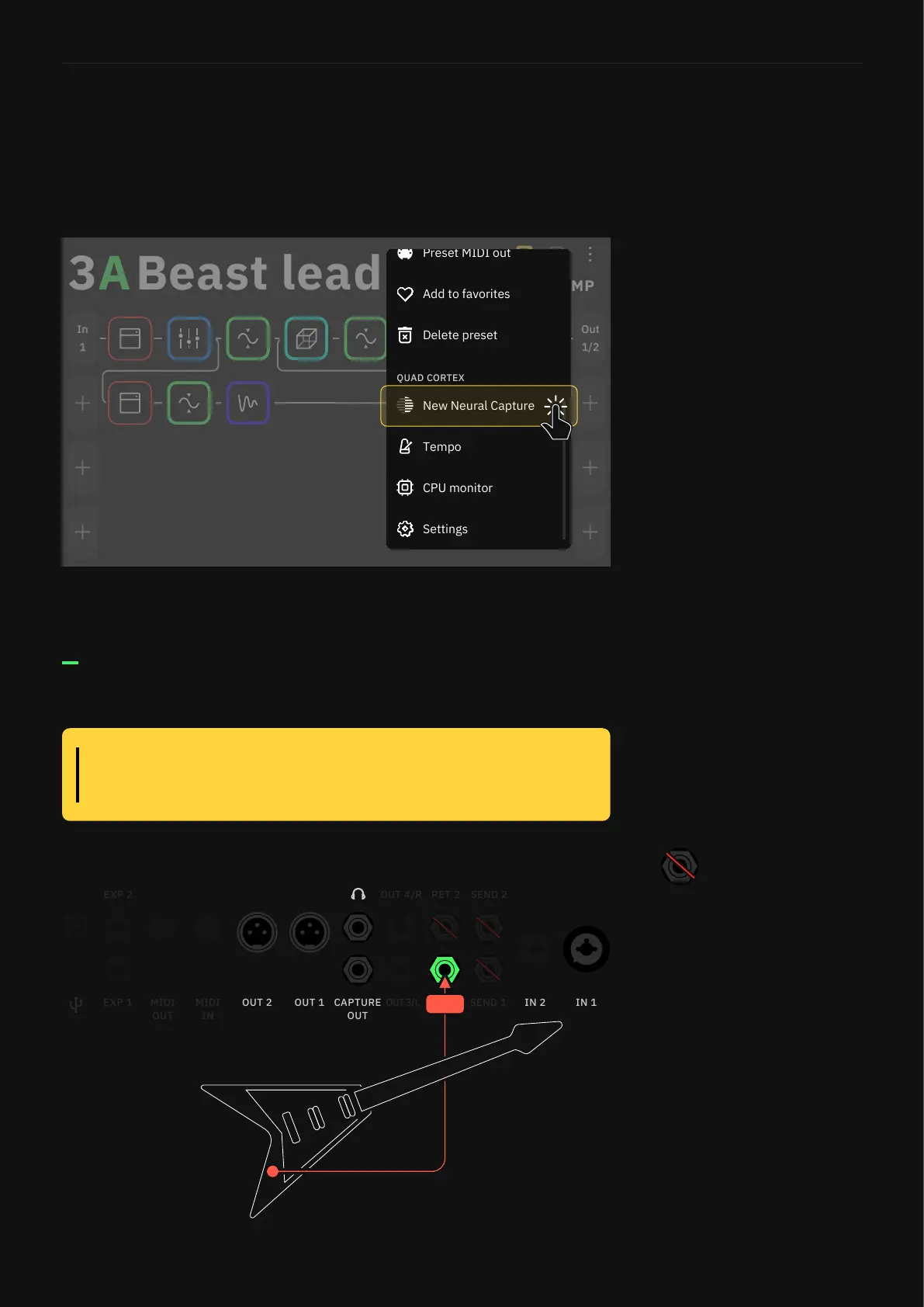
Start by taping the Main Menu at the top-right corner of The Grid,
then tap “New Neural Capture”
1/2
Out
1
In
STOMP
B
Add to favorites
Delete preset
Settings
CPU monitor
Preset MIDI out
Connection Diagram
1. Plug your instrument into Return 1.
RET 1
Connecting the speaker output from a tube amplier to the Quad
Cortex could damage both units. Ensure you are using a D.I. Out and
your amplier is still connected to a cabinet or reactive load box.
WARNING:
For the best results, disconnect
any devices from Send 1, Send 2,
and Return 2.
No special type of microphone is needed. Note that the Neural
Capture is a global snapshot of a real device setup and that
includes the microphone used and its placement as well.



 To Next Page