80
Neural Capture
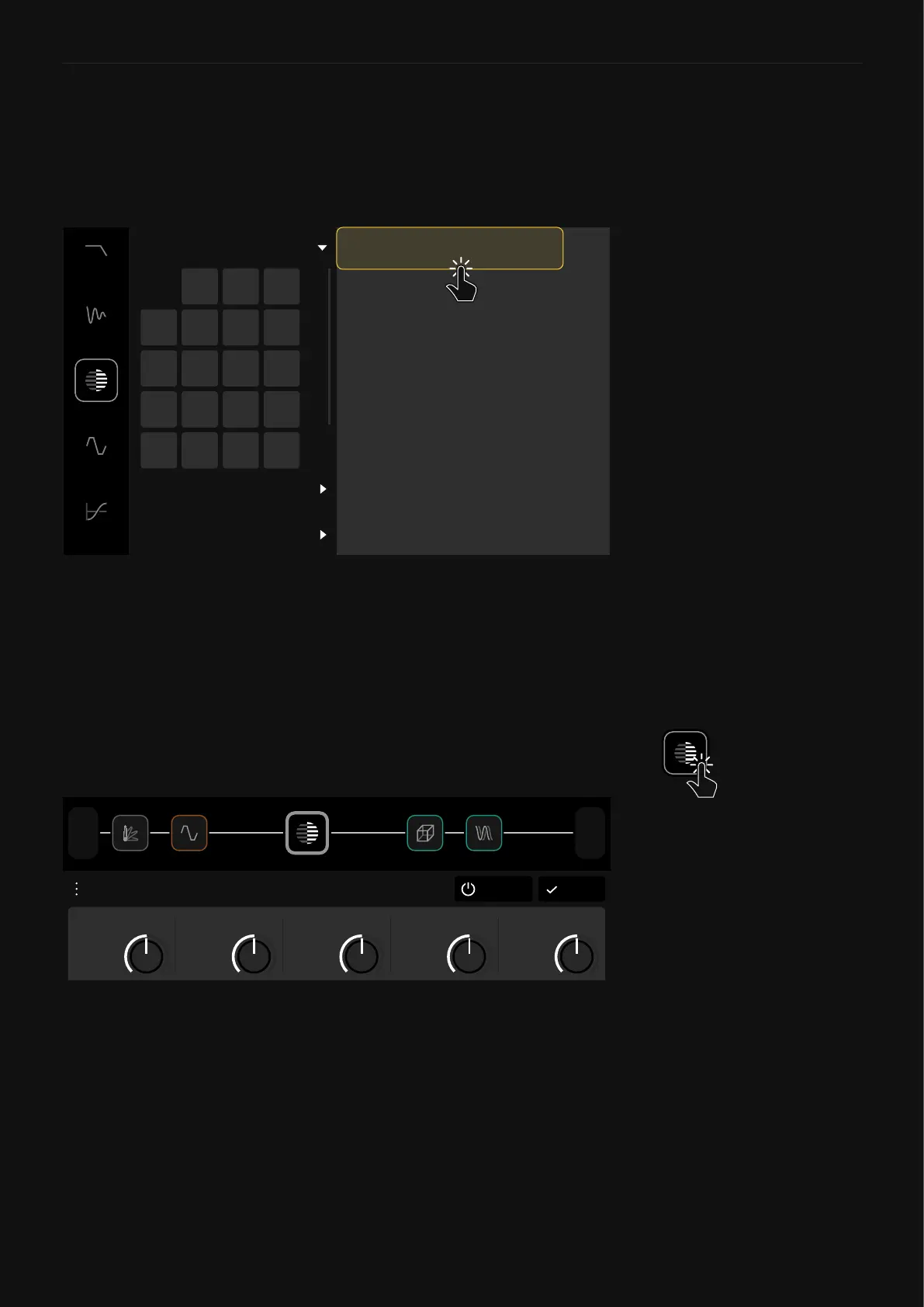
Captures can be used by loading a Neural Capture block on The
Grid. Tap an empty space on The Grid and select “Neural Capture”
in the Device Category list.
This will open the Virtual Device Library, where you can navigate
through the different Neural Capture folders, “My Captures”,
“Factory Captures 1”, and “Factory Captures 2”. Each folder has
32 banks of 8 Capture slots. Tap a Neural Capture in a bank to add
it to The Grid.
FACTORY CAPTURES 1
FACTORY CAPTURES 2
MY CAPTURES
21 3 4
5 6 7 8
9 10 11 12
13 14 15 16
17 18 19 20
1 LX65 57 Axis
2 LX65 57 Clean
3 FN 2187
8 HW 4X12
4 OD MAX Settings
5 2203 On Axis
6 Unknown Amp 01
7 Brit 57 Corner
After selecting a Neural Capture, it will be placed as a device block
on The Grid. Tap on it to access its parameters.
DoneBypass
Neural Capture LX65 57 Axis
0.71
MID
0.71
BASS
0.71
TREBLE
0.71
VOLUME
0.71
GAIN
1/2
Out
1
In
• GAIN [dB]: Determines the gain in the preamp section of the
model.
• BASS [dB]: Affects the low-end of the signal.
• MID [dB]: Affects the mid-range of the signal.
• TREBLE [dB]: Affects the high-end of the signal.
• VOLUME [dB]: Determines the output level of the model.
Using a Neural Capture



 To Next Page