59
Setup Examples
A simpler version of this setup is made by using only mono signals
through outputs 1 and 2:
In both cases, make sure the Splitter is set to A/B.
1/2
Out
1
In
3/4
Out
PRESET
A
1
Out
1
In
2
Out
PRESET
A
Preset Grid #1
Preset Grid #2
1. Connect your instrument to Input 1.
2. Connect OUT1/L to the primary FRFR system and the OUT2/R
to the other system/mixing console.
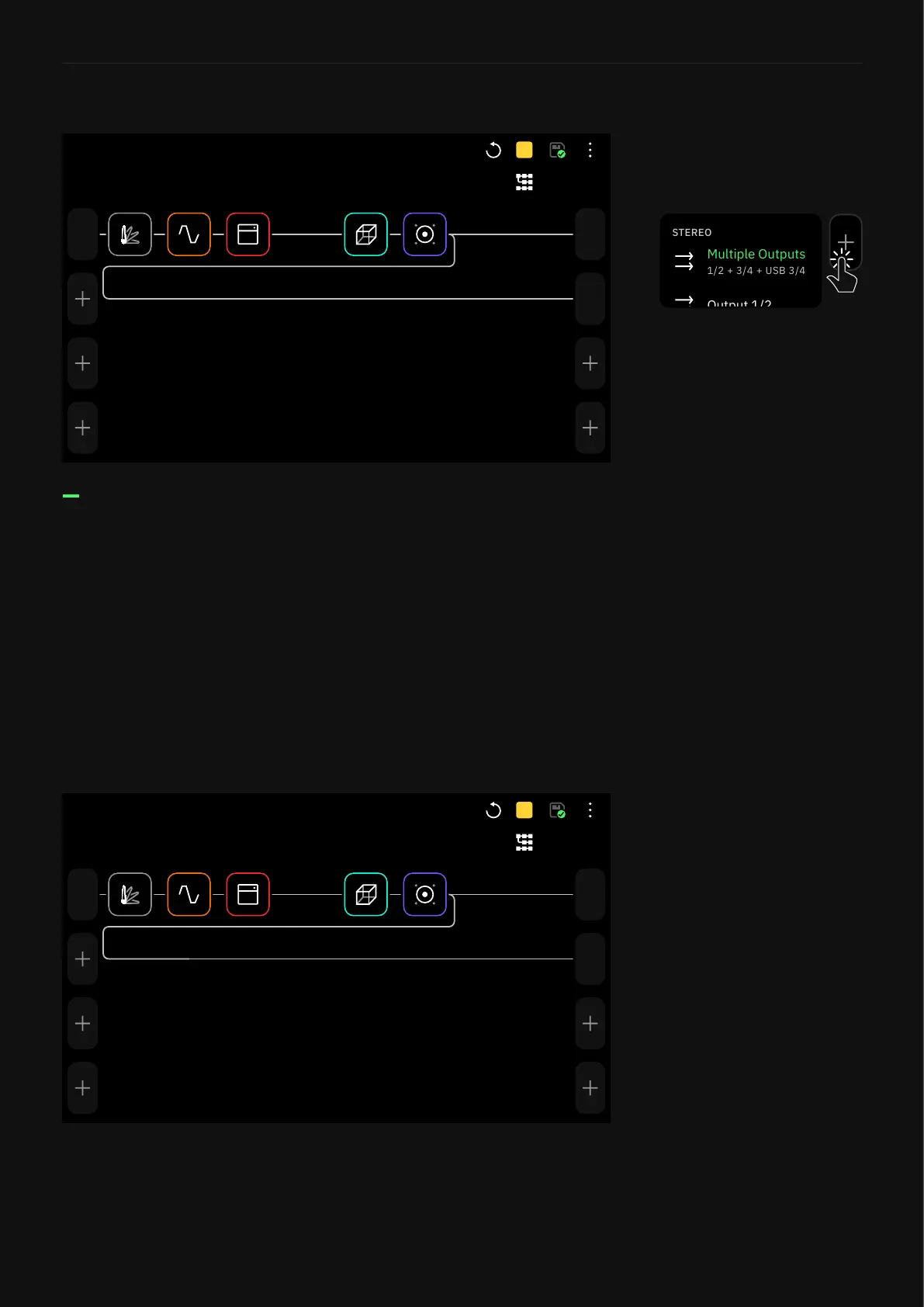
3. Use The Grid to patch your signal chain to Outputs 1 and 2
separately using an A/B Splitter.
Using an A/B splitter allows
sending a custom amount of
signal to the mixing console
without affecting the level of the
FRFR amplier.
Tap any output block in The Grid
then select “Multiple Outputs”
to enable this feature.
The Multi-Out block routes your
signal through XLR Outs 1/2
as well as TRS Outs 3/4, and
USB. It’s the default setting for
all Factory Presets and newly
created Presets.



 To Next Page